Agricultural Supplies Setup
Run an agri input shop in BazaarPOS: items by crop and season, batches with expiry sold earliest first, your licences with warnings, a pesticide check and farmer credit due at harvest.
How it fits together
You keep your normal Items, Customers, billing, purchase orders and special orders. Nothing is entered twice. Seeds, fertiliser and pesticide are normal items with real batches and expiry dates, the farmer is a normal customer whose credit limit is enforced on every credit sale, and every sale is a normal sale with your country's tax. Added on top are the crop and season details, the licences, the harvest due date, the returns and the report.
- Counter: sell items; the earliest-expiry batch is used.
- Items and Batches: crop, season and kind, receiving with an expiry, near-expiry stock and returns.
- Farmers and Credit: village, harvest date, credit limit, statements and reminders.
- Licences and Settings: your licences with end dates.
Step 1: Describe the items and receive stock
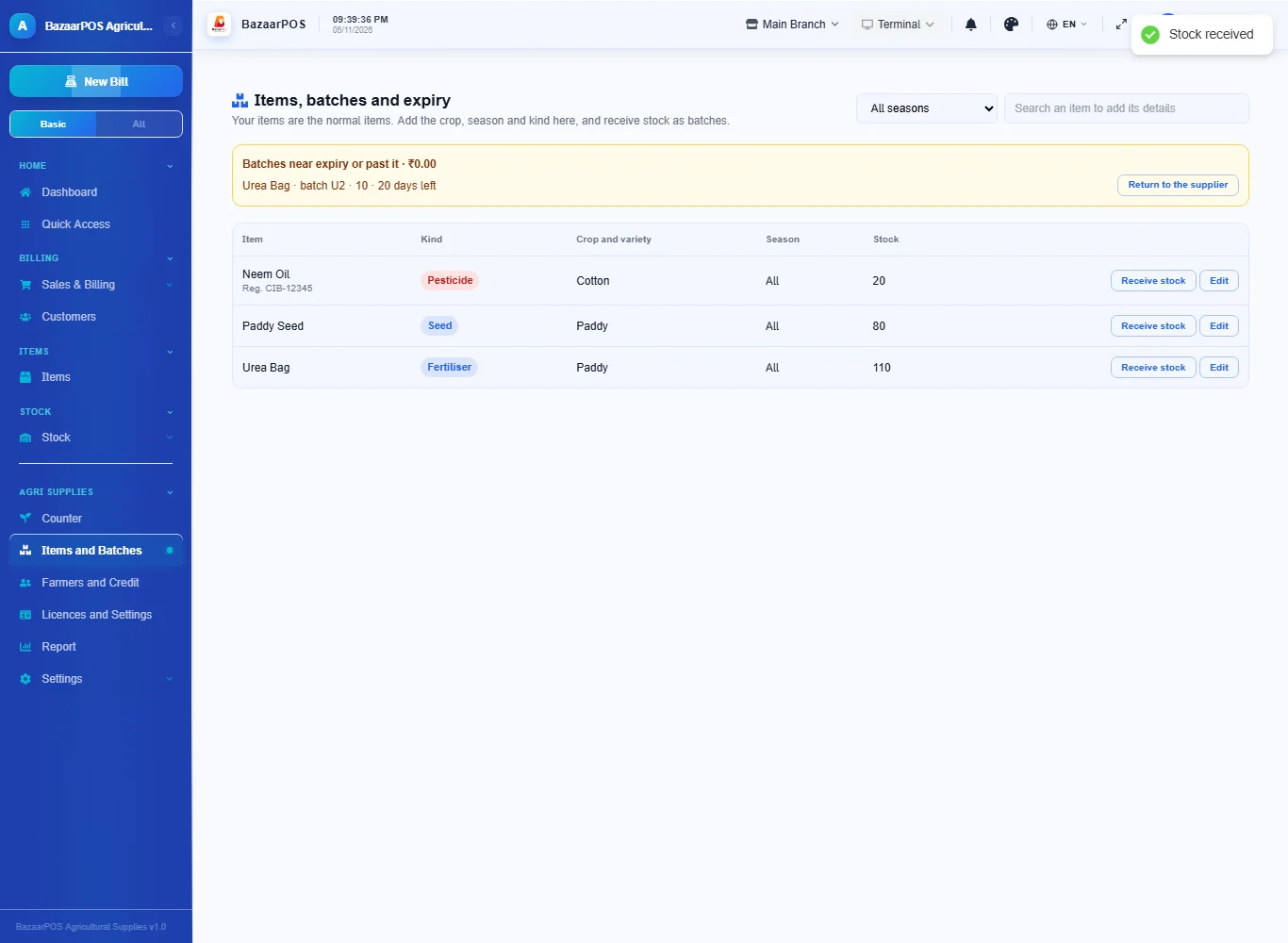
Open Items and Batches, search an item you already have and add its details: the kind (seed, fertiliser, pesticide), the crop, variety and season. A pesticide needs its registration number. Press Receive stock for each delivery: the quantity, the batch number and the expiry date (required for seeds and pesticides). Batches near their expiry are listed at the top.
Step 2: Enter your licences
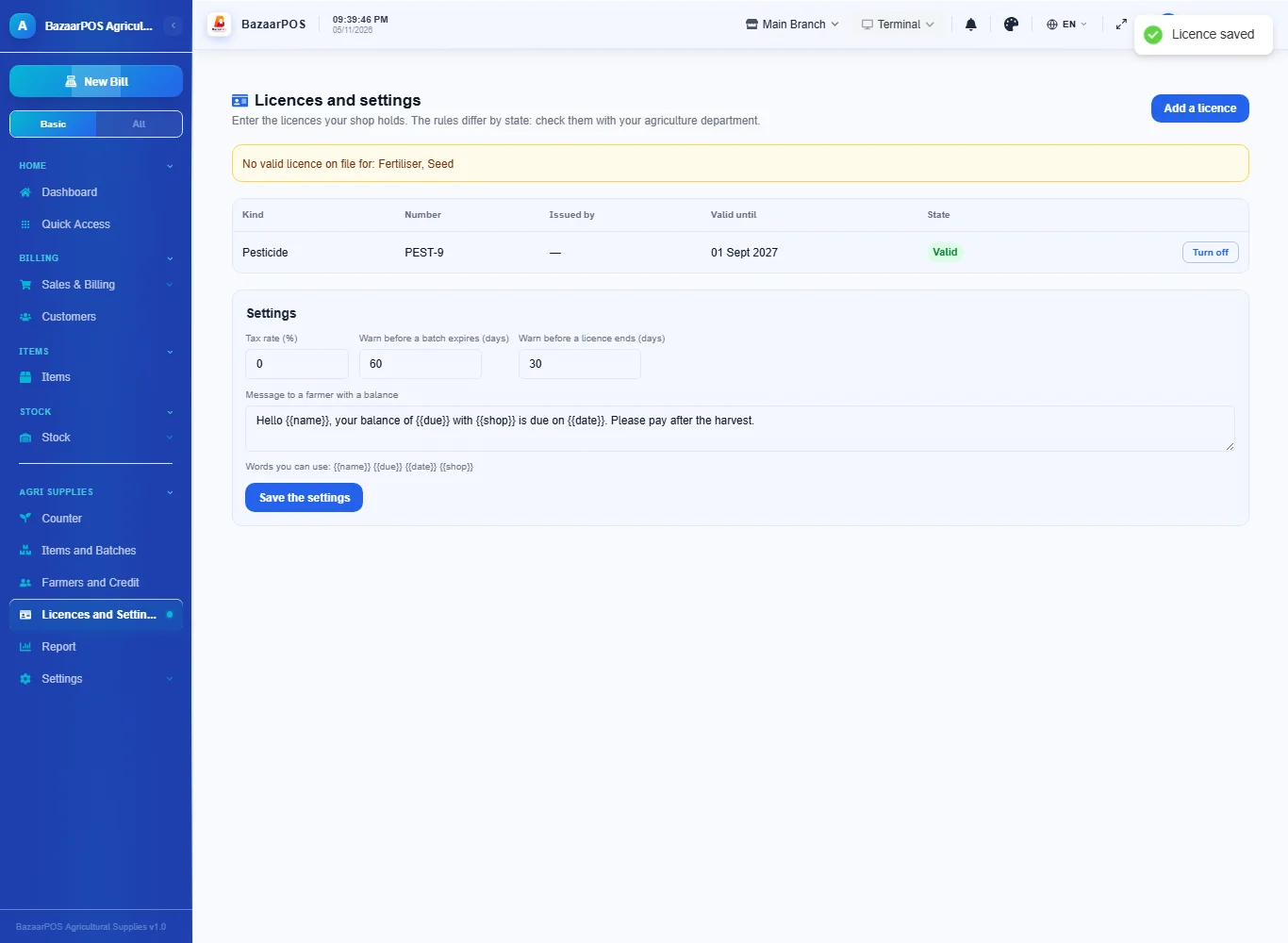
Open Licences and Settings and press Add a licence: the kind, the number and the date it is valid until. The page warns about licences that are missing, ending soon or expired. The rules differ by state: check them with your agriculture department, because BazaarPOS does not decide what is legal to sell.
Step 3: Sell at the counter
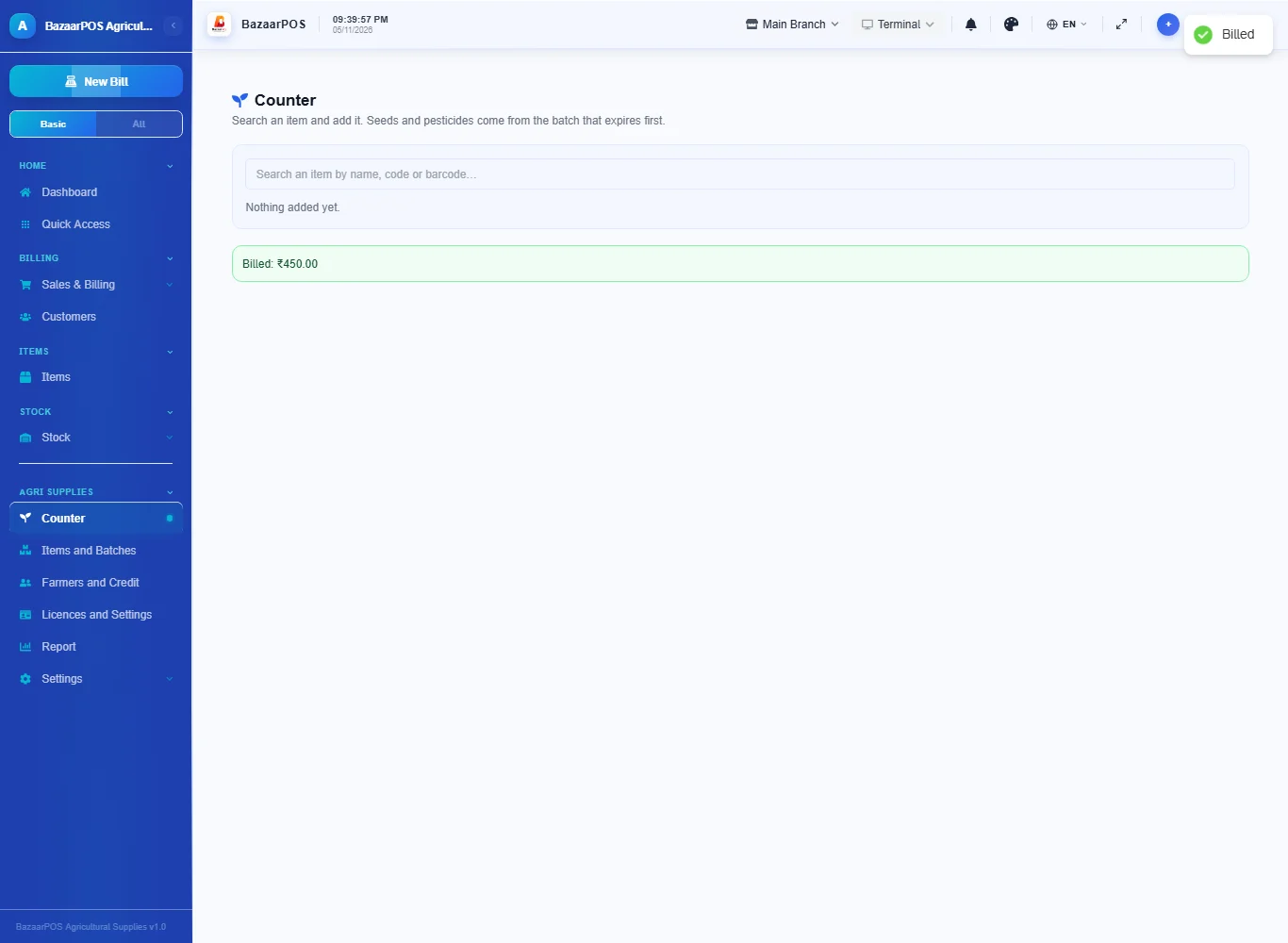
Open Counter, search an item and add it. A batch that has expired is never used, and the batch that expires first goes first. A pesticide is refused unless the shop has a valid pesticide licence on file; a seed or fertiliser sold without its licence on file is allowed with a warning.
Step 4: Farmers and credit
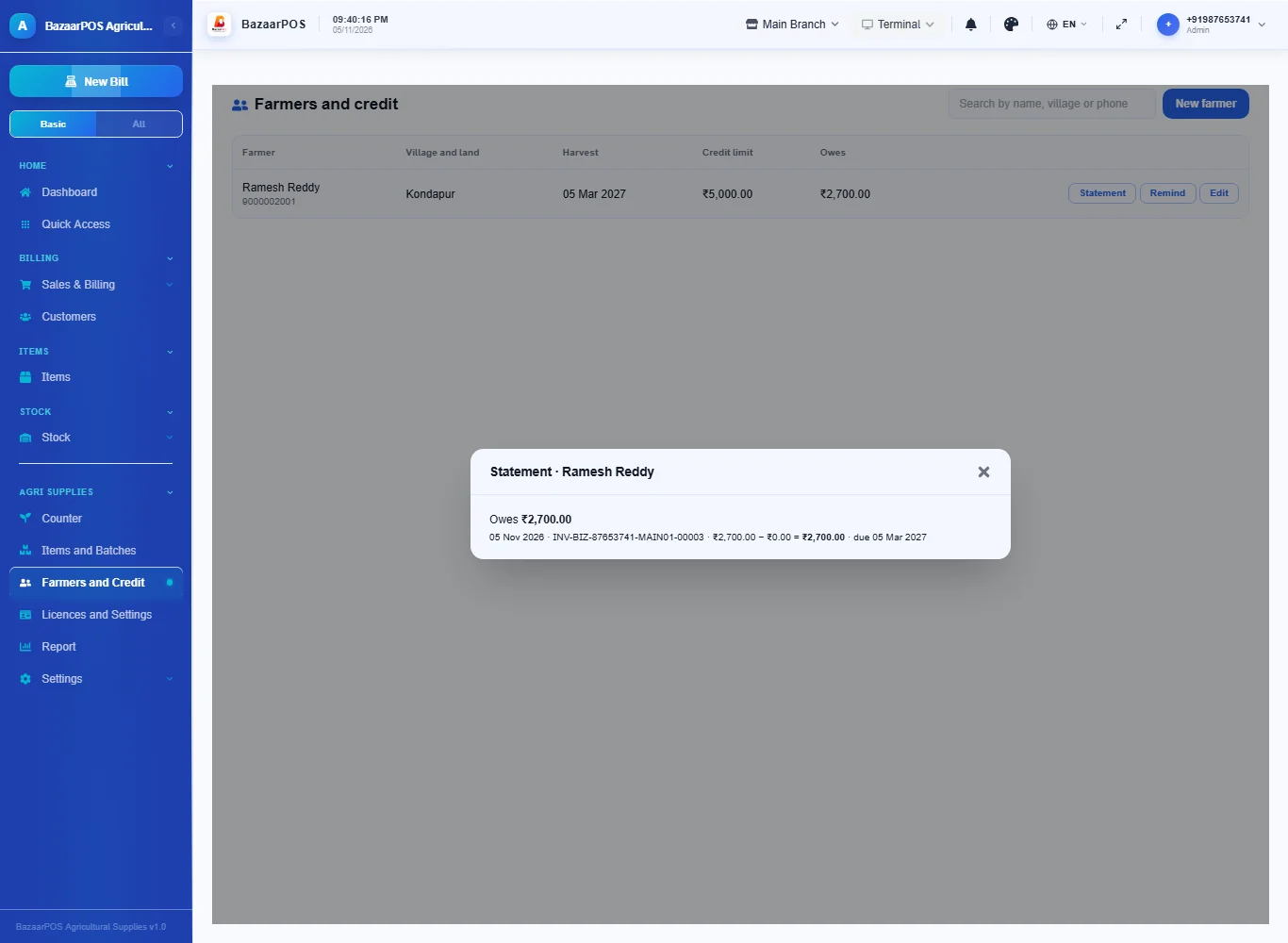
Open Farmers and Credit and press New farmer: name, phone, village, land, crops, the harvest date and a credit limit. At the counter choose the farmer and Credit: the sale is due on the harvest date, and a sale that takes the farmer over the limit is refused. Press Statement for what is owed and Remind to send a message.
Step 5: Return near-expiry stock
In Items and Batches press Return to the supplier on a batch near its expiry, type the quantity and the credit you get. The stock comes off the batch and the shelf.
Step 6: The report
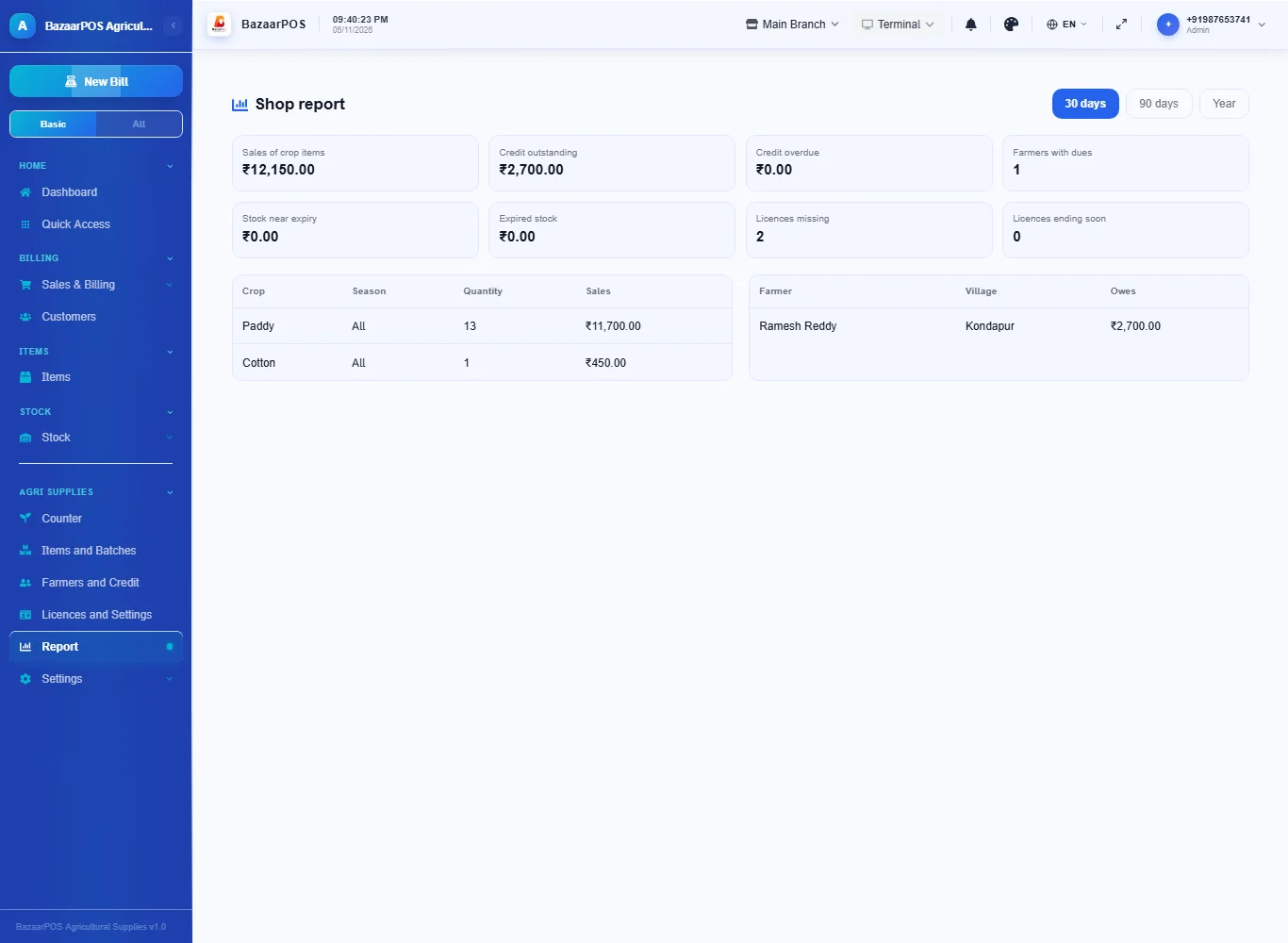
Open Report for sales by crop and season, credit outstanding and overdue, the biggest debtors, the value of stock near expiry or expired and the state of your licences.
On the phone
The phone app has Items (sell), Farmers (statement and reminder), Near Expiry and Report.
Also useful here
- Barcode labels: see Barcodes.
- Counting stock: see Stock count.
- Importing items: see Import and export.
- Expiry dates and batches: see Expiry monitor.
Questions
Is this separate from items and billing?
No. The items, batches, customers and sales are the normal ones; crop, season, licences and farmer credit are added.
Does it know which pesticides are legal in my state?
No. It stores the licences and registration numbers you enter, warns on expiry and refuses a pesticide sale without a valid pesticide licence. The legal rules are yours to check.
How is the credit limit enforced?
It is the customer's own credit limit; the shared sale code refuses a credit sale that would go over it.
Does it use my country's tax?
Yes. The items carry the tax.
Is there a phone version?
Yes. Items with selling, farmers with statements, near expiry and the report are on the phone.
Which plan includes what
Agricultural Supplies comes in Basic, Advanced and Enterprise plans. A screen your plan does not include shows a message with how to upgrade.
- Basic: billing, items, customers, reports, batches, licences, the counter and farmers.
- Advanced: everything in Basic, plus the report.
- Enterprise: everything in Advanced, plus more than one branch and AI sales forecasting.