Computer Repair Setup
Run a computer repair shop in BazaarPOS: take the machine in with its serial number and data-backup note, price the estimate, get the customer's approval before the repair starts, bill with parts from your items and stand behind the repair with a warranty.
How it fits together
You keep your normal Items, Customers, billing, purchase orders and special orders. Nothing is entered twice. Computer repair is built on the BazaarPOS repair desk. The ticket with its serial number, accessories, checklist, signature, photos and maker's claim, the repair price list and the spare parts are the repair desk's own. Added on top are the data-backup note, priced lines with parts from your items, the estimate approval that a ticket cannot pass, billing as a normal sale, a warranty on the repair with warranty returns, and the bench.
- Repair Tickets: intake with serial number and accessories.
- Bench: open tickets, the estimate, billing.
- Repair Price List, Spare Parts: the repair desk's own.
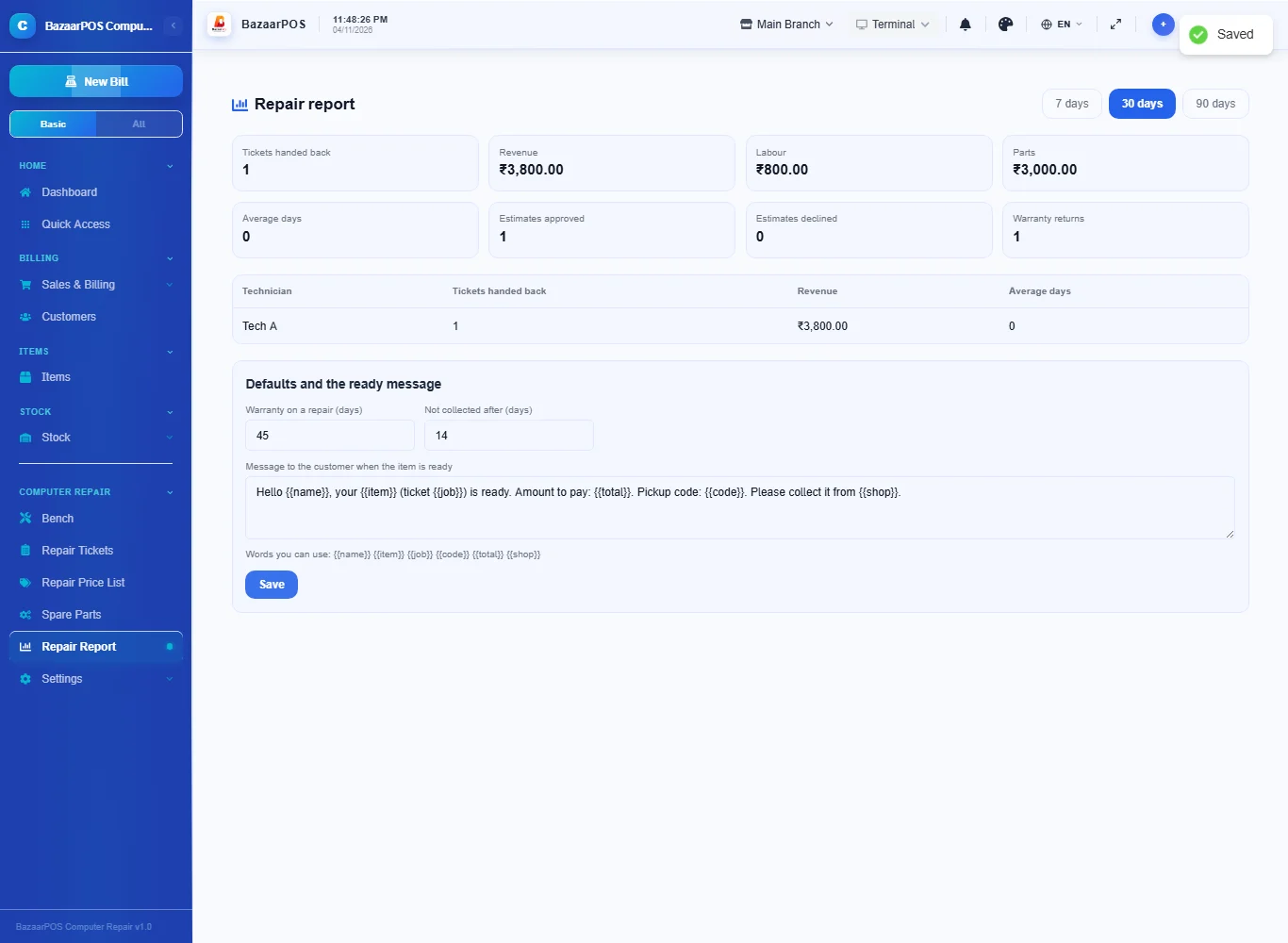
- Repair Report: by technician, with warranty returns.
Step 1: Take the machine in
Open Repair Tickets and create a ticket: the customer, the device, the serial number, the accessories received, the issue, the checklist, a signature and photos of the condition, and the technician. The ticket gets a job number.
Step 2: Note the data and price the estimate
Open Bench and press Open on the ticket. Choose the kind (laptop, desktop, phone...), whether the data was backed up, and a note about what is stored. Add the lines of the estimate: labour, and parts. For a part, search your items: its name and price fill in, and it comes off the shelf when the ticket is billed.
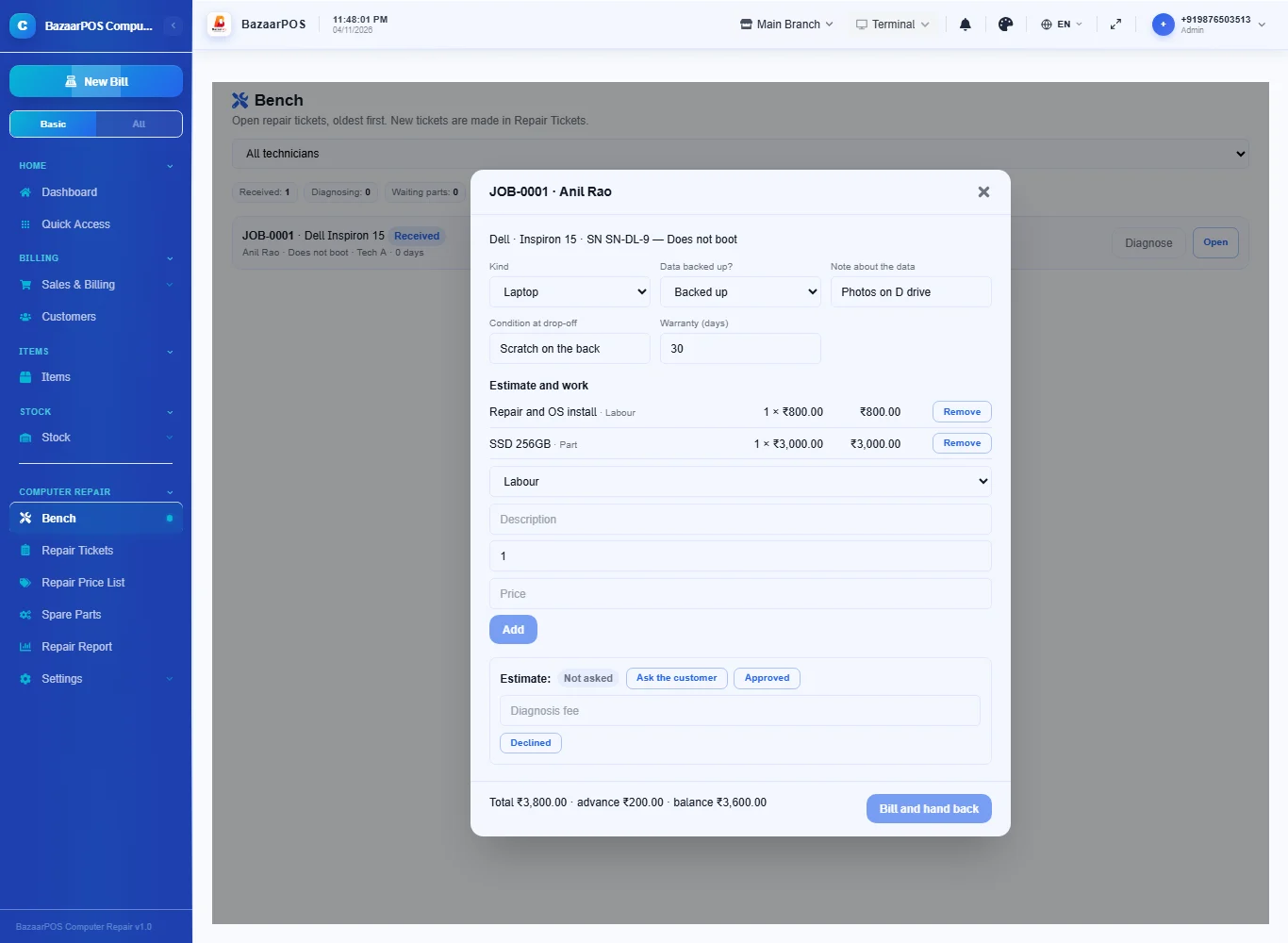
Step 3: Get the customer's approval
Press Ask the customer: the estimate shows as pending, and the ticket cannot go to repair or be billed. When the customer agrees, press Approved. If the customer declines, enter a diagnosis fee (or none) and press Declined.
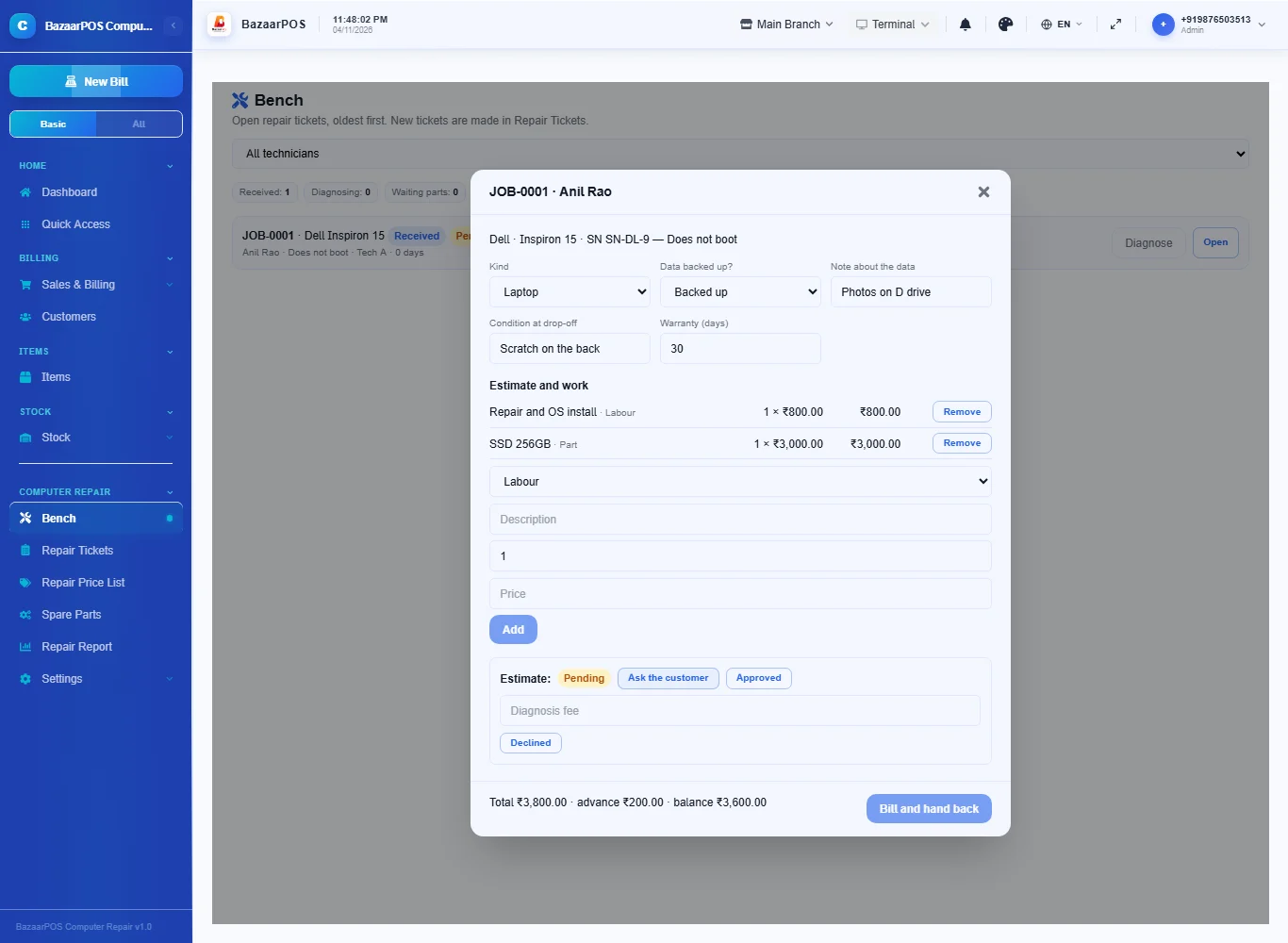
Step 4: Repair, and tell the customer
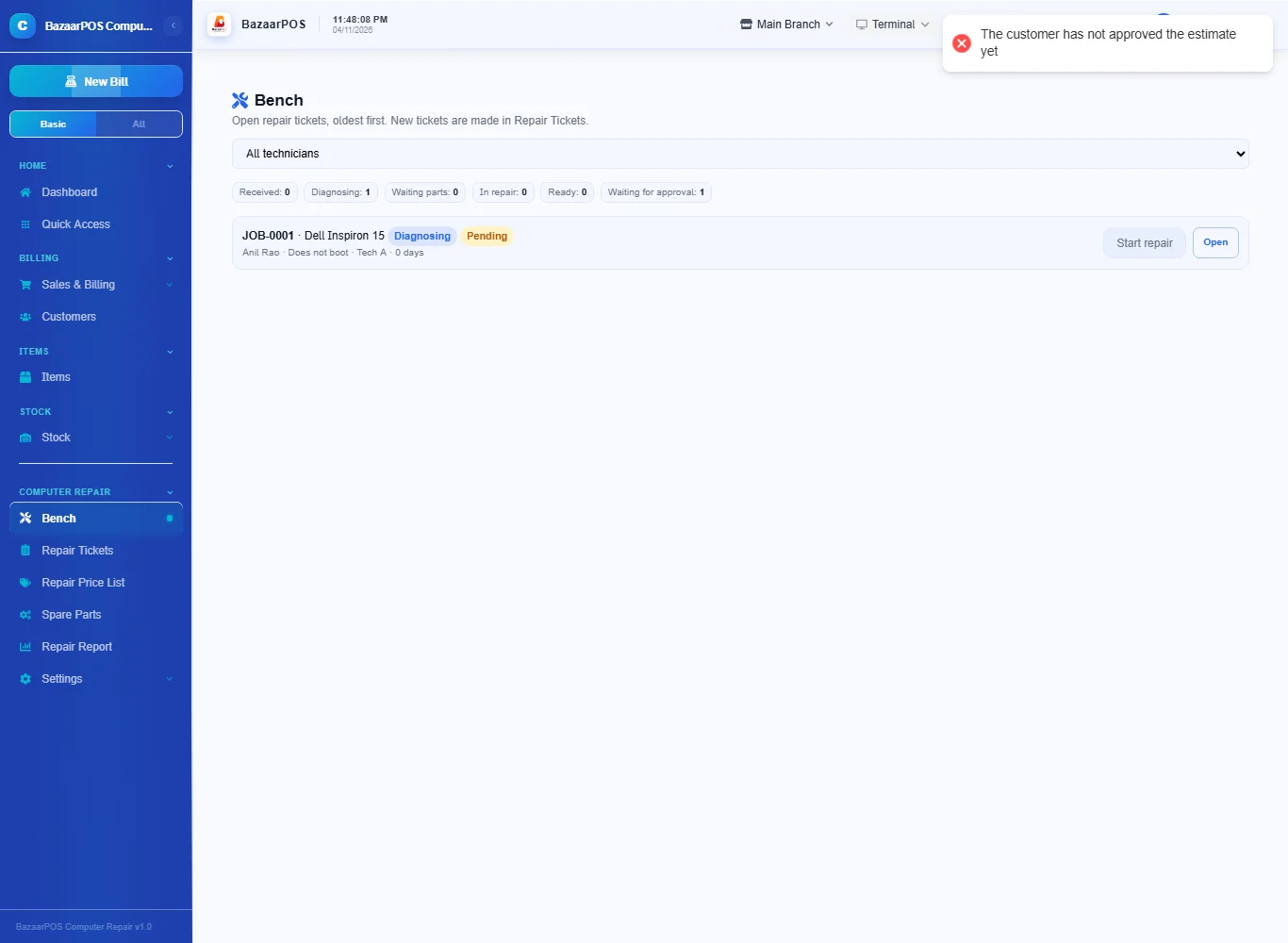
On the bench press Diagnose, Start repair and Ready. A ticket that is not approved stops at Start repair with a message. A ready ticket has Tell the customer, which opens WhatsApp with your message and the pickup code. If extra work is added above the approved estimate, the estimate goes back to pending until the customer approves again.
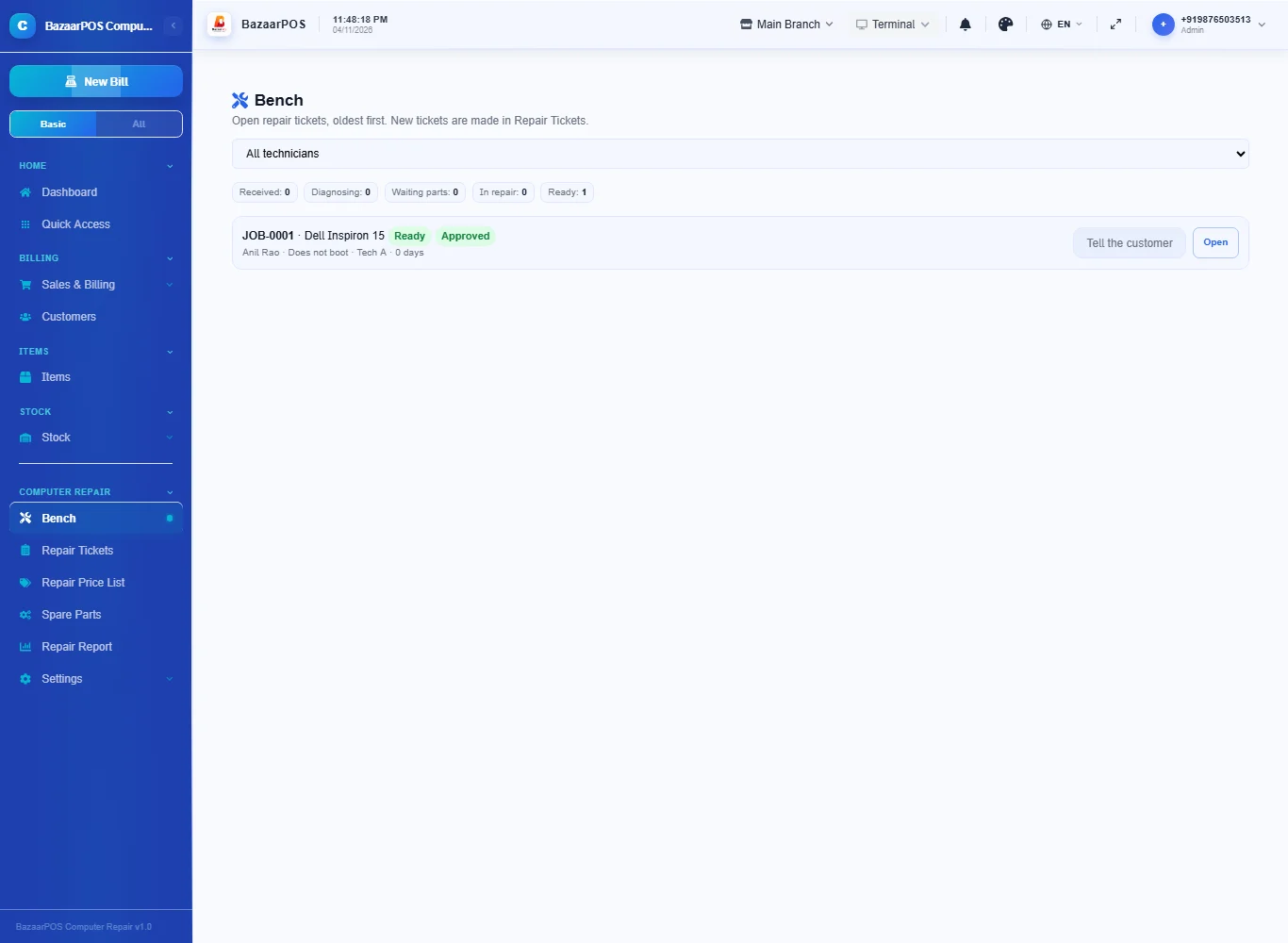
Step 5: Bill and hand back
Open the ready ticket and press Bill and hand back. The lines become a normal sale (the part comes off the shelf and your country's tax applies), the advance you took is noted, and the warranty starts for the days on the ticket. A declined estimate bills only the diagnosis fee.
Step 6: A warranty return
If the machine comes back inside the warranty, open its handed-back ticket and press Warranty return. A new ticket is made with the same customer and serial number, linked to the first one, with nothing to approve or pay.
Step 7: Read the report
In Repair Report see the tickets handed back, revenue, labour against parts, estimates approved and declined and warranty returns, by technician. Set the default warranty, the days after which a ready ticket counts as not collected, and the ready message there.
On the phone
The phone app has Repair Bench and Repair Report, with the repair desk's own Repairs & Service for new tickets.
Also useful here
- Barcode labels: see Barcodes.
- Counting stock: see Stock count.
- Importing items: see Import and export.
- Expiry dates and batches: see Expiry monitor.
Questions
Is this separate from the repair desk?
No. The tickets, price list and spare parts are the repair desk's own; the approval, priced lines, billing and warranty are added.
Does it back up the data?
No. It records whether you backed it up, whether the customer declined, and a note, so it is on the ticket.
What if the customer declines?
The ticket cannot go to repair. The machine is handed back and only the diagnosis fee, if any, is billed.
What if more work is needed?
A line that takes the total above the approved estimate sets the estimate back to pending.
Is there a phone version?
Yes. The Repair Bench and the Repair Report are on the phone.
Which plan includes what
Computer Repair comes in Basic, Advanced and Enterprise plans. A screen your plan does not include shows a message with how to upgrade.
- Basic: billing, items, customers, reports, the bench, repair tickets, price list, spare parts, estimate approval, billing and warranty.
- Advanced: everything in Basic, plus the repair report by technician.
- Enterprise: everything in Advanced, plus more than one branch and AI sales forecasting.