Cosmetics & Beauty Setup
Run a cosmetics shop in BazaarPOS: find products by shade and skin type, see which shades are running low, keep customers’ skin profiles and get a warning at the till when a product has an ingredient a customer reacts to.
How it fits together
You keep your normal Items, Customers, billing, purchase orders and special orders. Nothing is entered twice. A lipstick shade is an ordinary item with its own barcode and stock. A product line groups the shades. Batch numbers and expiry dates use the Expiry Monitor you already have.
- Beauty Products: category, brand, line, shade, undertone, skin type, SPF and ingredients on any item, and a finder.
- Shade Board: every shade of a line with its stock, low ones marked.
- Skin Profiles: skin type and allergies, suggestions, and a Skin check on the bill.
Step 1: Add the product details
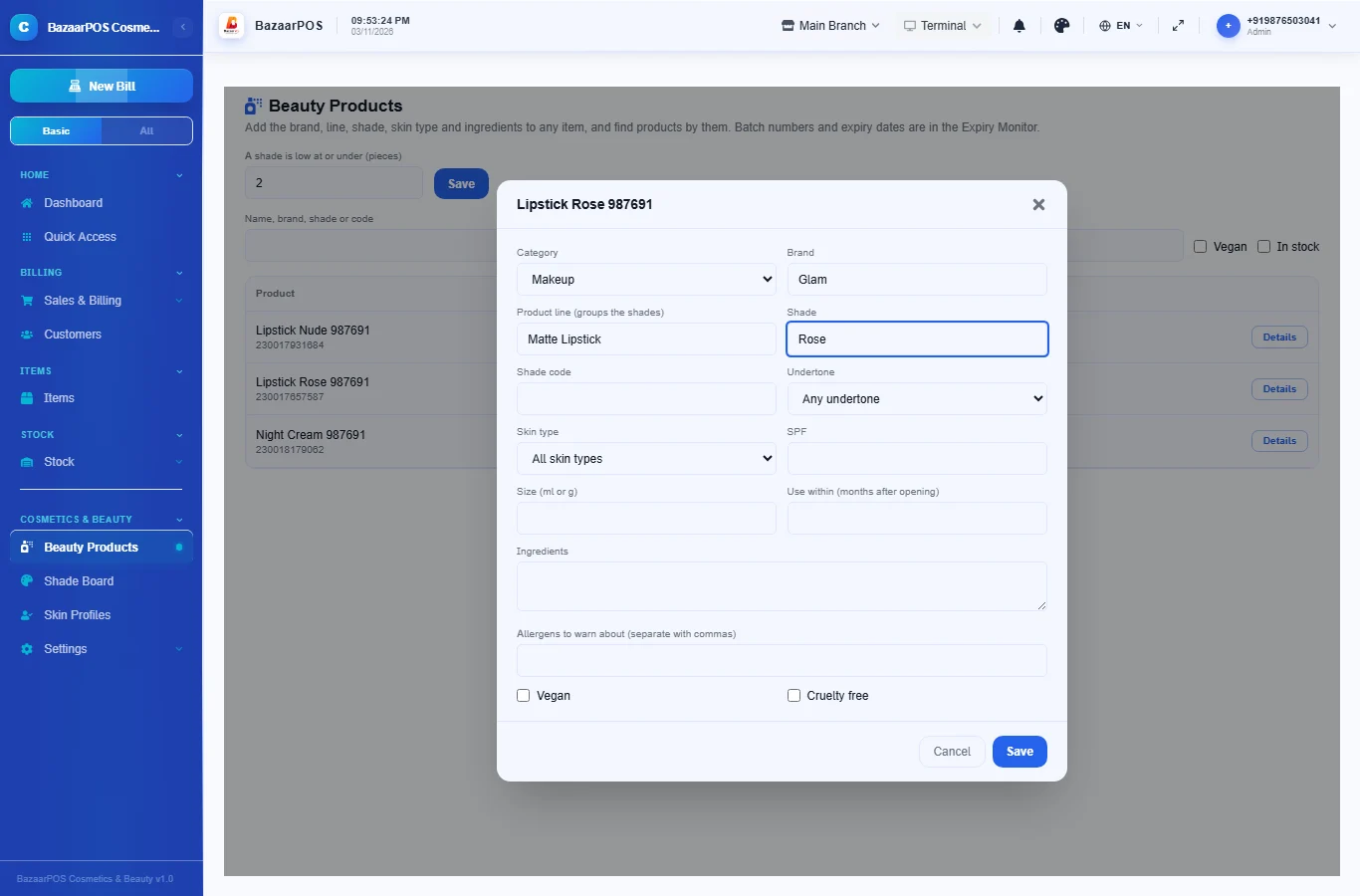
Open Beauty Products, press Details on an item and choose the category, brand, product line and shade, the skin type it is made for, the SPF and the ingredients. List allergens separated by commas. Tick Vegan or Cruelty free if they apply.
Step 2: Watch the shades
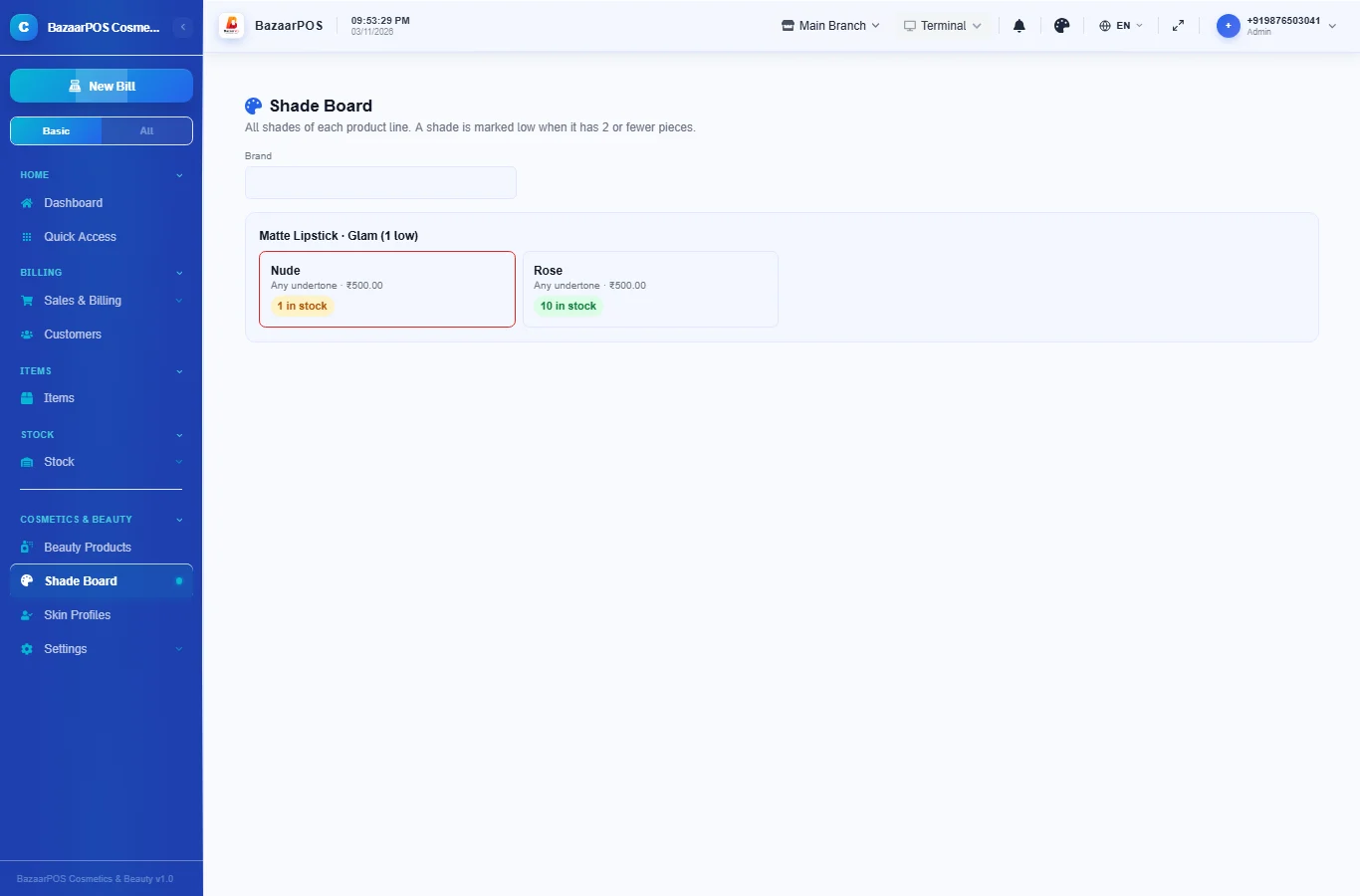
Open Shade Board. Each product line shows all its shades with their stock. Shades at or below the low level (2 pieces to start, change it on Beauty Products) are marked in red so you can order them before a customer asks.
Step 3: Save a customer’s skin profile
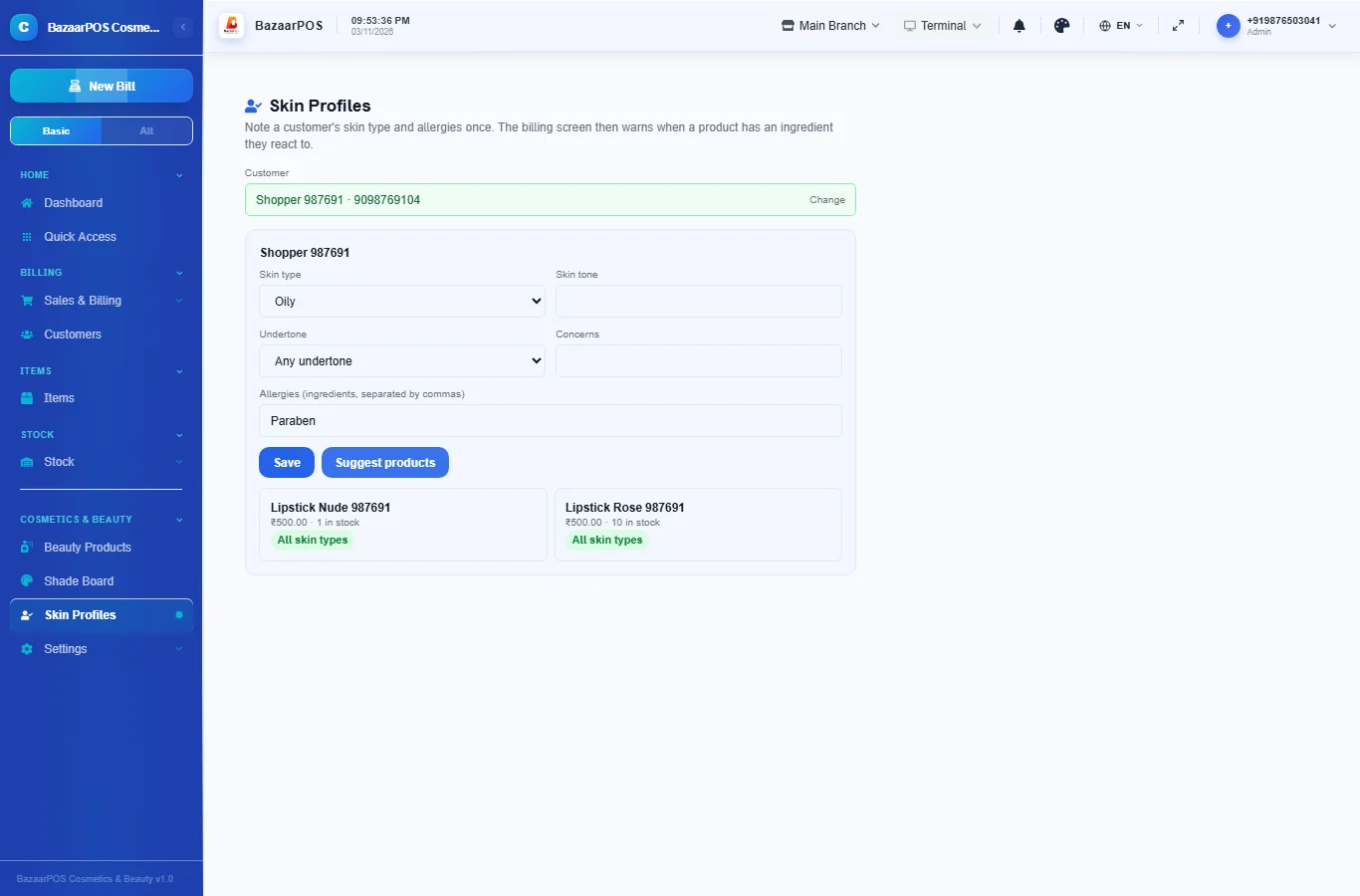
Open Skin Profiles, choose a customer, choose the skin type, and list allergies as words separated by commas, such as paraben, fragrance. Other names for the same ingredient are matched too (parfum for fragrance, methylparaben for paraben). Press Suggest products to see products in stock that suit the skin and avoid the allergies.
Step 4: Check the bill
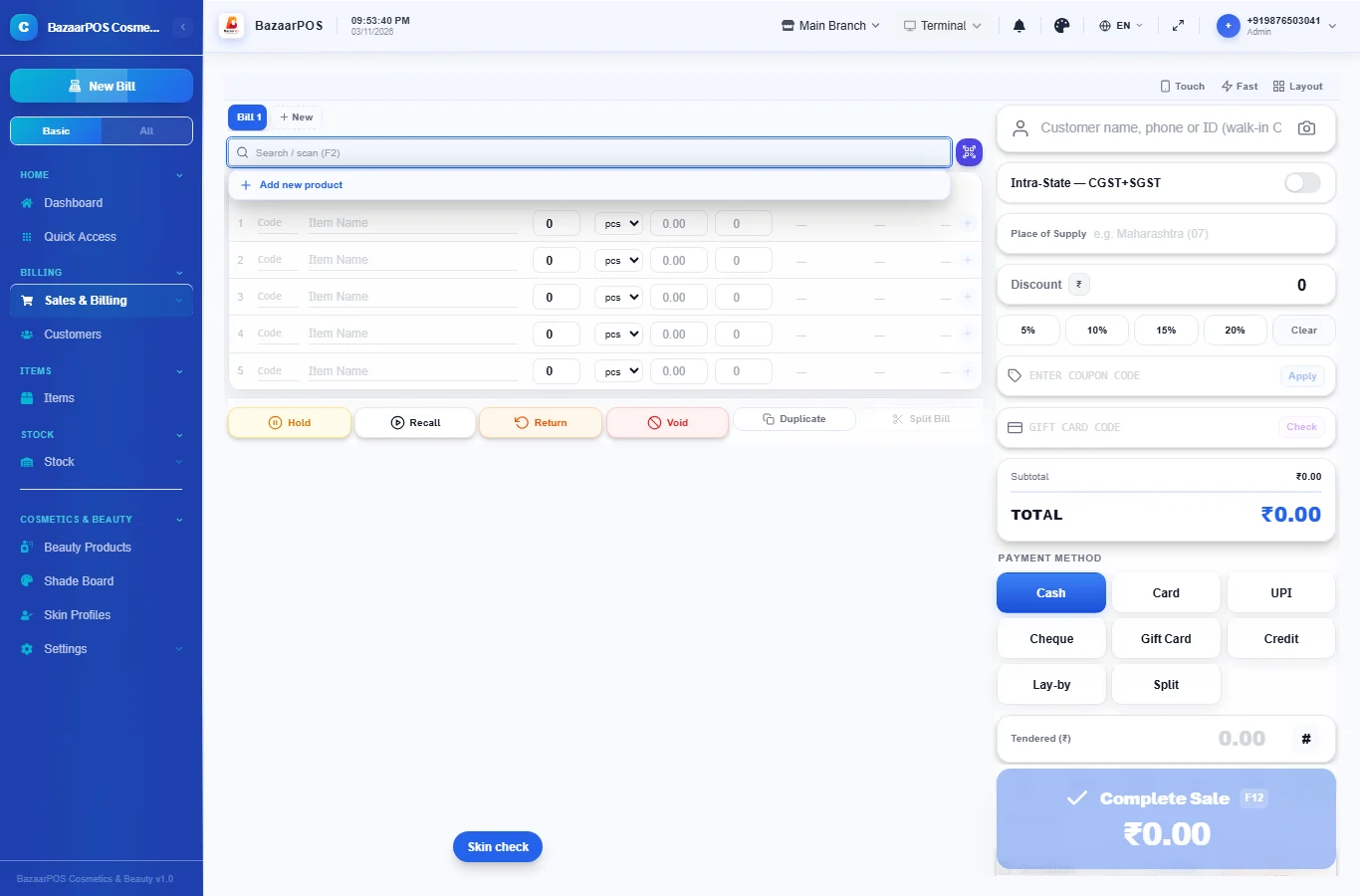
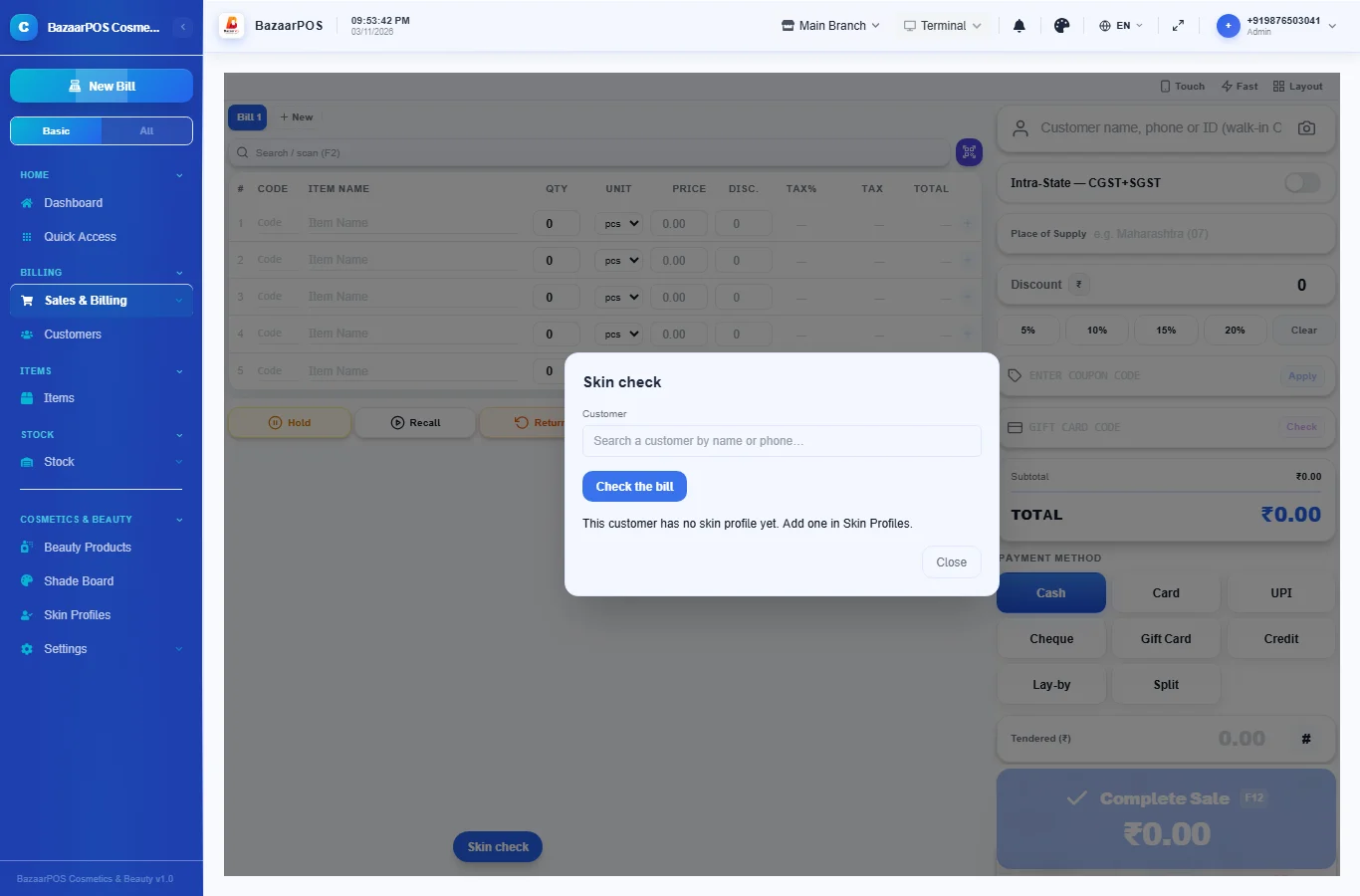
On the billing screen press Skin check, choose the customer and press Check the bill. A product with an ingredient the customer is allergic to, or made for a different skin type, is listed.
Step 5: Track batches and expiry
Give each batch its number and expiry date on the item, and watch the Expiry Monitor in the left menu. The period after opening is noted on the product details.
On the phone
The phone app has Beauty Products, Shade Board and Skin Profiles (save a profile and see suggestions).
Also useful here
- Barcode labels: see Barcodes.
- Counting stock: see Stock count.
- Importing items: see Import and export.
- Expiry dates and batches: see Expiry monitor.
Questions
How does the allergy warning work?
It matches the words you note for the customer against the ingredients and allergens you entered, including other common names. It is only as good as the text entered.
Does it replace medical advice?
No. For a skin condition the customer should see a doctor.
How are shades handled?
Each shade is its own item with its own barcode and stock. The product line name groups them on the shade board.
Which plan includes what
Cosmetics & Beauty comes in Basic, Advanced and Enterprise plans. A screen your plan does not include shows a message with how to upgrade.
- Basic: billing, items, customers, reports, product details, the finder and the shade board.
- Advanced: everything in Basic, plus skin profiles, warnings on the bill, recommendations, customer advance, loyalty and promotions.
- Enterprise: everything in Advanced, plus more than one branch and AI sales forecasting.