Travel Agency & Taxi Setup
Run a travel desk in BazaarPOS: bookings with the supplier cost and your price so you know the margin, the customer’s advance, supplier dues, one bill with the tax you set for each kind of line, and taxi trips that never overlap.
How it fits together
You keep your normal Items, Customers, billing, purchase orders and special orders. Nothing is entered twice. The traveller is a normal customer, a supplier is a normal supplier record, the advance is kept in the customer advance ledger and the bill is a normal sale. Added on top are the booking lines with cost and price, the supplier dues and the taxi trips. Every tax rate is a setting: the app does not decide which rate applies to your business.
- Bookings: a customer, a kind and dates; lines with a supplier, a cost and a price; the advance; confirm, bill or cancel.
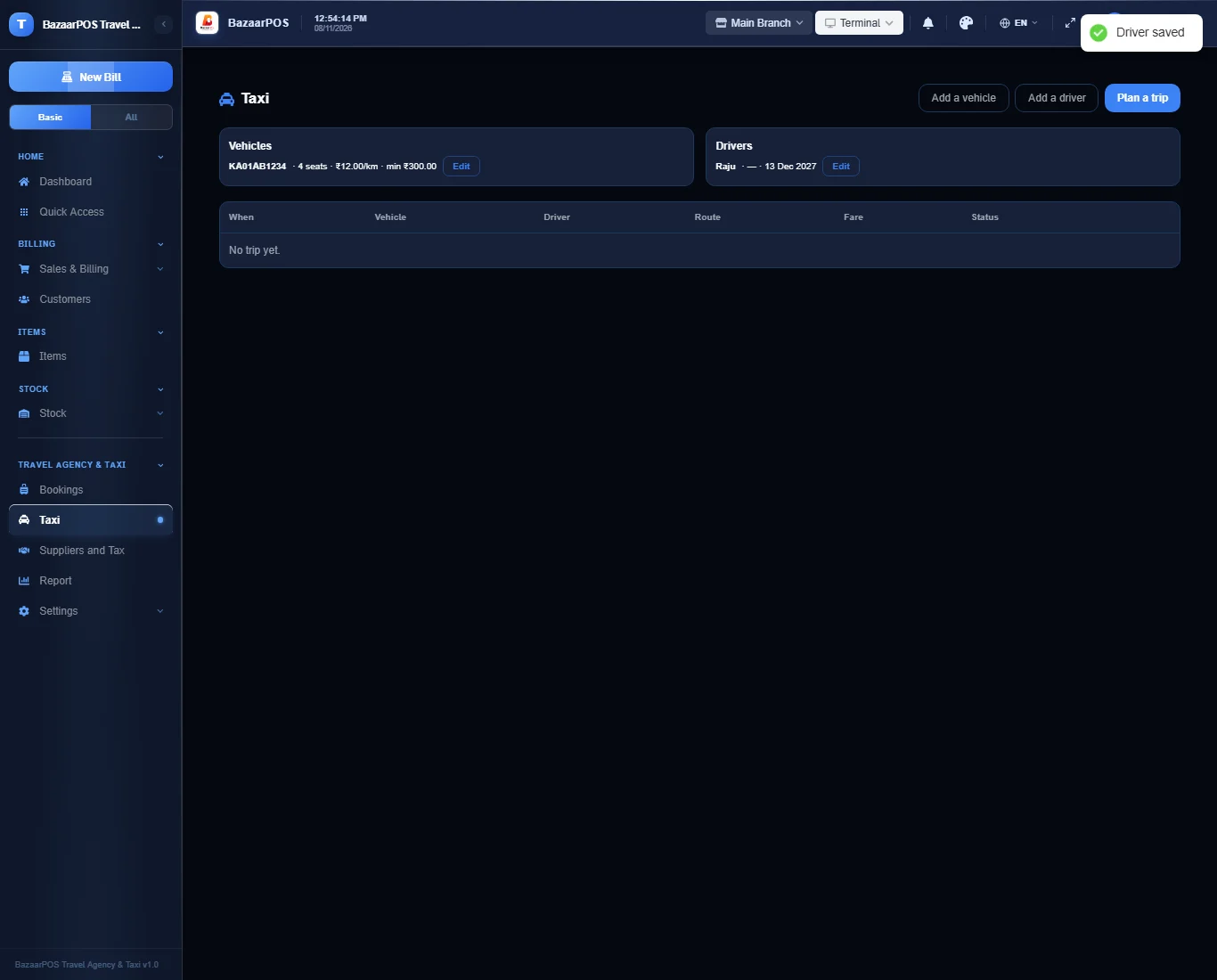
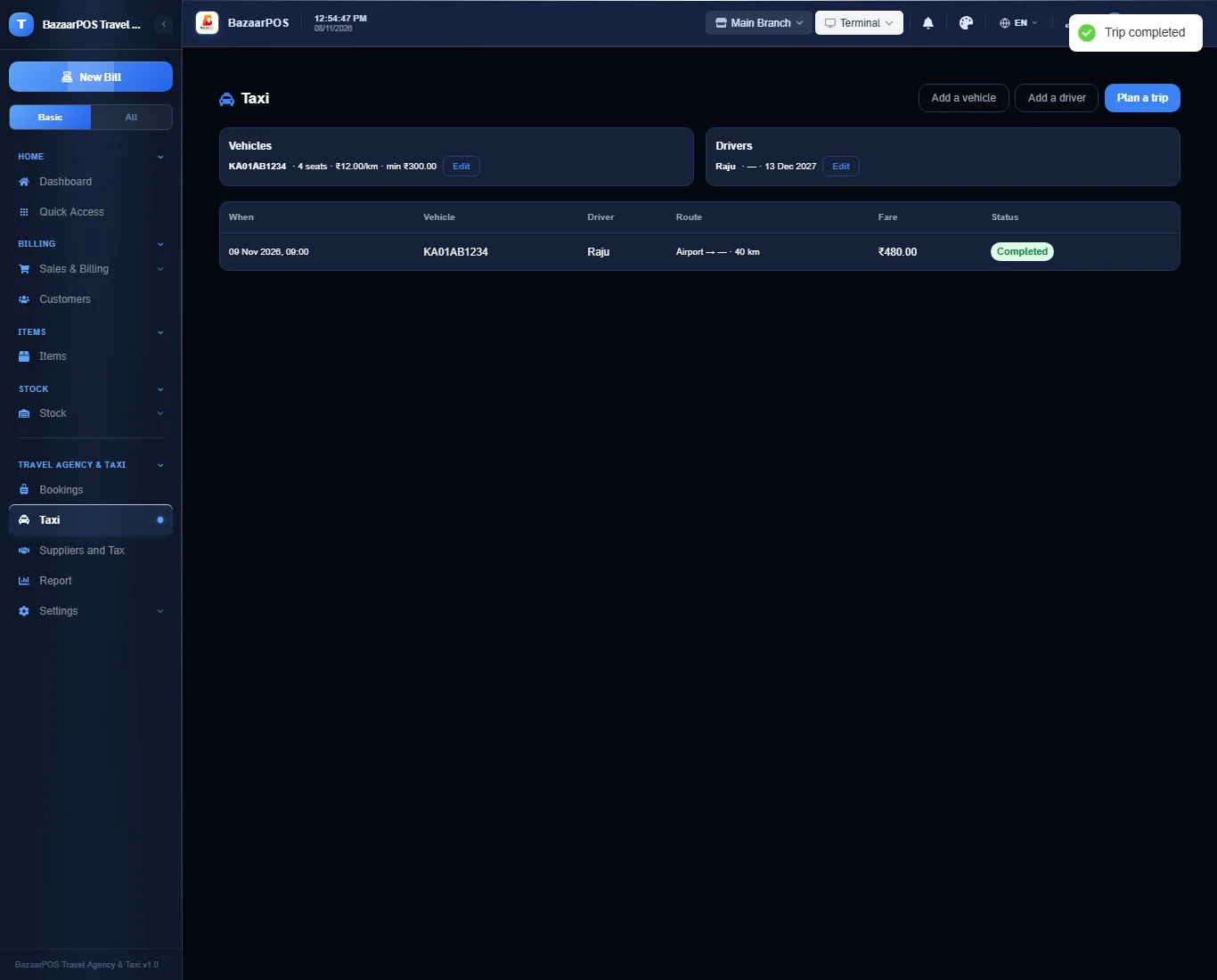
- Taxi: vehicles with a rate per kilometre and a minimum fare, drivers with a licence date, and trips with start and end readings.
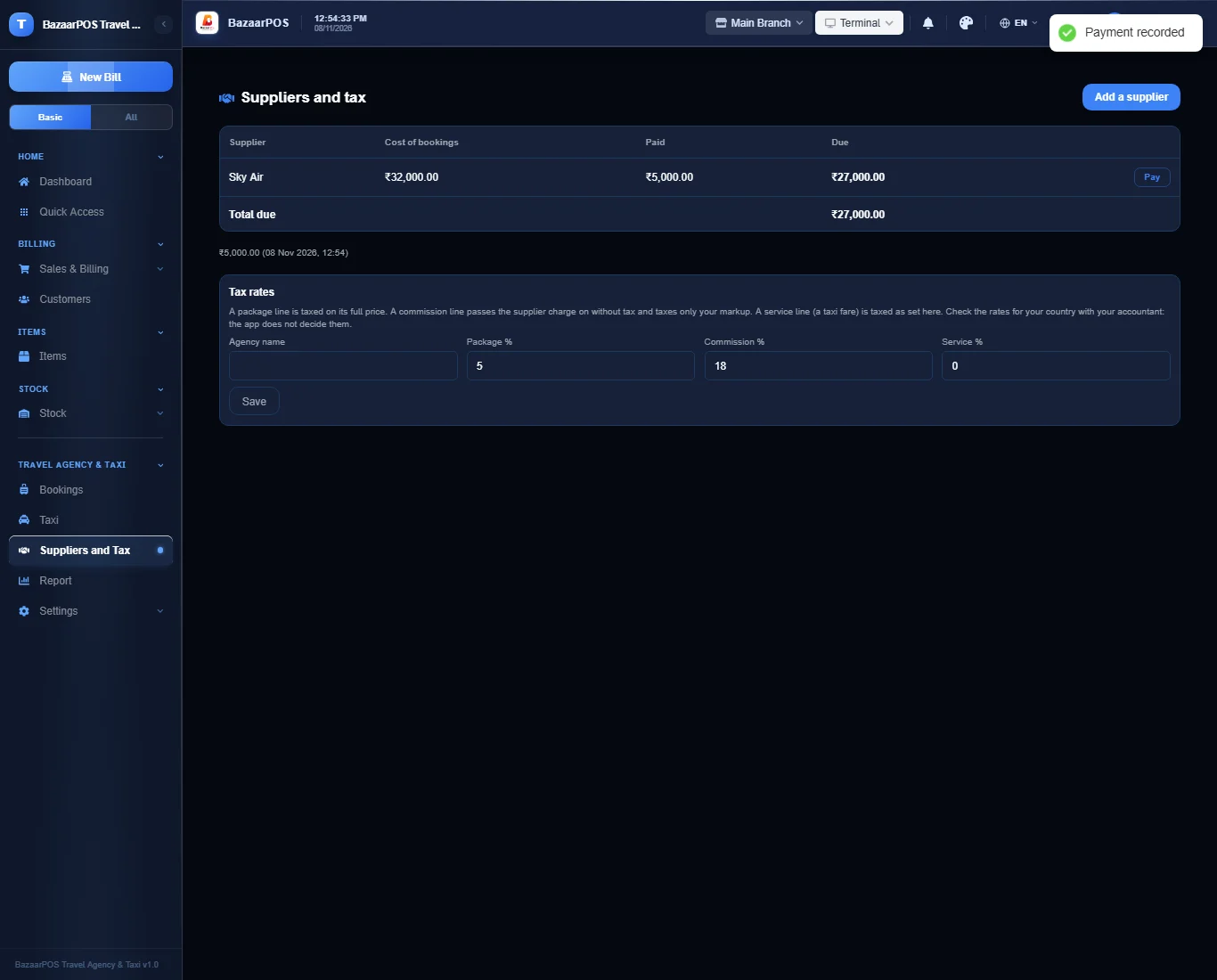
- Suppliers and Tax: what is due to each supplier, payments, and the tax rates for package, commission and service lines.
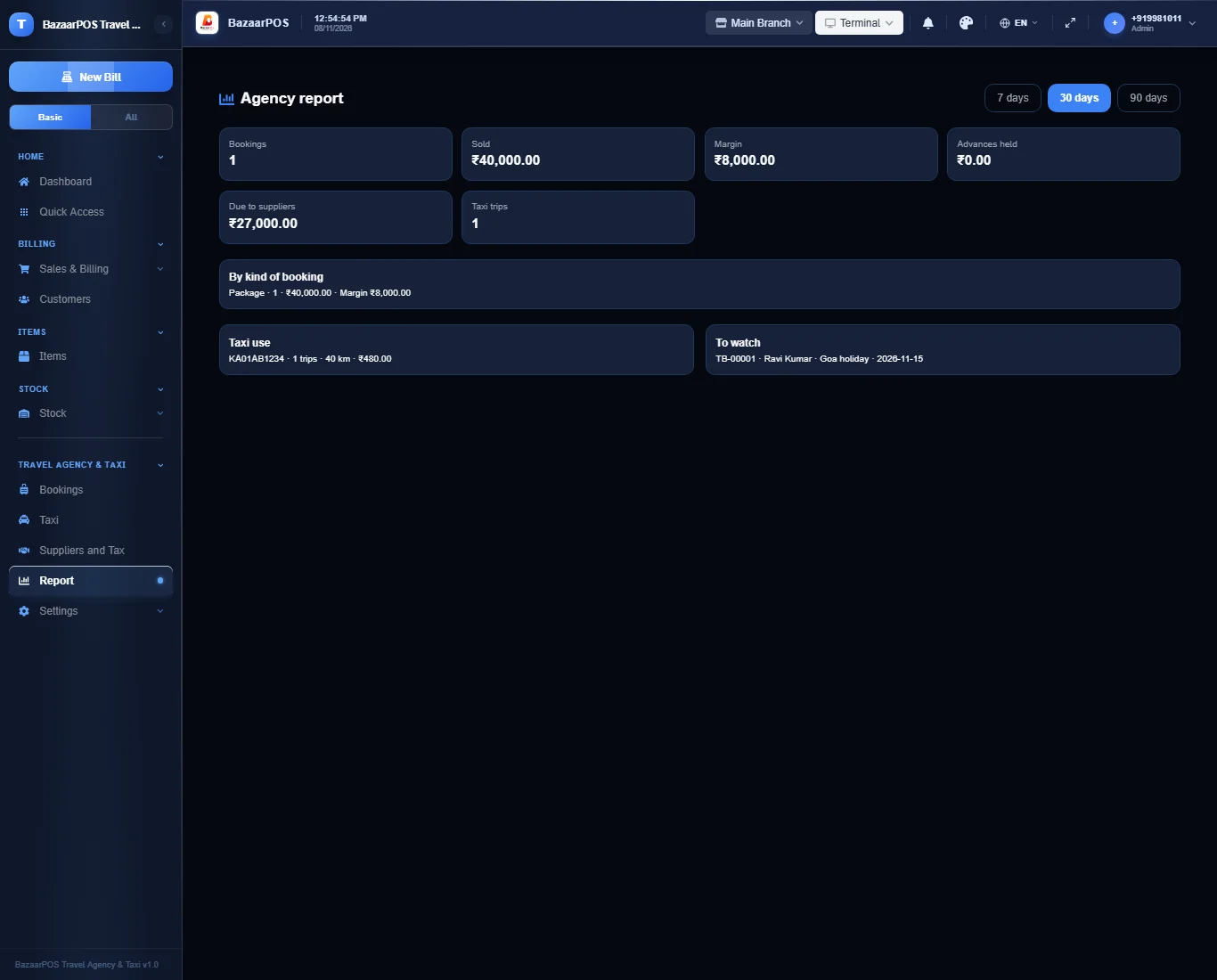
- Report: margin by kind, advances held, supplier dues, taxi use, licences ending and departures.
Step 1: Add a vehicle and a driver
Open Taxi. Press Add a vehicle (registration, rate per kilometre, minimum fare) and Add a driver (licence number and the date it ends).
Step 2: Make a booking
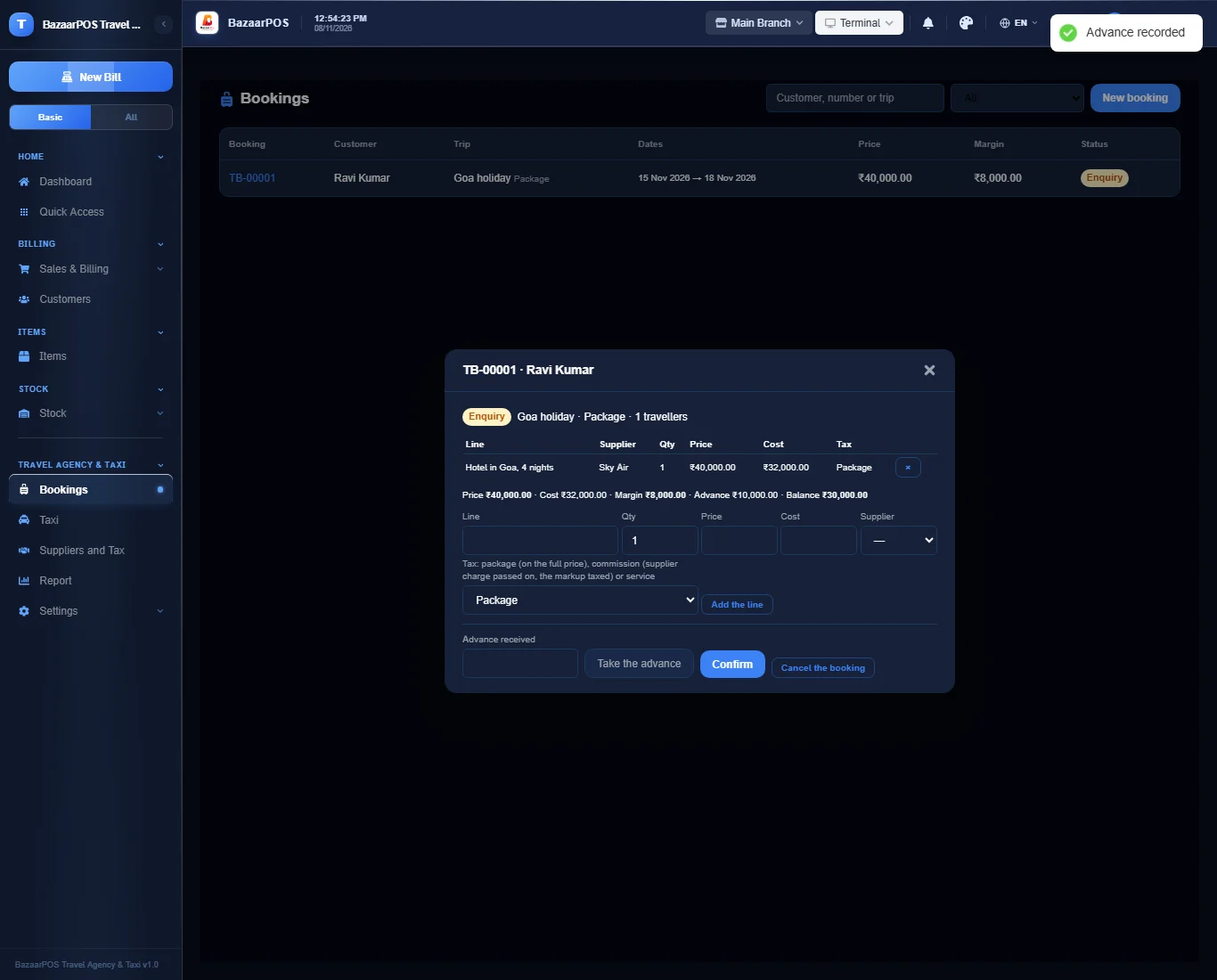
Open Bookings and press New booking. Add lines: each has a description, your selling price, the supplier cost, the supplier and the kind of tax. The margin of the booking is shown as you add lines.
Step 3: Advance, confirm and bill
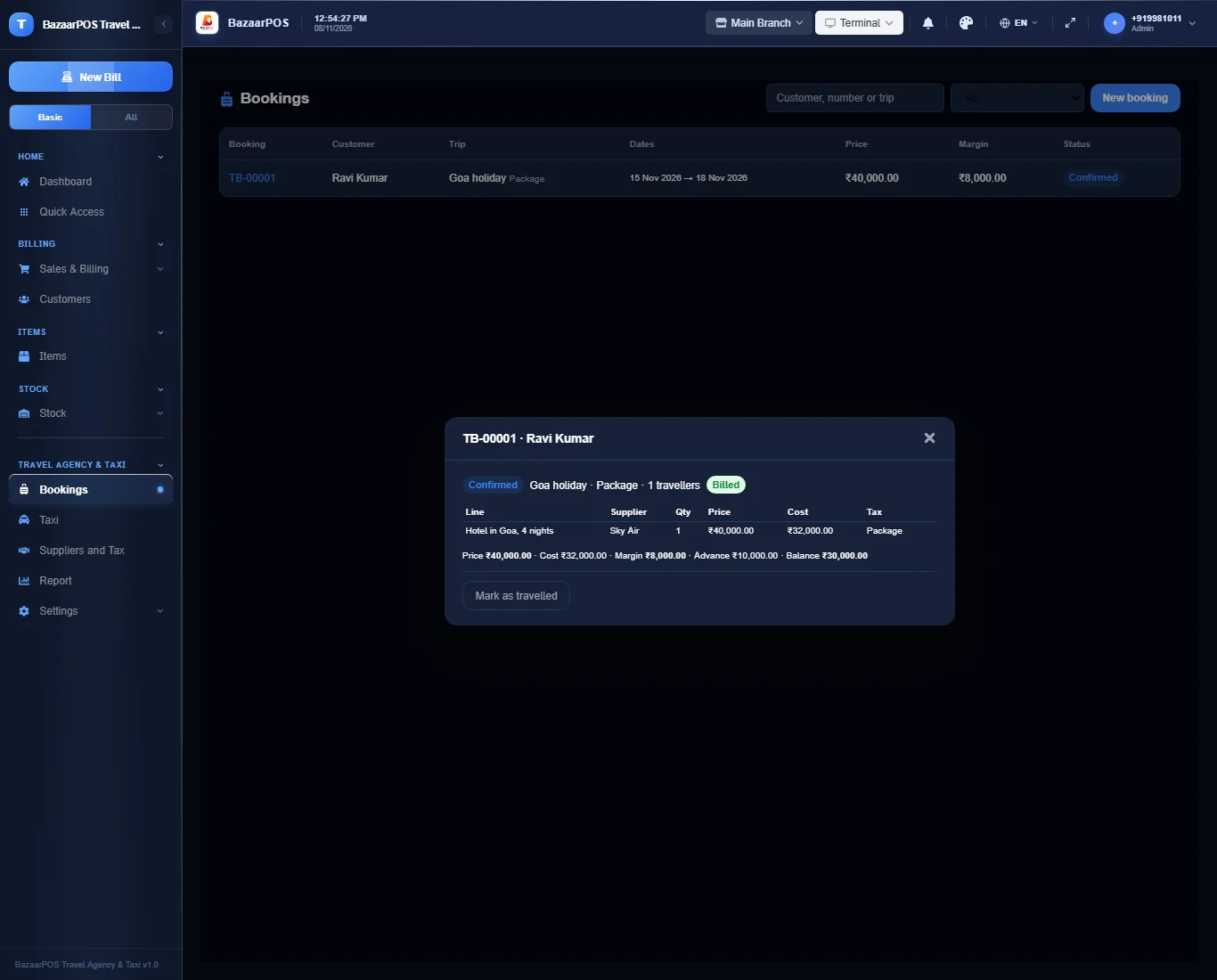
Type the advance received and press Take the advance. Press Confirm, then Bill the booking: one bill, with the advance counted as paid.
Step 4: Pay suppliers
Open Suppliers and Tax. Each supplier shows the cost of the confirmed bookings less what you paid. Press Pay to record a payment; more than is due is refused. Set the tax rates here too.
Step 5: Taxi trips
On Taxi press Plan a trip: choose a vehicle, a driver, the day and the times and, for a taxi booking, the booking. A vehicle or driver already on a trip at that time is refused. Start the trip with the odometer reading and complete it with the end reading: the fare is worked out and added to the booking.
Step 6: The report
Open Report for bookings, margin by kind, advances held, supplier dues, taxi use and the licences that end soon.
On the phone
The phone app has Bookings, Taxi Trips and Report.
Also useful here
- Barcode labels: see Barcodes.
- Counting stock: see Stock count.
- Importing items: see Import and export.
- Expiry dates and batches: see Expiry monitor.
Questions
Is this separate from items and billing?
No. The traveller is a customer, the supplier a normal supplier and the bill a normal sale.
Does it book flights or hotels live?
No. Live booking engines, GPS tracking of taxis and driver apps are not built. You enter the supplier’s price and your price.
Which tax does it use?
The ones you set: one for package lines, one for the markup on commission lines and one for service lines. Check them with your accountant.
Is there a phone version?
Yes. Bookings with lines and margin, the advance, confirming, billing, cancelling, taxi trips and the report. Choosing a supplier for a line, paying suppliers, vehicles and drivers and the tax settings are on the desk app.
Which plan includes what
Travel Agency & Taxi comes in Basic, Advanced and Enterprise plans. A screen your plan does not include shows a message with how to upgrade.
- Basic: billing, items, customers, reports, bookings, supplier dues and taxi.
- Advanced: everything in Basic, plus the report.
- Enterprise: everything in Advanced, plus more than one branch and AI sales forecasting.