Gym & Fitness Club Setup
Run a gym in BazaarPOS: membership plans with a joining fee and freeze days, selling and renewing memberships, a front desk that checks members in and refuses expired or frozen ones, renewal messages, personal-training packs and billing with your country's tax.
How it fits together
You keep your normal Items, Customers, billing, purchase orders and special orders. Nothing is entered twice. A plan is a normal service item, so the tax of your country and your reports come from it. The member is a normal customer, and a membership or a training pack is billed as a normal sale: a part payment stays on the customer as dues. Added on top are the member record with its start, end and state, freeze, the check-in with its attendance log, the renewal list and the training packs.
- Plans: duration, fee, joining fee, members on the plan and freeze days, with tax, reminder and message settings.
- Members: sell, renew, freeze, unfreeze, cancel and message.
- Front desk: check in by code or phone, today's visits and who is due to renew.
- Personal training and Report.
Step 1: Make the plans
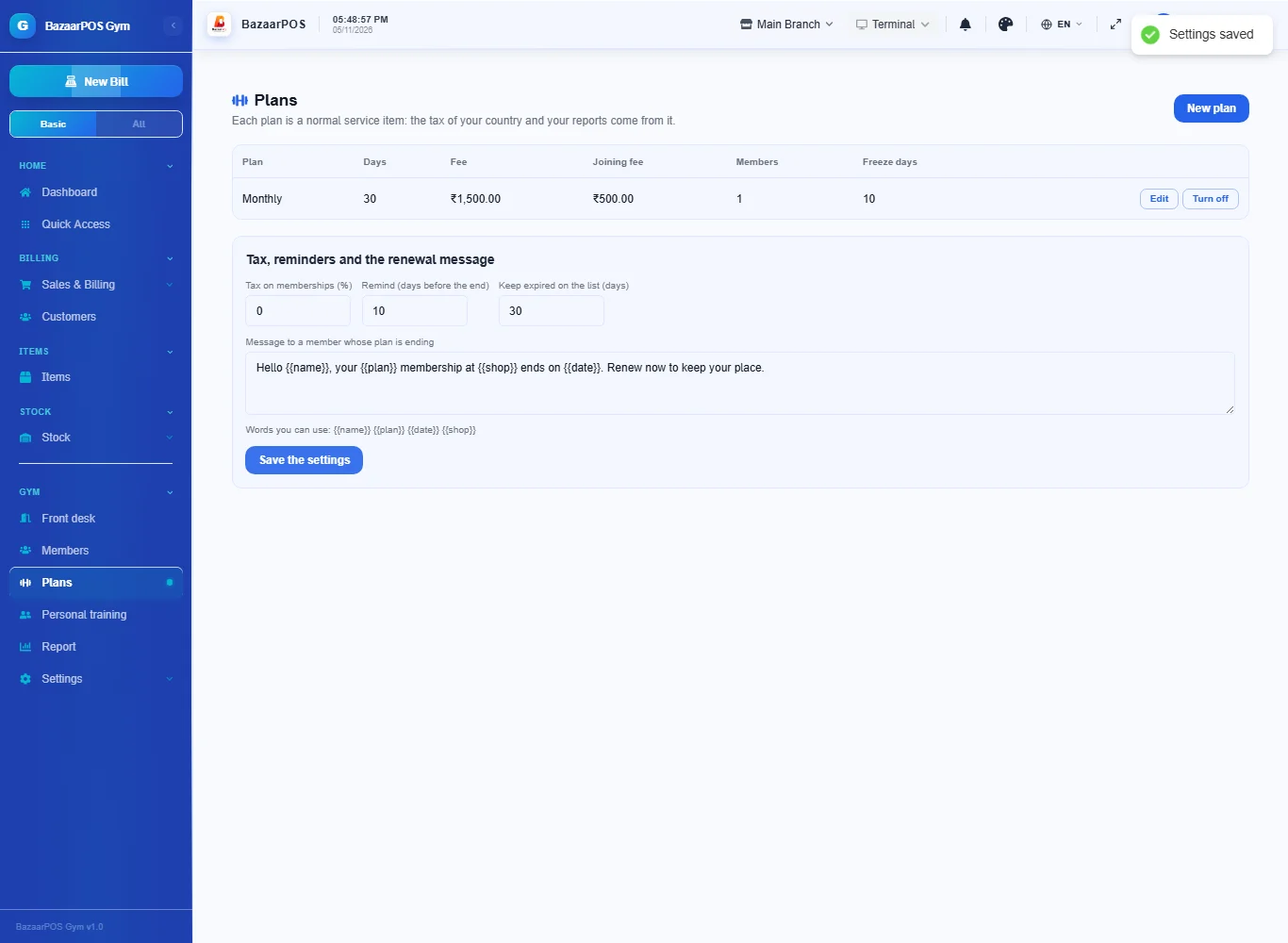
Open Plans and press New plan. Type the name (Monthly, Quarterly, Couple), the days it lasts, the fee, the joining fee charged to a new member, the number of members on the plan (2 for a couple) and how many days a member may freeze. Under the table set the tax on memberships, how many days before the end to remind, and the renewal message.
Step 2: Sell a membership
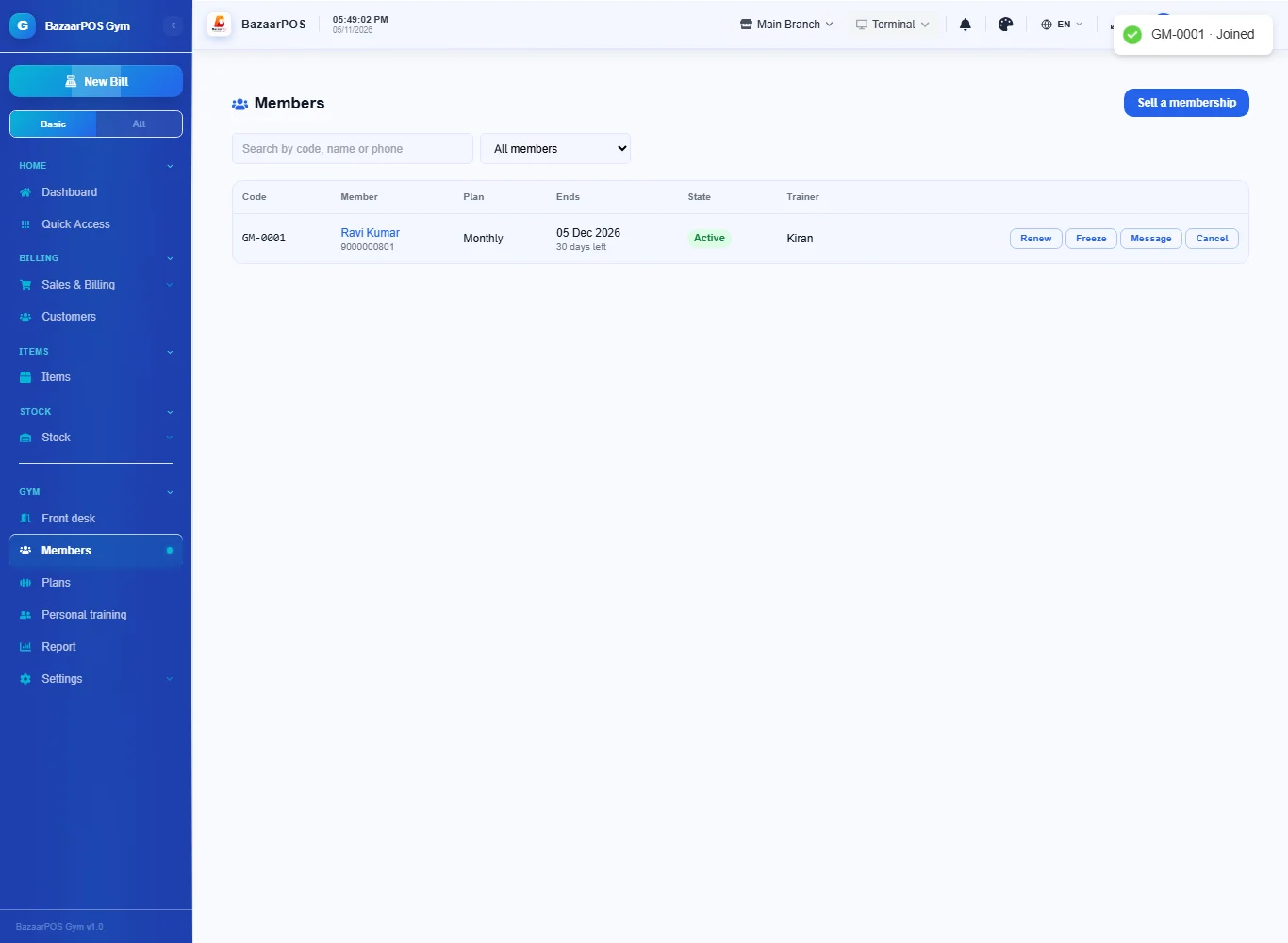
Open Members and press Sell a membership. Type the member's name and phone, choose the plan and the trainer, add the other names for a couple or family plan, and press Bill the membership. The member gets a code (GM-0001) and the sale is billed with your country's tax. If the member pays only part, type the amount paid: the rest stays as dues on the customer.
Step 3: Renew or freeze
Press Renew on a member. A plan that has not ended starts from its end date, so no days are lost, and the joining fee is not charged again. Press Freeze and type the days: the end date moves out by the days frozen, up to what the plan allows. Unfreeze ends it early and the unused days come off again; a day that has started counts as used.
Step 4: Check members in at the front desk
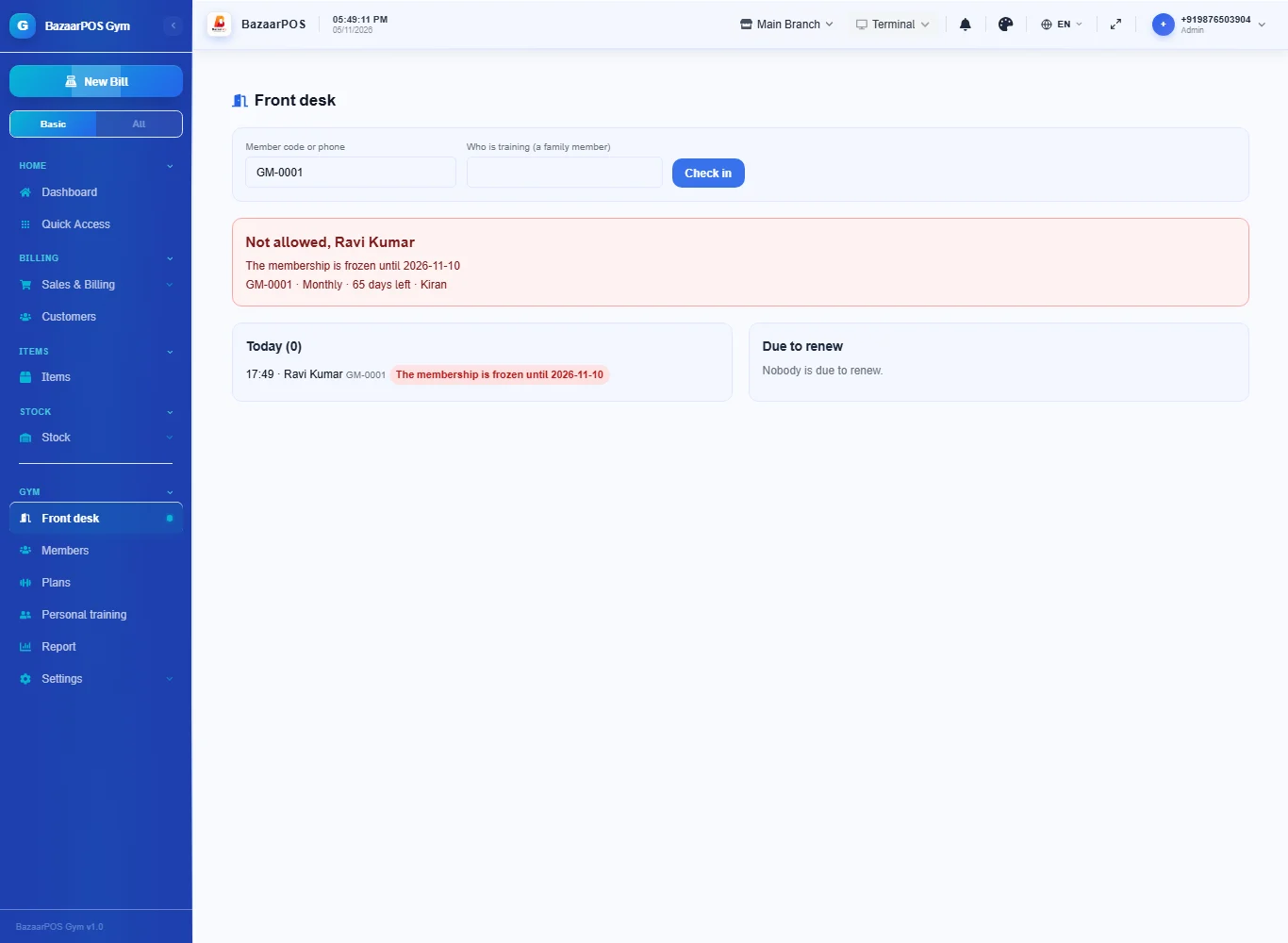
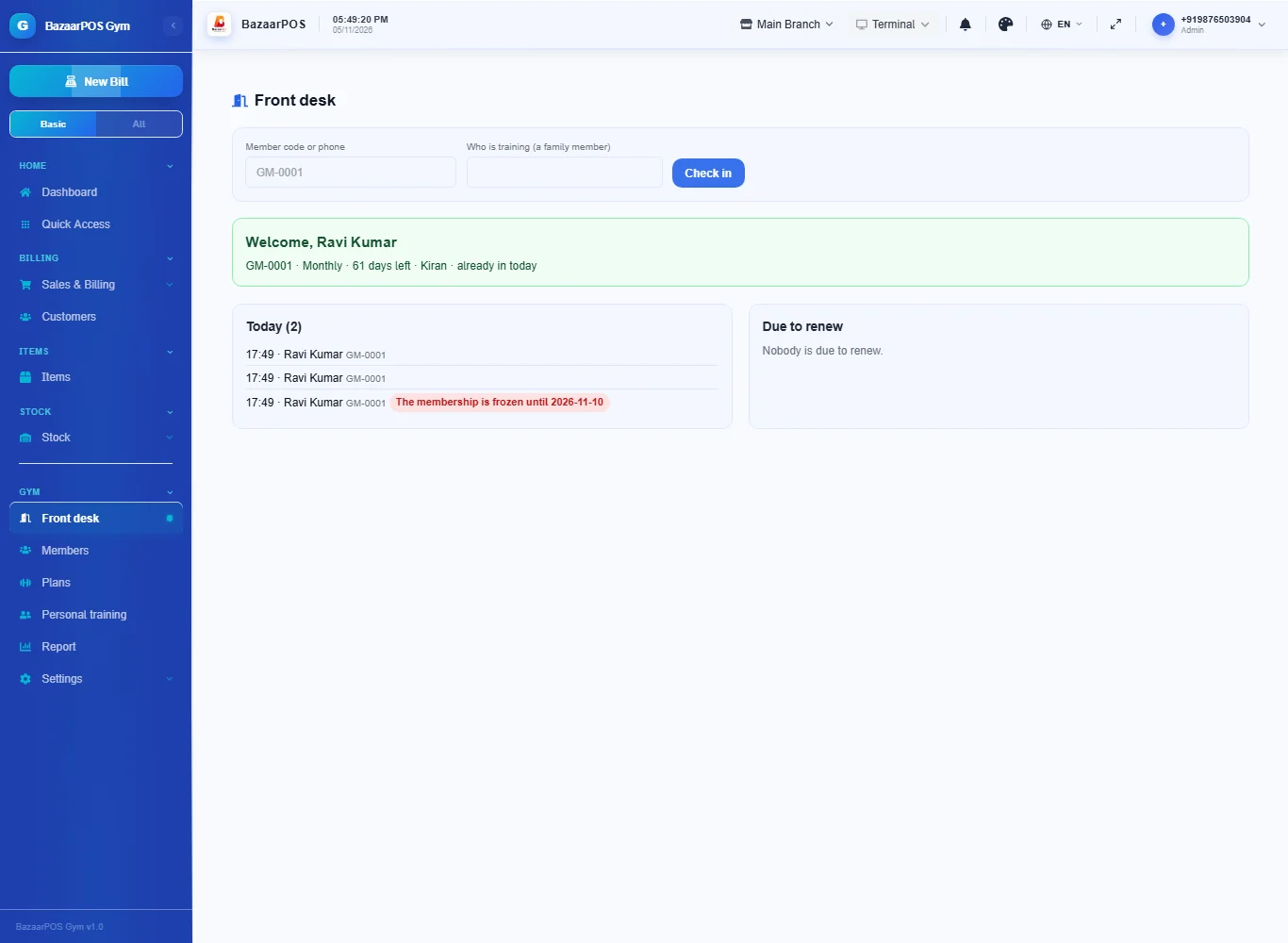
Open Front desk, type the member code or phone number and press Check in. The screen says welcome with the plan, days left, trainer and training sessions left, or says why the member may not train: the plan ended on a date, it is frozen until a date, it is cancelled, or the person is not on the membership. For a couple or family plan type the name of the person training. Every check-in, allowed or refused, goes in the list for today.
Step 5: Call members back
The Due to renew box on the front desk lists members whose plan ends within your reminder days and those who ended lately. Press Message to open WhatsApp with your message; the member is marked as reminded.
Step 6: Personal training
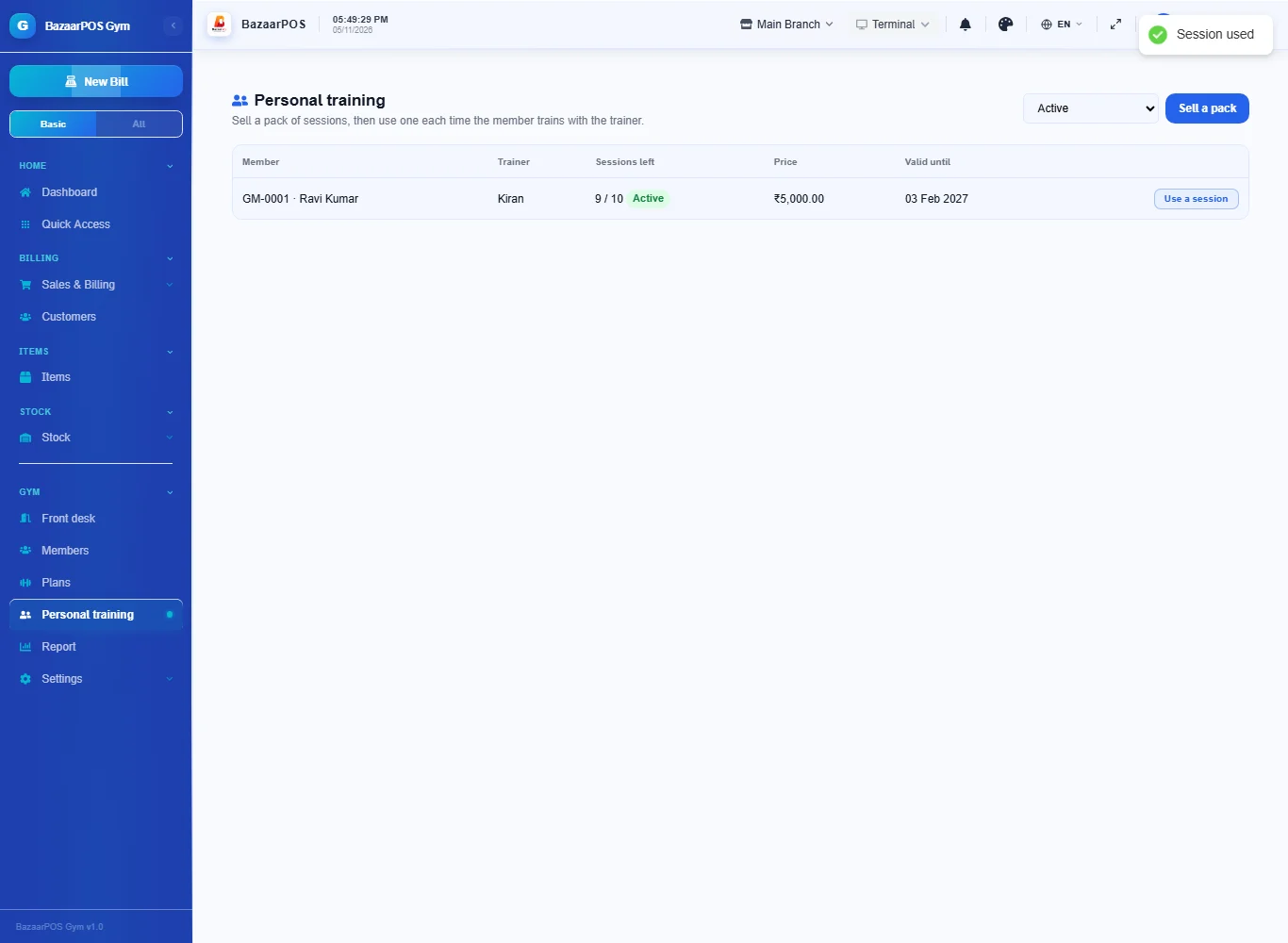
Open Personal training and press Sell a pack. Search the member, type the trainer, the number of sessions, the price and what the trainer is paid for each session. The pack is billed as a sale. Press Use a session each time the member trains; a member whose plan is frozen or ended cannot use a session.
Step 7: The report
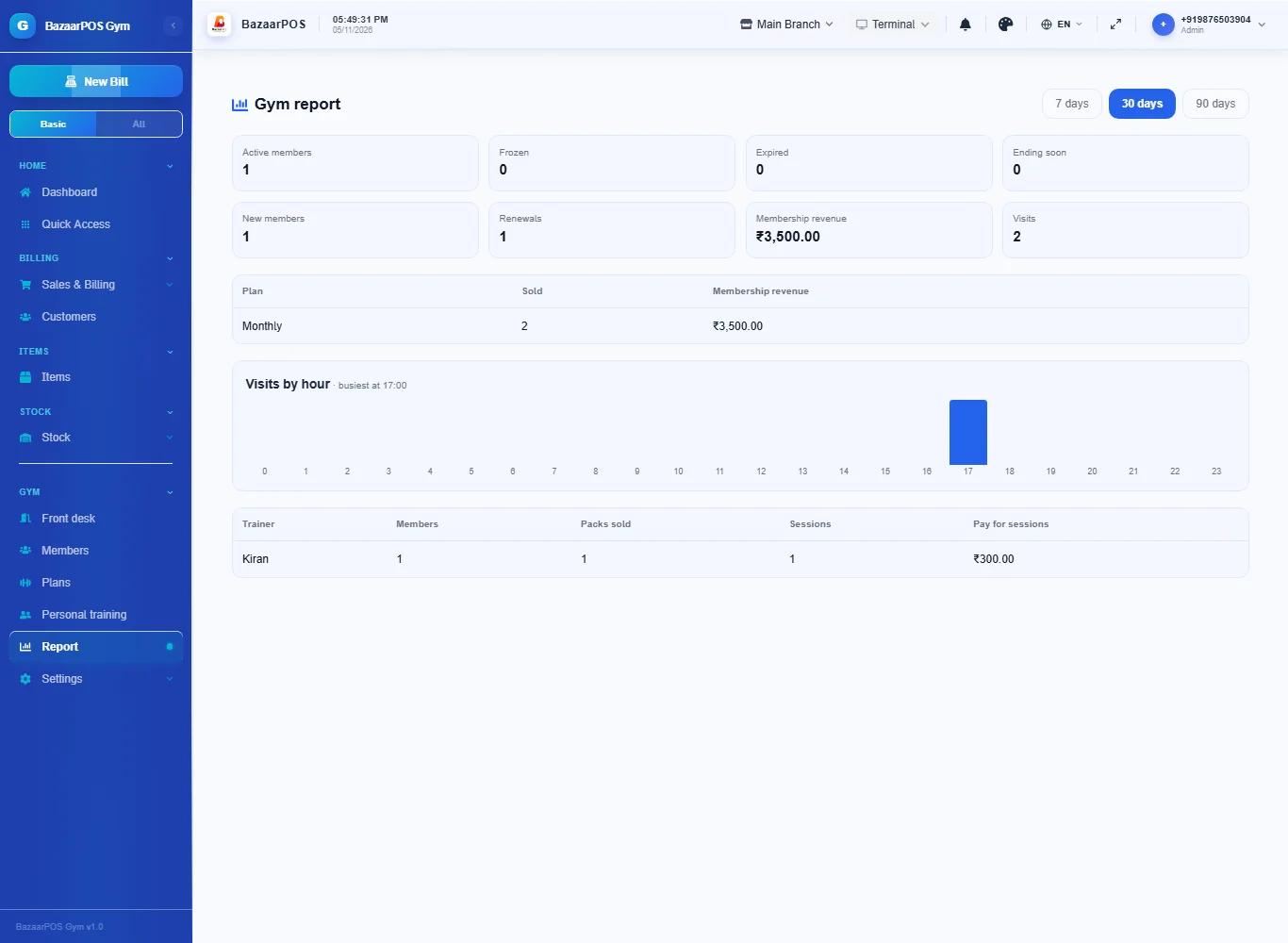
Open Report for members by state, new members and renewals, membership revenue by plan, visits by hour with the busiest hour, and each trainer's members, packs, sessions and pay for sessions.
On the phone
The phone app has Front Desk (check in), Members (sell, renew, freeze, message), Due to Renew, Personal Training (use a session) and Report.
Also useful here
- Barcode labels: see Barcodes.
- Counting stock: see Stock count.
- Importing items: see Import and export.
- Expiry dates and batches: see Expiry monitor.
Questions
Is this separate from items and billing?
No. A plan is a service item, the member is a customer and a membership is a normal sale.
Does it work with a turnstile, card scanner or fingerprint box?
Yes, through a key: open Plans, press Make the device key and give the address shown to the device or its controller. It sends the member code or phone and gets back allowed or not allowed with the reason. There are no drivers for particular brands: the device must be able to send that request.
What happens to the end date when I freeze?
It moves out by the days frozen. If you unfreeze early the unused days come off again.
Does it use my country's tax?
Yes. The tax on memberships is a setting on the plan items, or a tax you attach to a plan item in the Tax Master.
How is trainer commission worked out?
Your normal commission rules apply to whoever sells the membership. Each training pack also has a pay for each session, which the report adds up for every trainer.
Is there a phone version?
Yes. The front desk, members, due to renew, training sessions and the report are on the phone.
Which plan includes what
Gym & Fitness Club comes in Basic, Advanced and Enterprise plans. A screen your plan does not include shows a message with how to upgrade.
- Basic: billing, items, customers, reports, plans, members and the front desk.
- Advanced: everything in Basic, plus personal training and the report.
- Enterprise: everything in Advanced, plus more than one branch and AI sales forecasting.