Car Wash Setup
Run a car wash in BazaarPOS: give each package a price for every vehicle size, queue cars by number plate with a bay and a washer, give members unlimited or counted washes, bill the wash and pay washers their commission.
How it fits together
You keep your normal Items, Customers, billing, purchase orders and special orders. Nothing is entered twice. Each package and each add-on is also a normal service item in Items, so its tax rate and item reports are the item's own and it can be sold from the ordinary bill. An owner is a normal customer, and a handed-over wash is billed as a normal sale, so your country's tax setup, payment modes and reports work as before. There is no camera or gate connection: the counter types the plate.
- Packages & Add-ons: a price for each vehicle size.
- Wash Board: plate lookup, the queue, billing.
- Memberships: unlimited or counted washes by plate.
- Wash Report: washes, washer commission, win-back list.
Step 1: Set up the packages
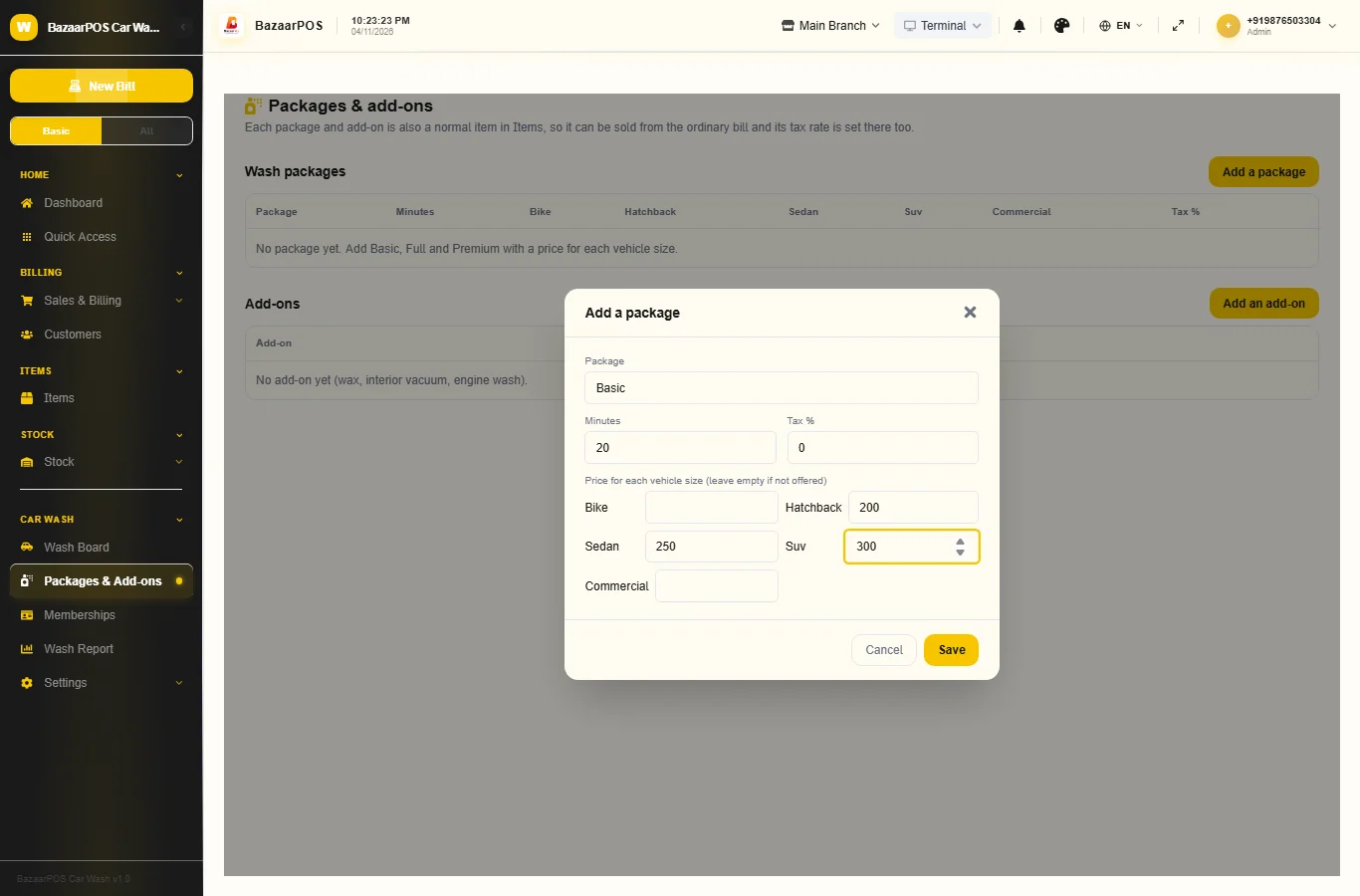
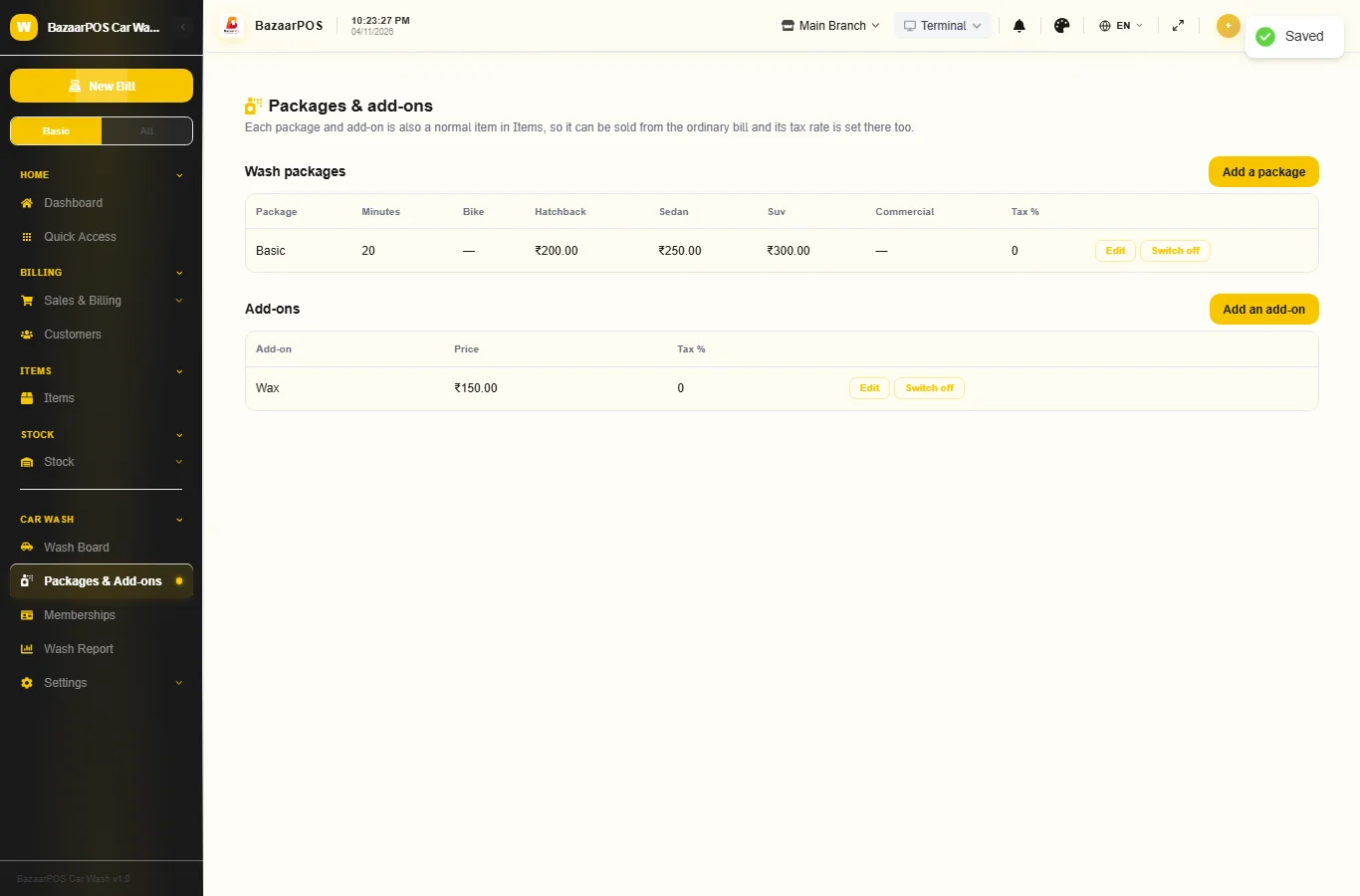
Open Packages & Add-ons and press Add a package. Give it a name (Basic, Full, Premium), the minutes a wash takes, the tax rate, and a price for each vehicle size you offer (leave a size empty if the package is not offered for it). Add the add-ons the same way: wax, interior vacuum, engine wash. Each one also appears as a service item in Items.
Step 2: Add members
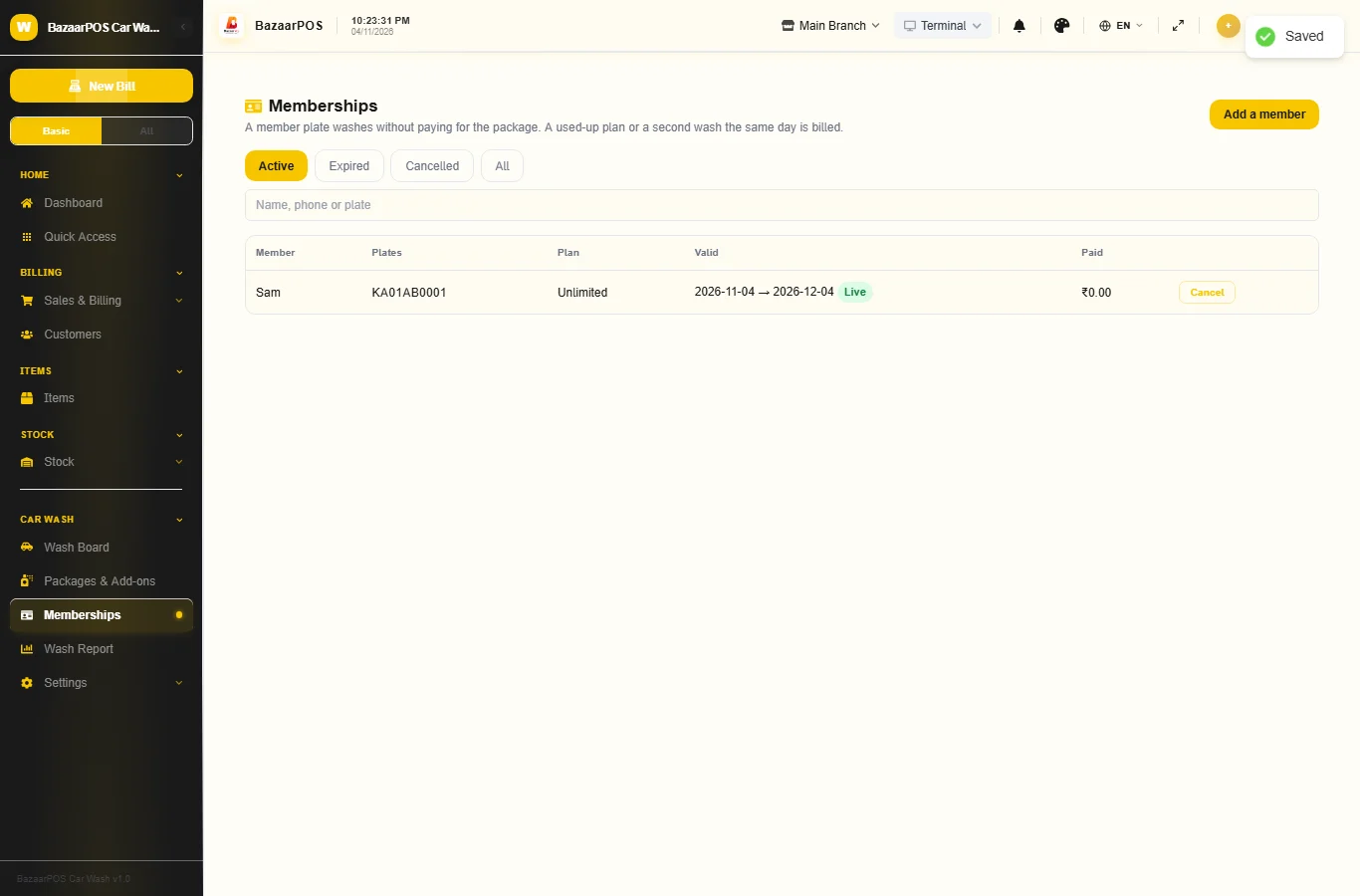
Open Memberships and press Add a member. Type the name and the number plates (separate several with commas; spaces and dashes are ignored), choose Unlimited or A number of washes, the package it covers (or any), the dates and the amount paid. A plate can be on only one live membership.
Step 3: Queue a car
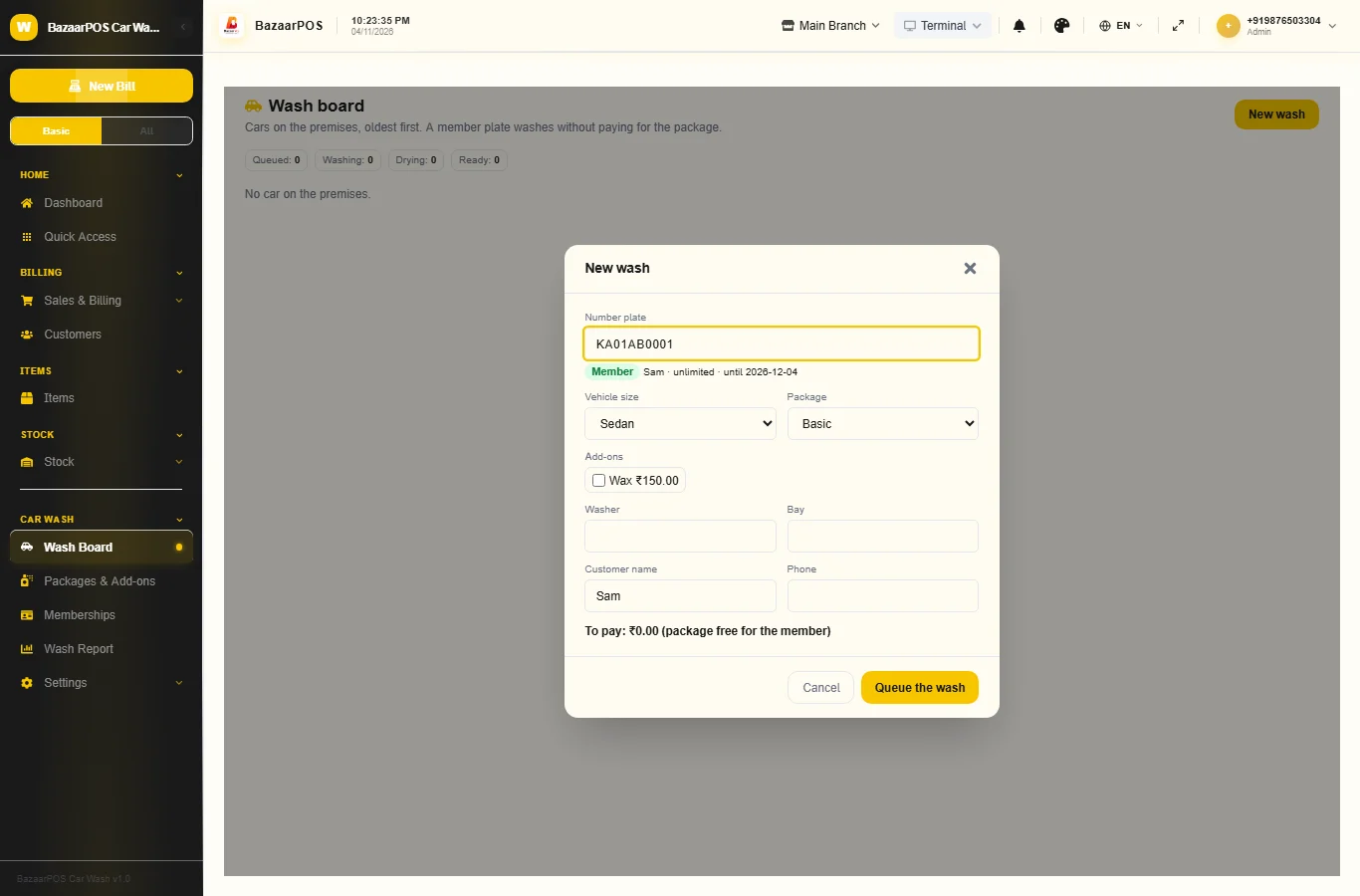
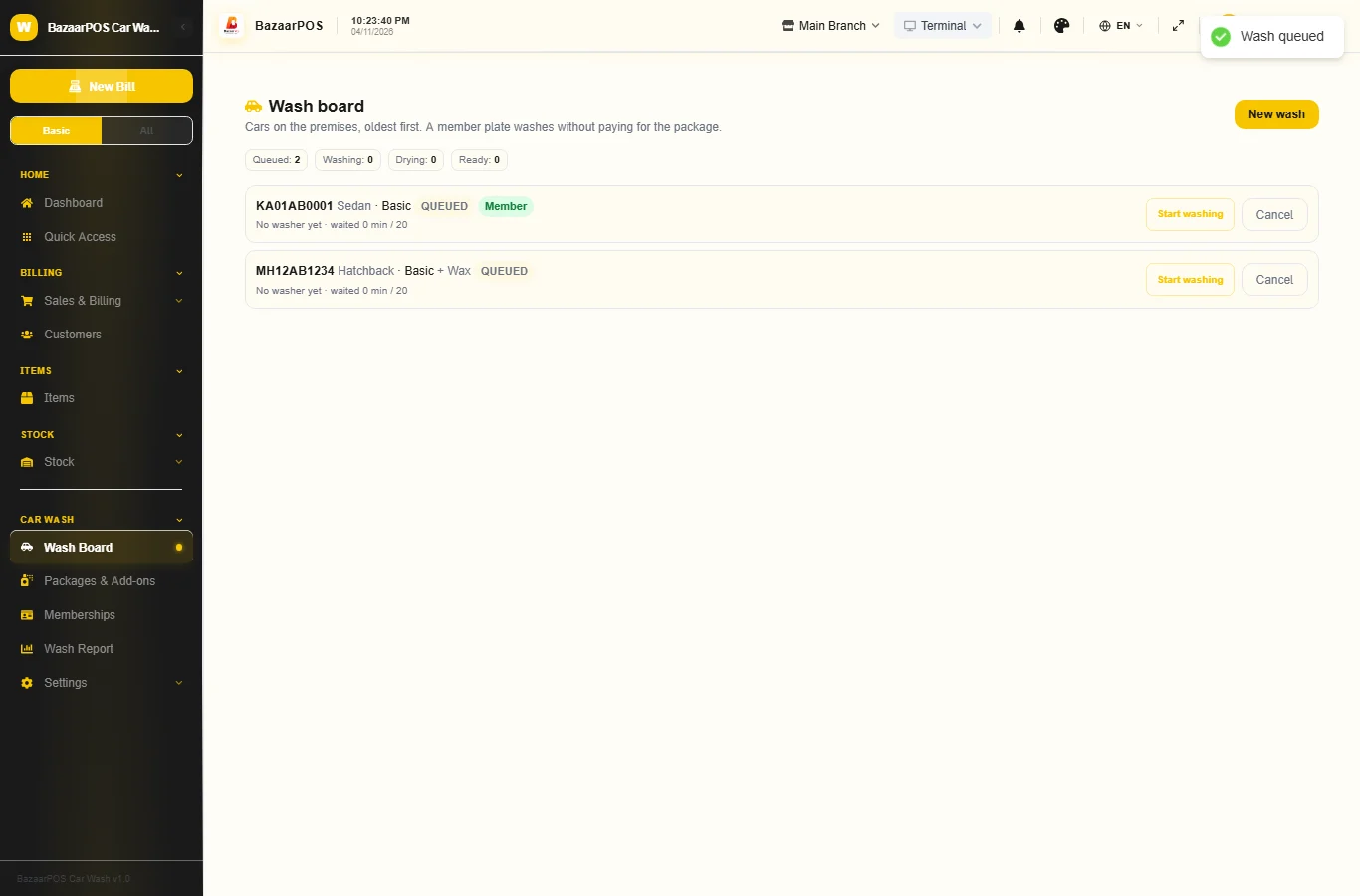
On the Wash Board press New wash and type the plate. A member shows at once with the plan and the washes left, and the package is free for them. Choose the vehicle size and package, tick the add-ons, and add the washer and bay. To pay shows what the customer will be charged. A second member wash on the same day, or a used-up plan, is billed and the screen says why.
Step 4: Move the car along
Press Start washing, then Drying, Ready and Hand over. A wash that runs past the minutes of its package is marked as running late. Cancel a car that leaves; a cancelled member wash is given back to the plan.
Step 5: Bill the wash
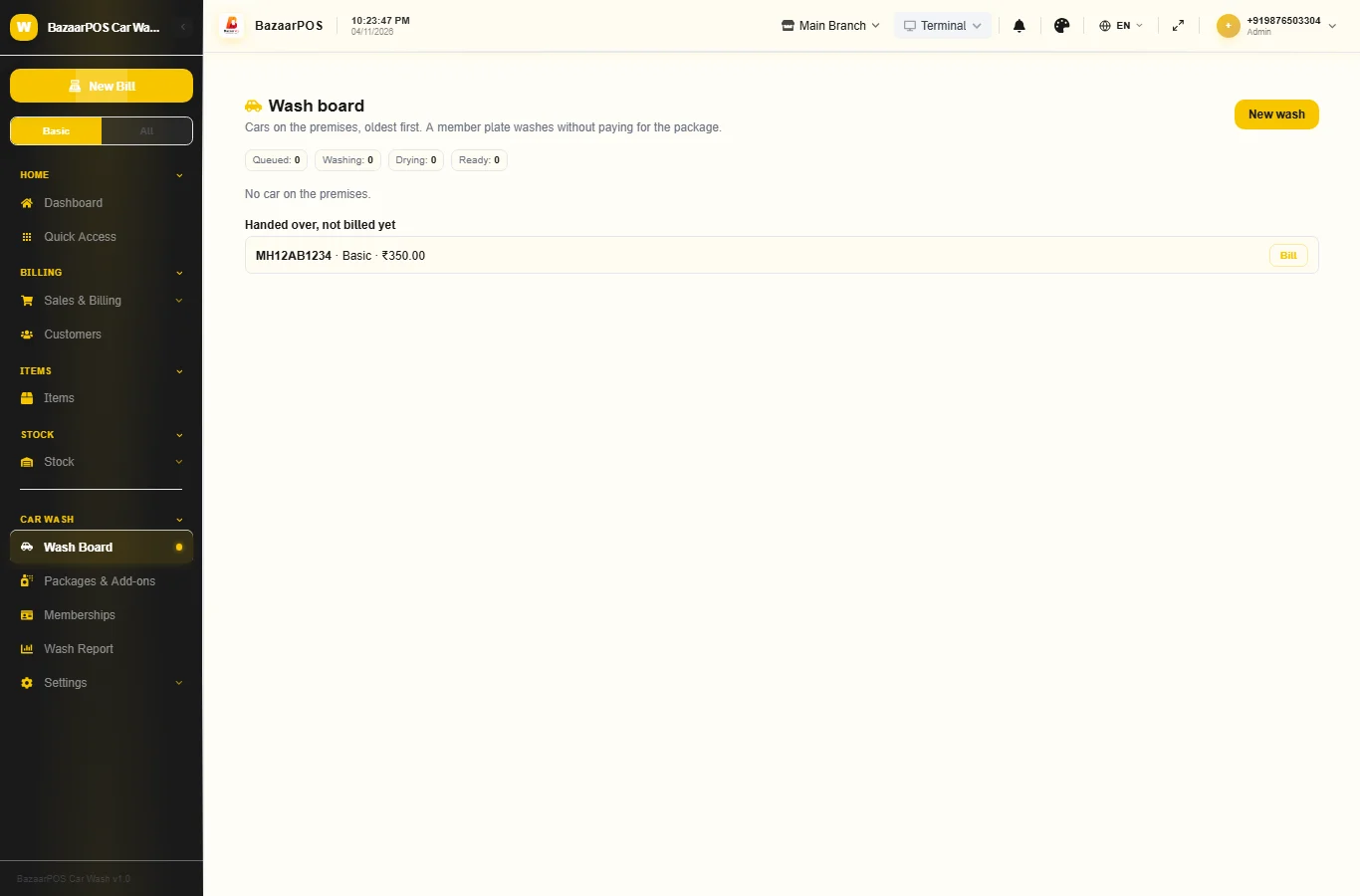
A handed-over wash appears under Handed over, not billed yet. Press Bill to make a normal sale: the package and each add-on as lines with the tax rate of their item. A member wash with no add-ons has nothing to bill.
Step 6: Read the report and pay the washers
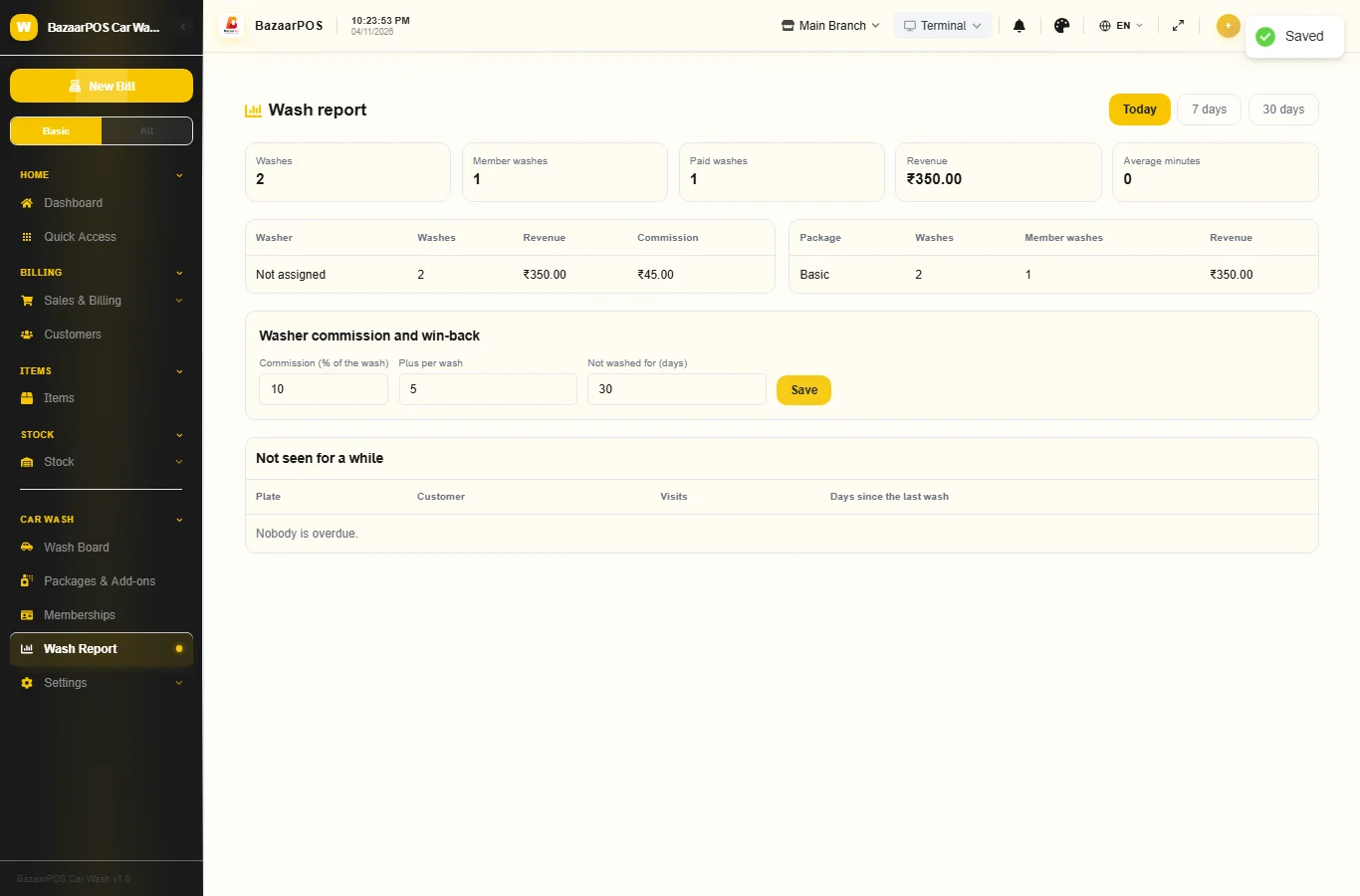
In Wash Report set the washer commission (a percent of the wash and an amount per wash) and the number of days after which a car counts as not seen for a while. The report shows washes, member washes, revenue, average minutes, each washer with the commission earned, and the win-back list with the owner's phone.
On the phone
The phone app has Wash Board, Packages & Add-ons, Memberships and Wash Report.
Also useful here
- Barcode labels: see Barcodes.
- Counting stock: see Stock count.
- Importing items: see Import and export.
- Expiry dates and batches: see Expiry monitor.
Questions
Does it read number plates with a camera?
No. The counter types the plate. There is no camera or gate connection.
Are packages and add-ons normal items?
Yes. Each is a service item in Items with its own tax rate, with no stock to keep.
What if a member comes twice in a day?
The second wash is billed as a normal wash and the screen says why. An expired or used-up plan is treated the same way.
Is tax worked out for my country?
Yes. Each item carries its tax rate and the bill uses your country's tax setup.
Is there a phone version?
Yes. The wash board, packages, memberships and the report are on the phone.
Which plan includes what
Car Wash comes in Basic, Advanced and Enterprise plans. A screen your plan does not include shows a message with how to upgrade.
- Basic: billing, items, customers, reports, packages and add-ons, the wash board and billing.
- Advanced: everything in Basic, plus memberships by plate, the report with washer commission and the win-back list.
- Enterprise: everything in Advanced, plus more than one branch and AI sales forecasting.