Gas Agency Setup
Run a gas agency in BazaarPOS: full and empty cylinder stock, consumers with deposits, bookings given to delivery people, a code at the door and safety checks due.
How it fits together
You keep your normal Items, Customers, billing, purchase orders and special orders. Nothing is entered twice. A cylinder type is a normal stock item, so the tax of your country and the stock come from it. The consumer is a normal customer and a delivery is billed as a normal sale. Added on top are the connections, the empties, the routes, the code and the safety checks.
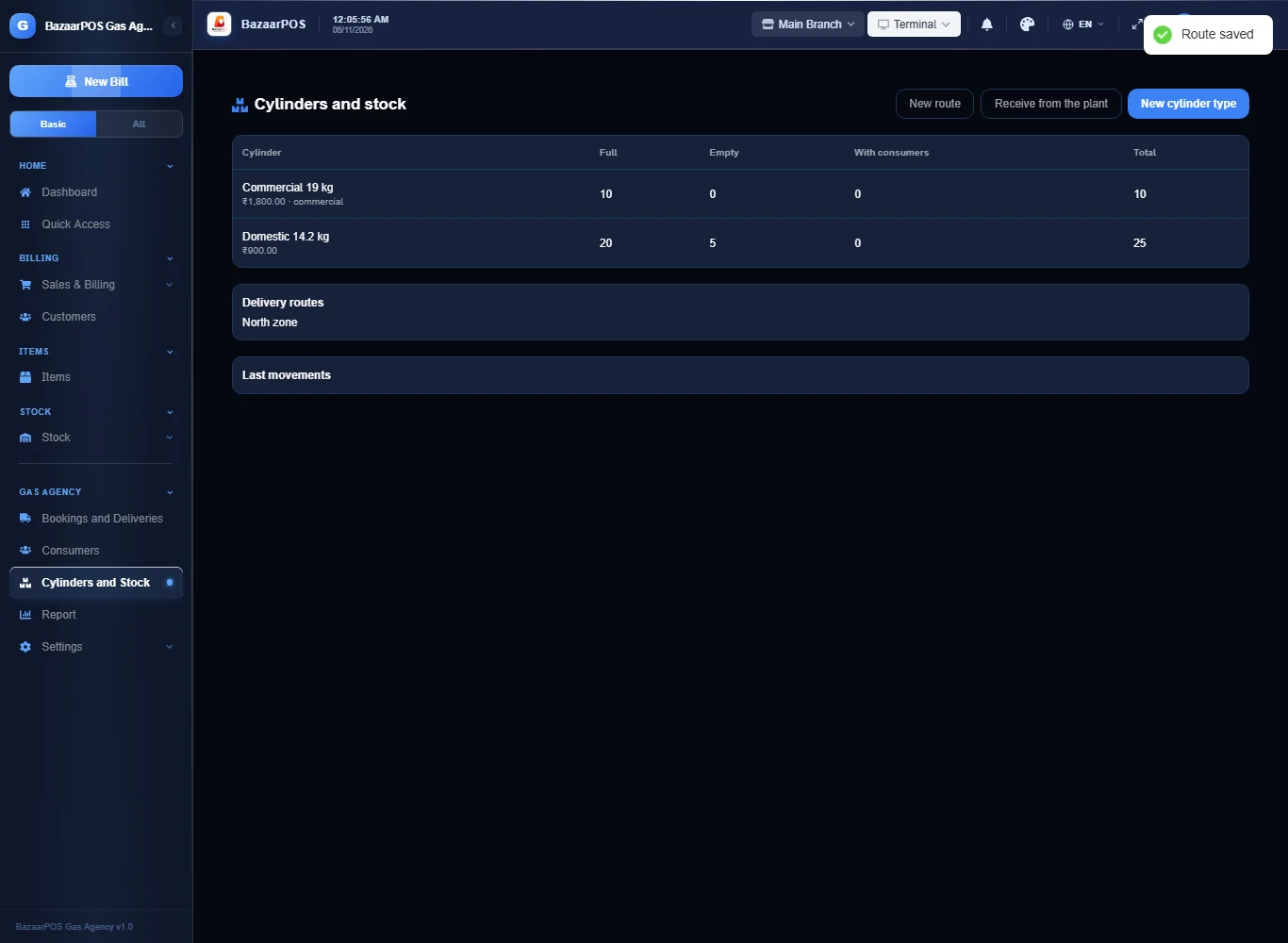
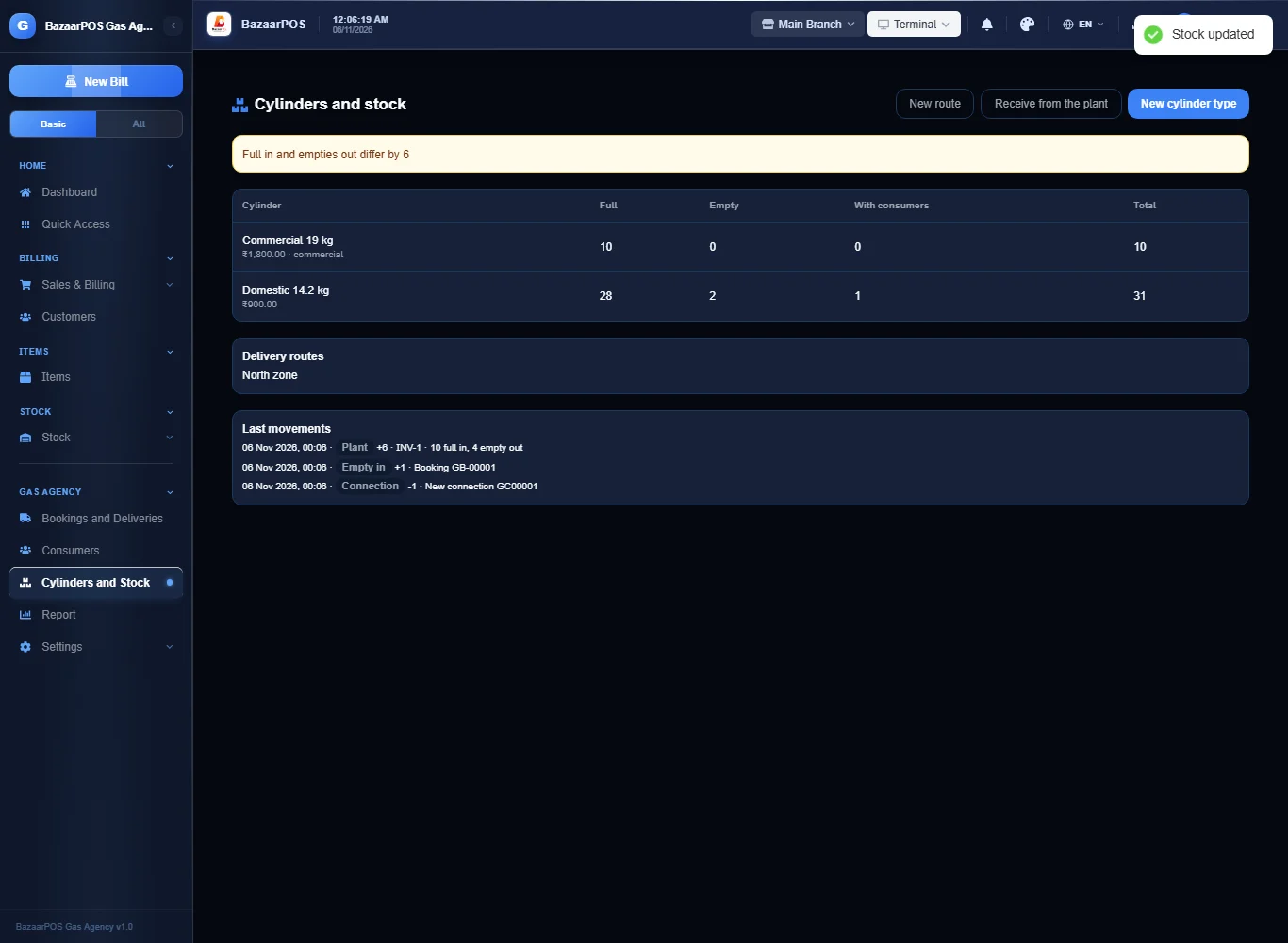
- Cylinders and Stock: types, routes, full and empty stock and plant deliveries.
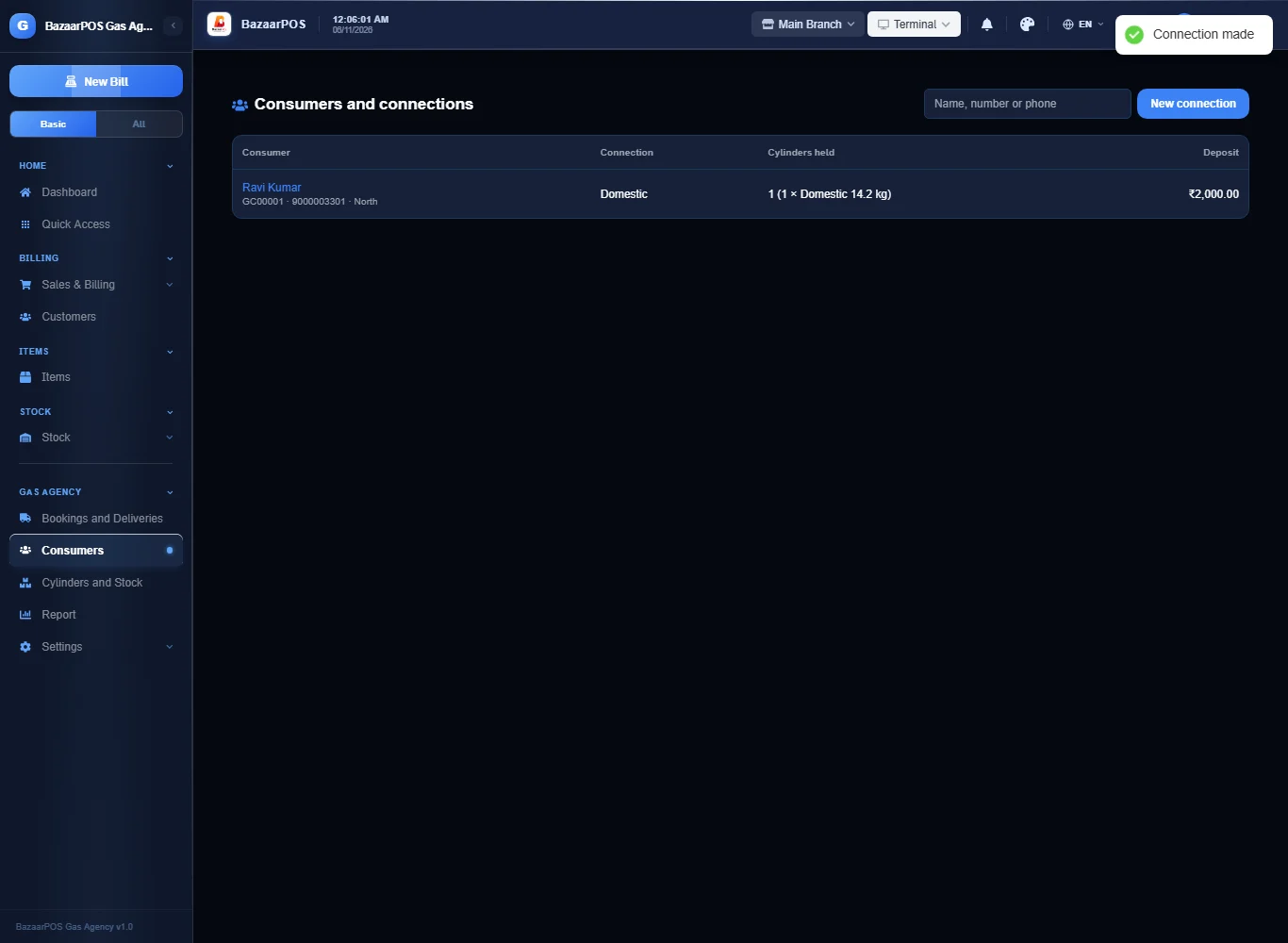
- Consumers: connections, deposits, cylinders held, safety checks.
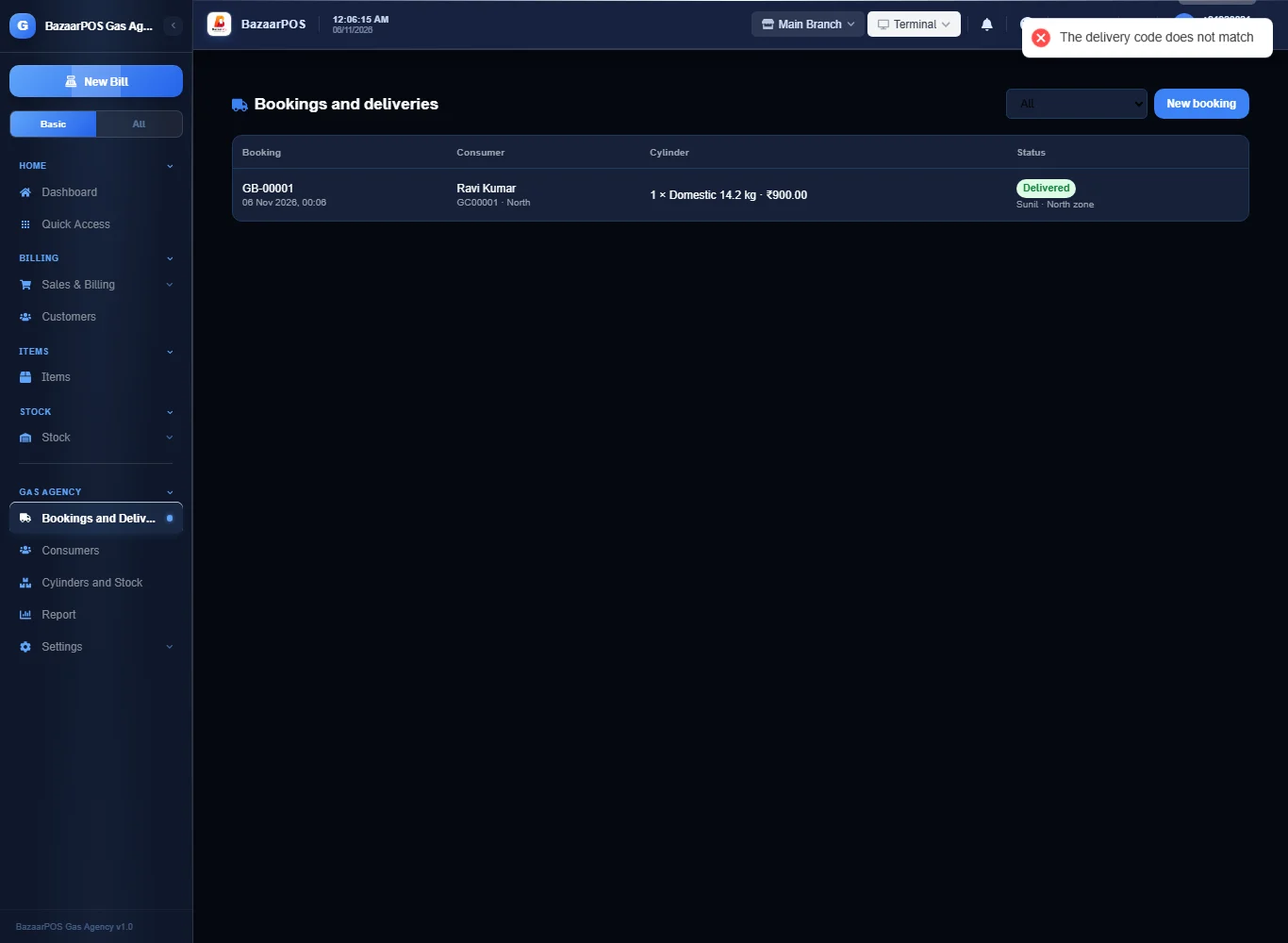
- Bookings and Deliveries: assign, send the code, deliver.
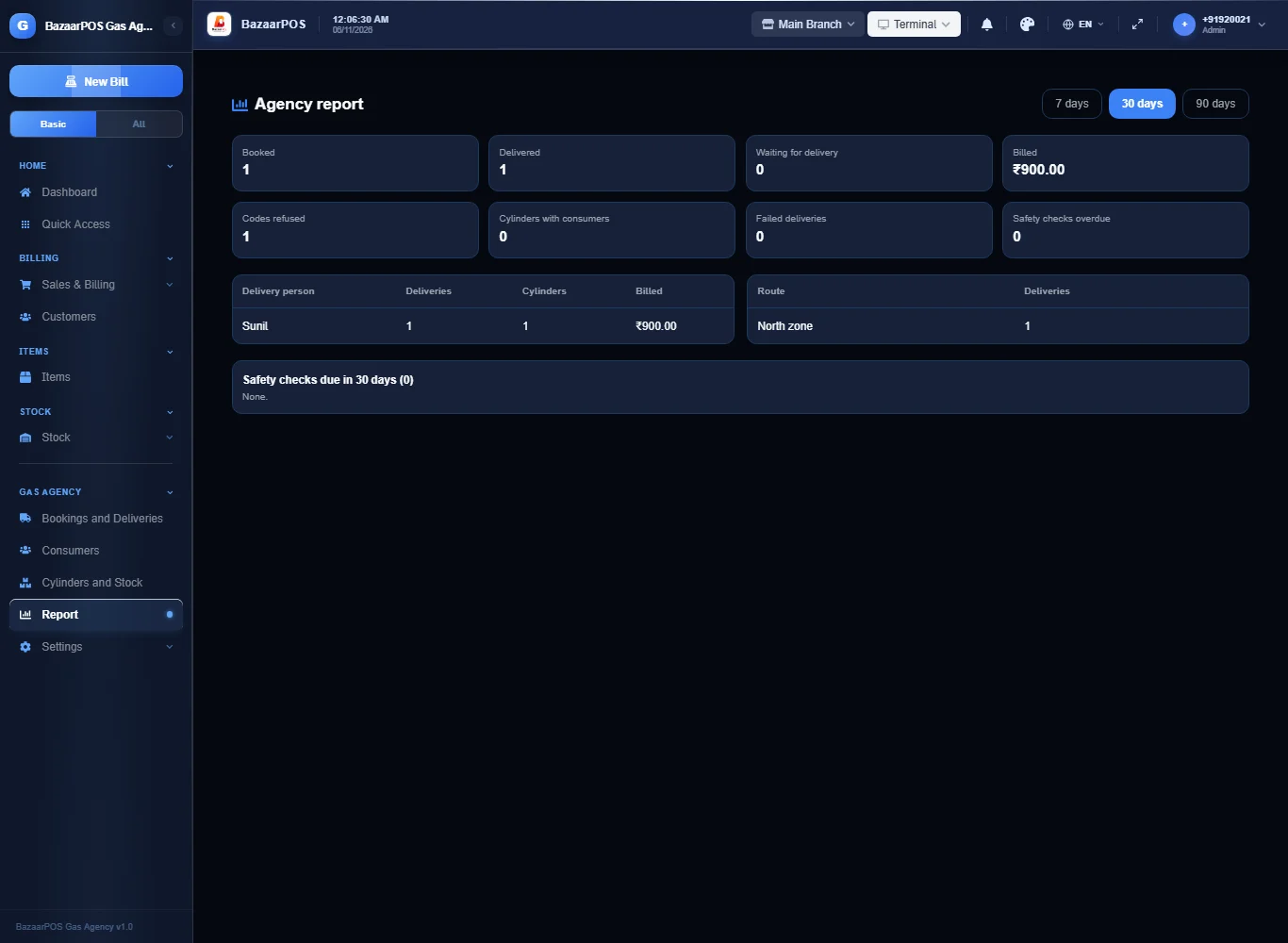
- Report: deliveries by person and route and safety checks due.
Step 1: Set up cylinders and routes
Open Cylinders and Stock, press New cylinder type: name, weight, price, security deposit and the full and empty cylinders you have now. Tick commercial for a commercial cylinder (it needs no code). Press New route for each delivery route.
Step 2: Make a connection
Open Consumers, press New connection: name, phone, the cylinder handed over and how many. The deposit is the type's deposit unless you type another. The cylinders come off the full stock and the consumer holds them.
Step 3: Book and assign
Open Bookings and Deliveries, press New booking, then Assign to a delivery person and a route. For a domestic delivery a four-digit code is made.
Step 4: Send the code and deliver
Press Code message to see the message and the code and send it to the consumer. At the door ask for the code and press Deliver: a wrong code is refused and counted. The delivery is billed as a sale, the full stock goes down and the empties that come back go up; the empties not returned stay with the consumer. The code is the agency's own, not an oil company's.
Step 5: Stock from the plant
On Cylinders and Stock press Receive from the plant: the full cylinders received (with the plant invoice) and the empties sent back. If they differ the app says so.
Step 6: Safety checks, subsidy and surrender
On Bookings and Deliveries a delivered booking has Record a subsidy: type the amount you expect and later mark it received or not received (with the reason). It is a record kept by hand. Open a consumer and press Safety check done when the hose and regulator are checked, or Reminder message. Surrender the connection takes every cylinder back and returns the deposit.
Step 7: The report
Open Report for bookings, deliveries, wrong codes, what was billed, the cylinders with consumers, deliveries by person and by route and the safety checks due.
On the phone
The phone app has Deliveries, Cylinder Stock, Safety Checks and Report.
Also useful here
- Barcode labels: see Barcodes.
- Counting stock: see Stock count.
- Importing items: see Import and export.
- Expiry dates and batches: see Expiry monitor.
Questions
Is this separate from items and billing?
No. A cylinder is a stock item, the consumer is a customer and a delivery is a normal sale.
Is the code the oil company's delivery code?
No. It is the agency's own four-digit code. There is no link to an oil company system and the official rules were not checked.
Does it handle subsidy?
Only by hand: record what you expect for a delivery and whether it came. There is no link to an oil company or a government system, and the official rules were not checked.
Is there a phone version?
Yes. Deliveries with the code, cylinder stock, safety checks and the report are on the phone.
Which plan includes what
Gas Agency comes in Basic, Advanced and Enterprise plans. A screen your plan does not include shows a message with how to upgrade.
- Basic: billing, items, customers, reports, consumers, bookings, deliveries and stock.
- Advanced: everything in Basic, plus the report.
- Enterprise: everything in Advanced, plus more than one branch and AI sales forecasting.