Veterinary Clinic Setup
Run a vet clinic in BazaarPOS: pets with their owners and vaccinations, visits billed with the medicines given, follow-ups and boarding with a vaccine check.
How it fits together
You keep your normal Items, Customers, billing, purchase orders and special orders. Nothing is entered twice. The pets and the vaccination records are the Pet store's own. A medicine or procedure is a normal item, the owner is a customer and a visit or a boarding stay is billed as a normal sale with your country's tax. Added on top are the visits, the follow-ups, the kennels and the report.
- Pets and Vaccines: pets with owners, vaccinations with the next due date and the due list.
- Visits: diagnosis, treatment, weight, follow-up and billing.
- Boarding: kennels and stays with a vaccine check.
- Report and Settings: the consultation fee, required vaccines and the numbers.
Step 1: Add the pet and its vaccines
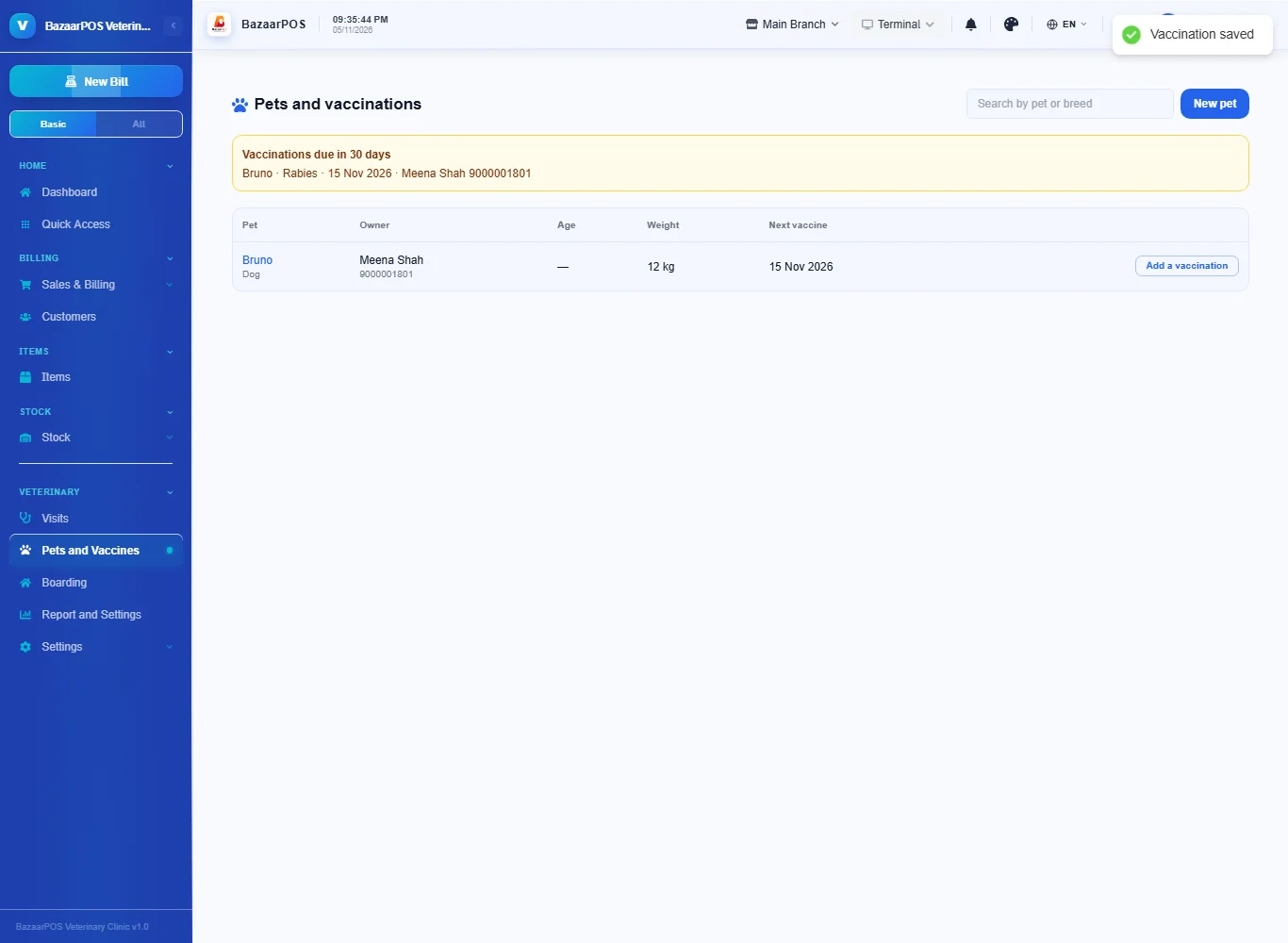
Open Pets and Vaccines and press New pet: the owner and phone (a customer is made if there is none), the pet's name, species, breed, birth date and weight. Press Add a vaccination, type the vaccine and the date it is next due. Vaccinations due in 30 days are listed at the top with the owner's phone.
Step 2: Set the fee and the required vaccines
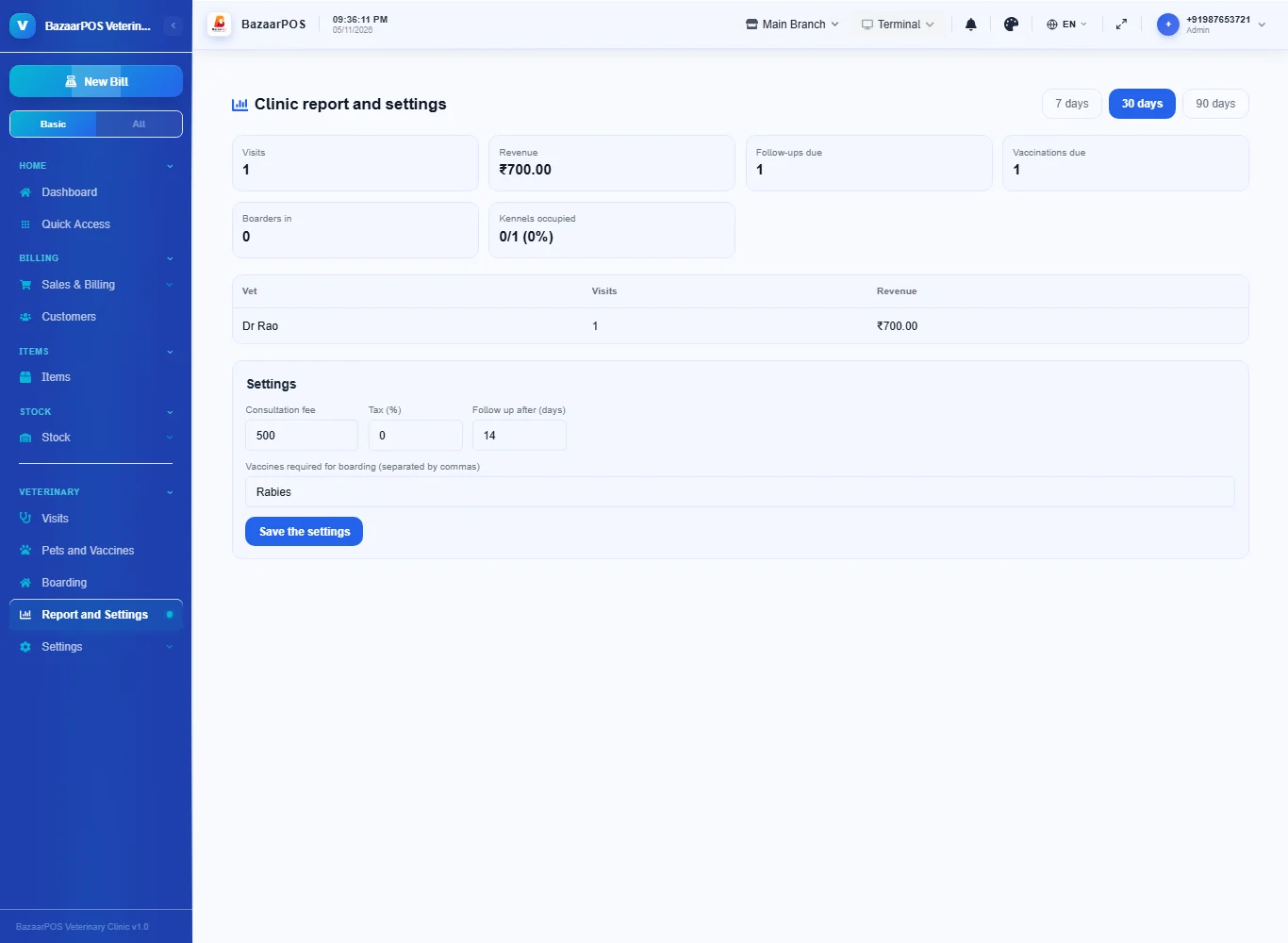
Open Report and Settings: the consultation fee, the tax, how many days to follow up and the vaccines a pet must have to be boarded (for example Rabies, DHPP).
Step 3: See the pet
Open Visits and press New visit: the pet, the reason, the vet, the diagnosis, the treatment, the weight today and a follow-up date. The weight is also kept on the pet. Tick Follow-ups to see visits with a follow-up coming up.
Step 4: Bill the visit
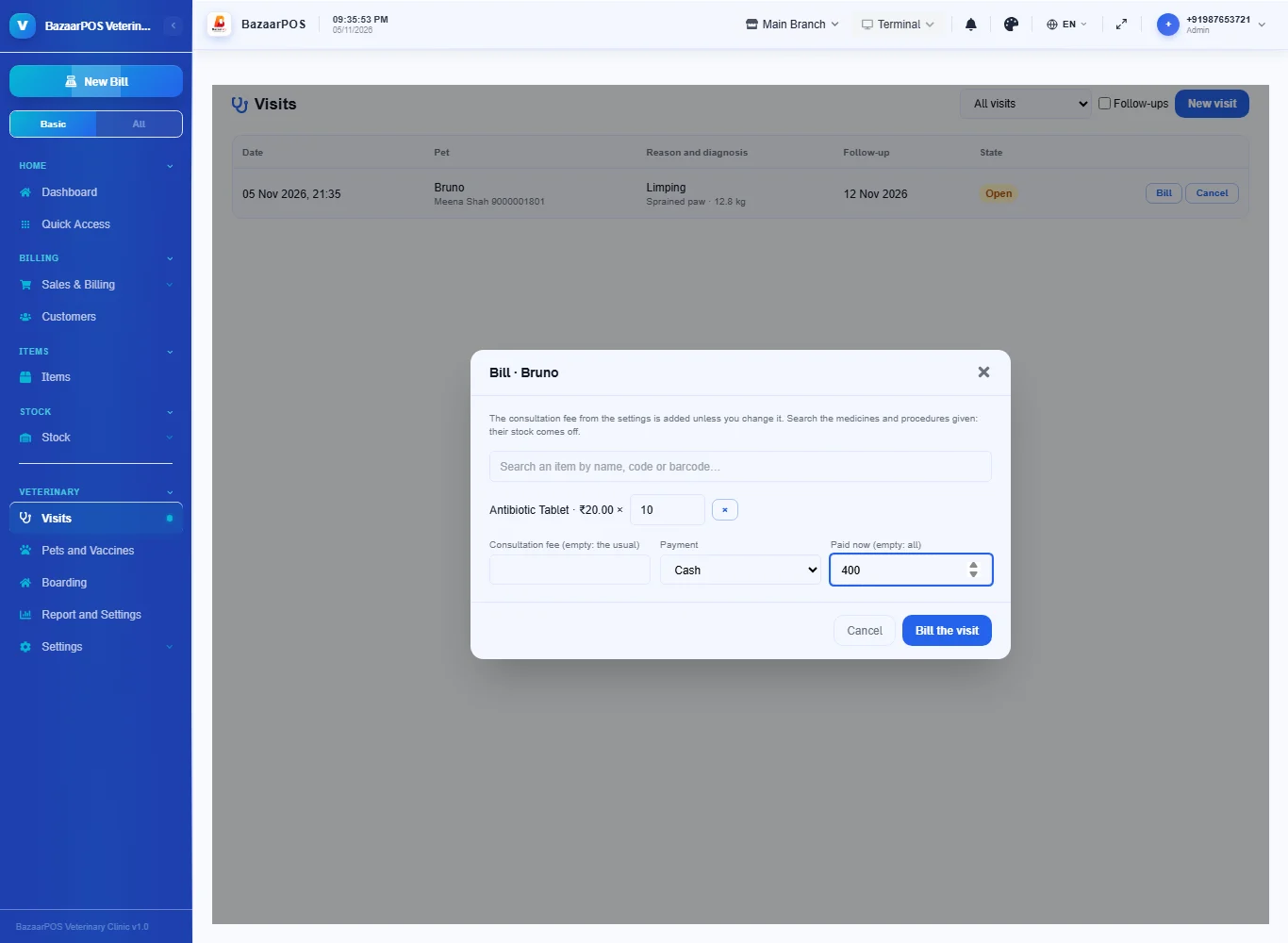
Press Bill on an open visit, search the medicines and procedures given and set the quantities. The consultation fee is added and everything is billed as one sale; the medicines come off your stock. Part payment stays as dues.
Step 5: Board a pet
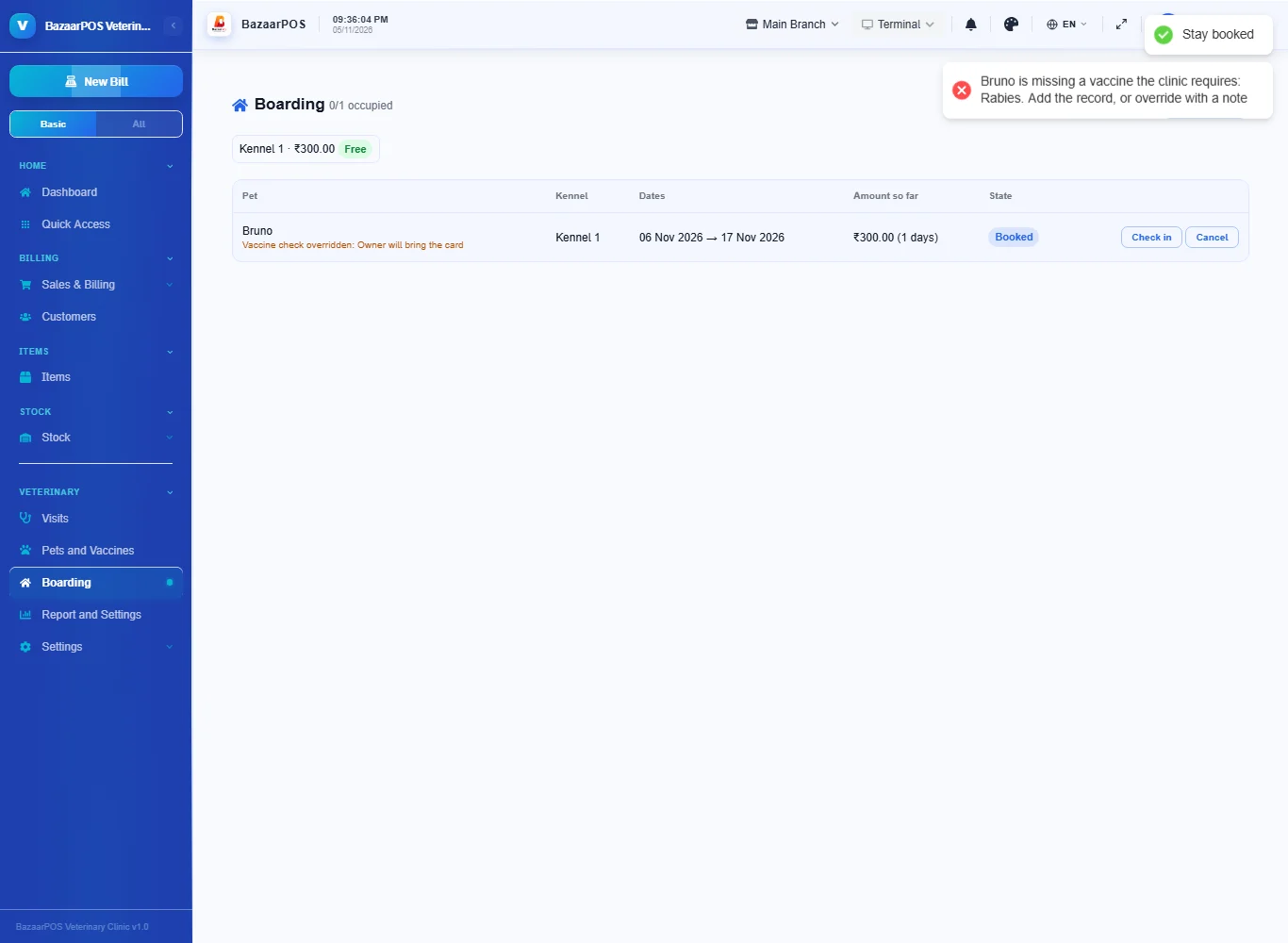
Open Boarding, add a kennel with its day rate and press Book a stay. A pet that is missing a vaccine the clinic requires, or whose vaccine ends before the stay does, is refused. To allow it anyway tick the override and write the reason. Check in when it arrives and Check out and bill when it leaves: the days are billed as a sale.
Step 6: The report
Open Report and Settings for visits and revenue, follow-ups, vaccinations due, boarders in and kennel occupancy, and each vet's visits.
On the phone
The phone app has Visits, Vaccines Due, Boarding and Report.
Also useful here
- Barcode labels: see Barcodes.
- Counting stock: see Stock count.
- Importing items: see Import and export.
- Expiry dates and batches: see Expiry monitor.
Questions
Is this separate from the Pet store?
No. The pets and vaccination records are the Pet store's; the clinic adds visits, boarding and the report.
Does the medicine come off stock?
Yes. Medicines and procedures are items and a billed visit is a normal sale.
Does it store X-rays or lab results?
No. It keeps what you type and the billing.
Does it use my country's tax?
Yes. The items and the consultation and boarding items carry the tax.
Is there a phone version?
Yes. Visits, vaccines due, boarding and the report are on the phone.
Which plan includes what
Veterinary Clinic comes in Basic, Advanced and Enterprise plans. A screen your plan does not include shows a message with how to upgrade.
- Basic: billing, items, customers, reports, pets, vaccinations and visits.
- Advanced: everything in Basic, plus boarding and the report.
- Enterprise: everything in Advanced, plus more than one branch and AI sales forecasting.