Bike Service Setup
Run a two-wheeler workshop in BazaarPOS: open a job in under a minute from a standard service menu, keep the frame and engine numbers, remind the owner of the next service by kilometres and days, and see the day sheet.
How it fits together
You keep your normal Items, Customers, billing, purchase orders and special orders. Nothing is entered twice. Bike service is built on the BazaarPOS garage. The vehicle, the job card with its lines, the mechanics and the service reminders are the garage's own, and a delivered job is billed in the normal billing screen with the parts taken from your items. Only the service menu, the express job, the bike details, pickup and drop, the ready message and the day sheet are added.
- Service Menu: standard services with a price and the next service.
- Express Job: the plate and the services, one step.
- Job Cards, Vehicles, Service Reminders: the garage pages.
- Day Sheet: jobs, labour, parts and tax.
Step 1: Build the service menu
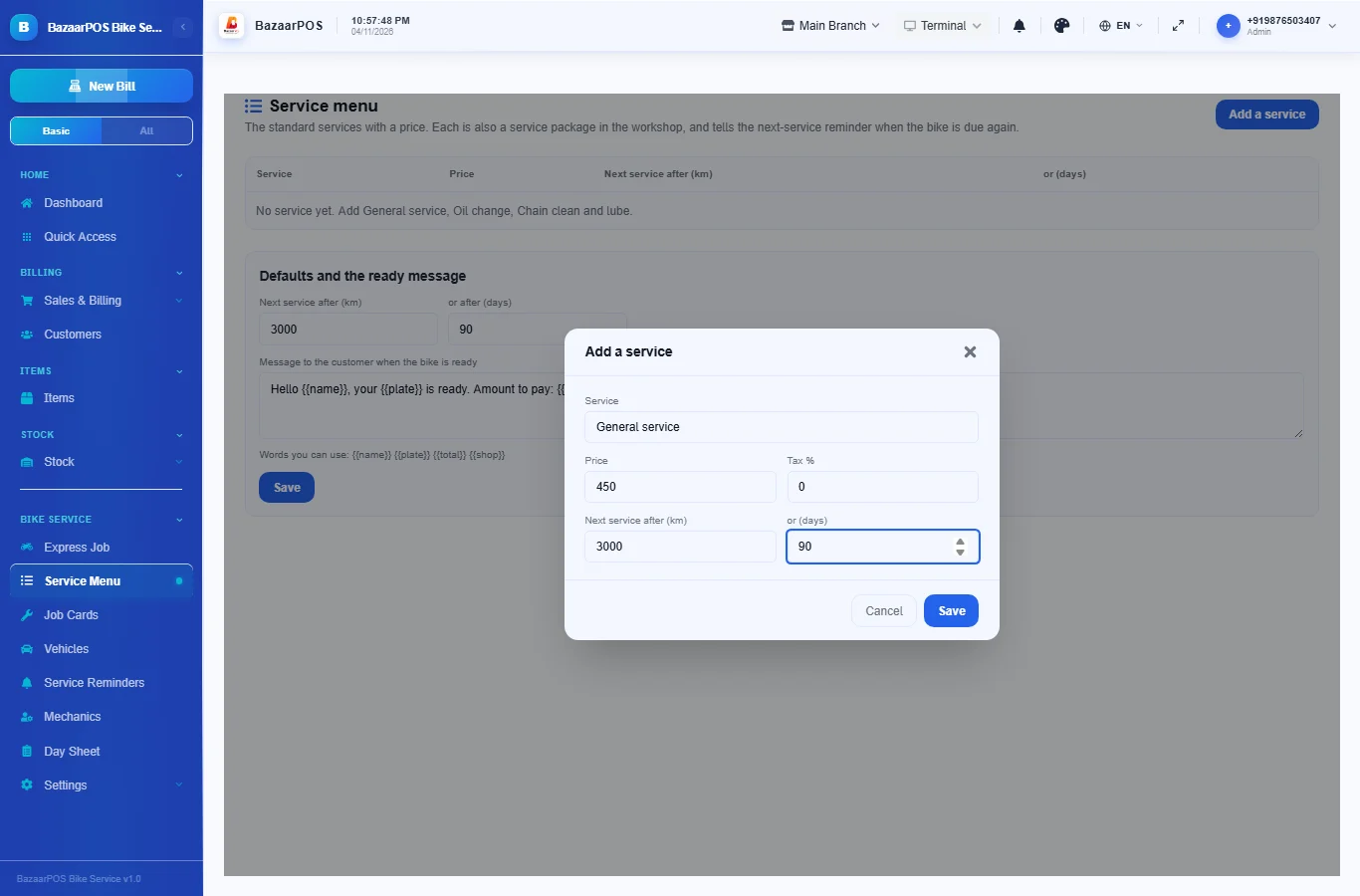
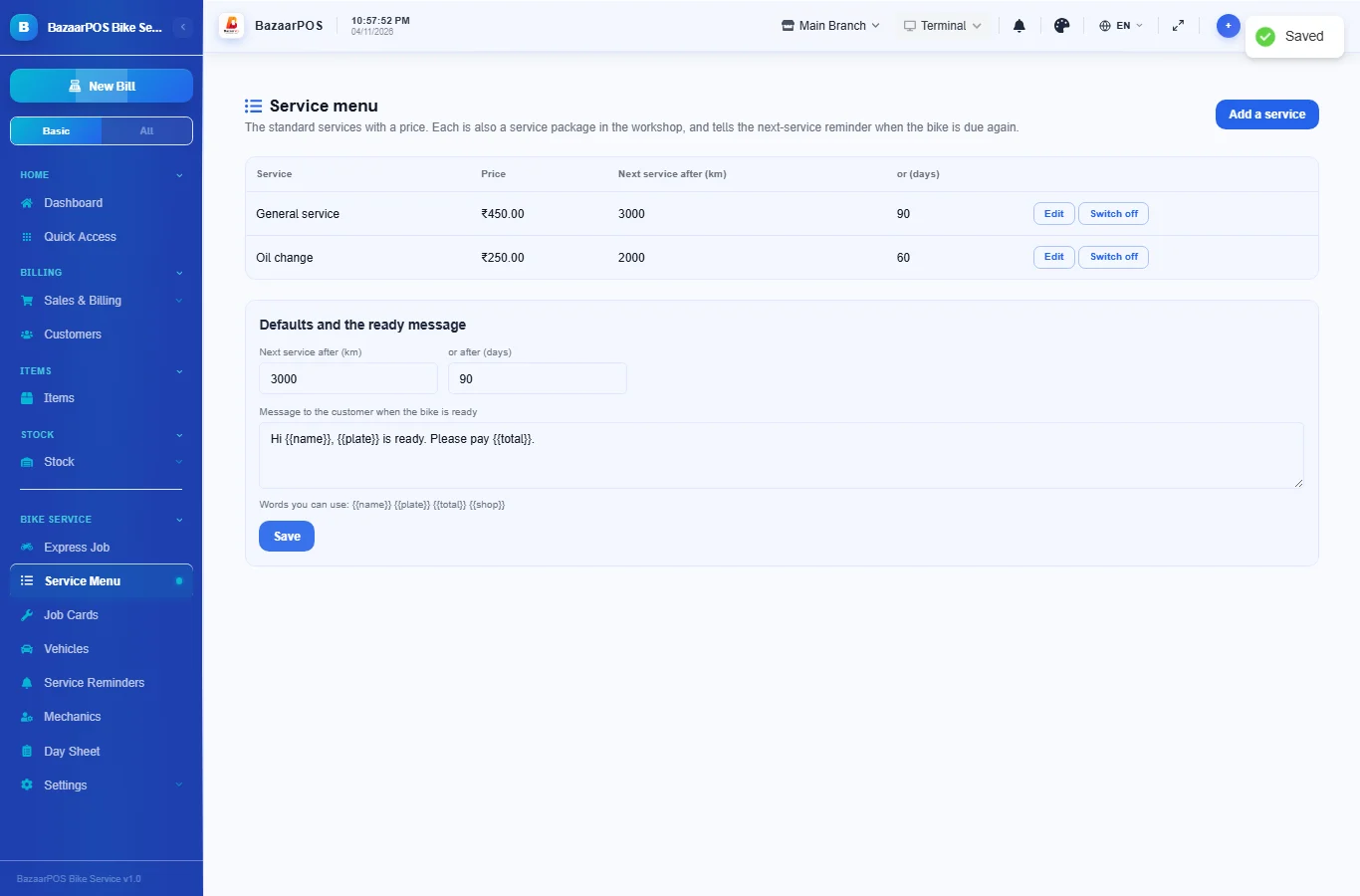
Open Service Menu and press Add a service. Give the service a name, a price and a tax rate, and the kilometres and days to the next service (leave them empty to use the defaults below the table). Each entry is also a service package in the workshop.
Step 2: Open an express job
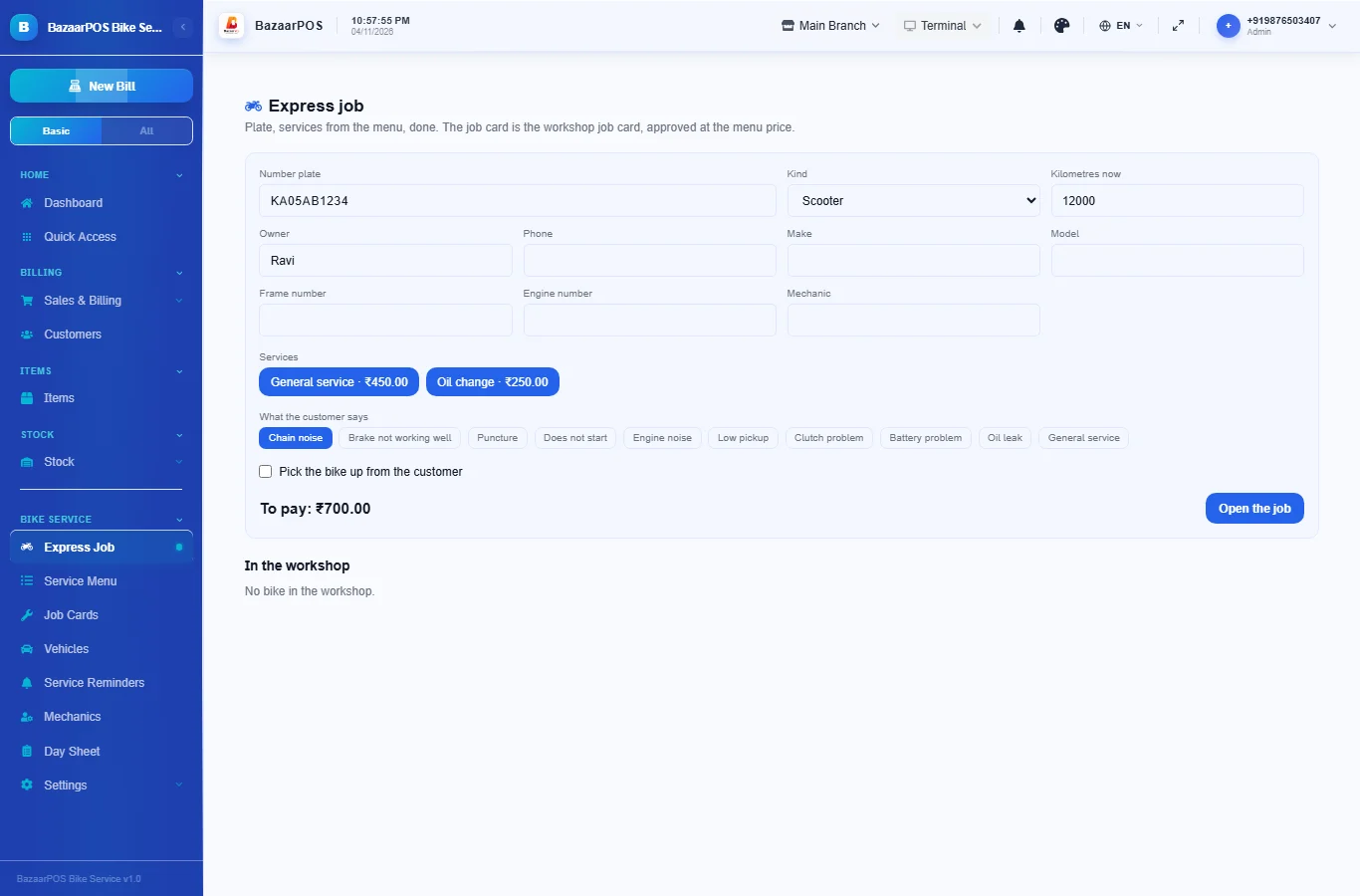
In Express Job type the number plate. A bike the workshop knows fills in the owner, the make and the earlier jobs. Choose the kind (bike, scooter or electric), type the kilometres on the meter, tick the services from the menu and the complaints the customer mentions, and press Open the job. The job card is opened and approved at the menu price. To collect the bike from the customer, tick the pickup box and give the address.
Step 3: Work and hand over
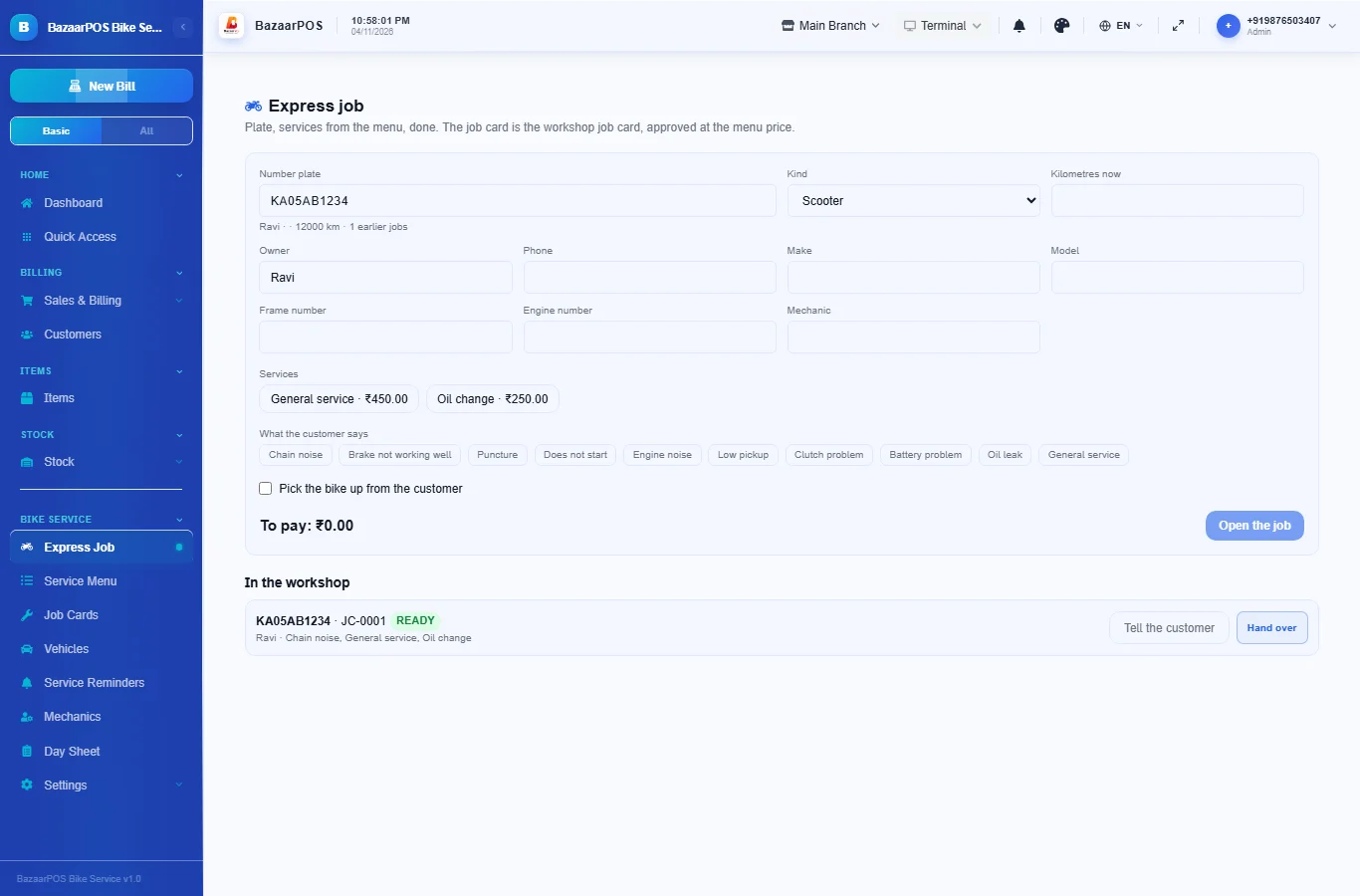
The bike appears under In the workshop. Press Start work, then Ready. For a ready bike, Tell the customer opens WhatsApp with your ready message, or copies it when there is no phone number. Hand over asks for the kilometres on the meter.
Step 4: Bill the job
The job card is the garage's job card, so you bill it in the normal billing screen exactly as a garage job, with the parts from your items. Use Job Cards to see every job.
Step 5: The next service
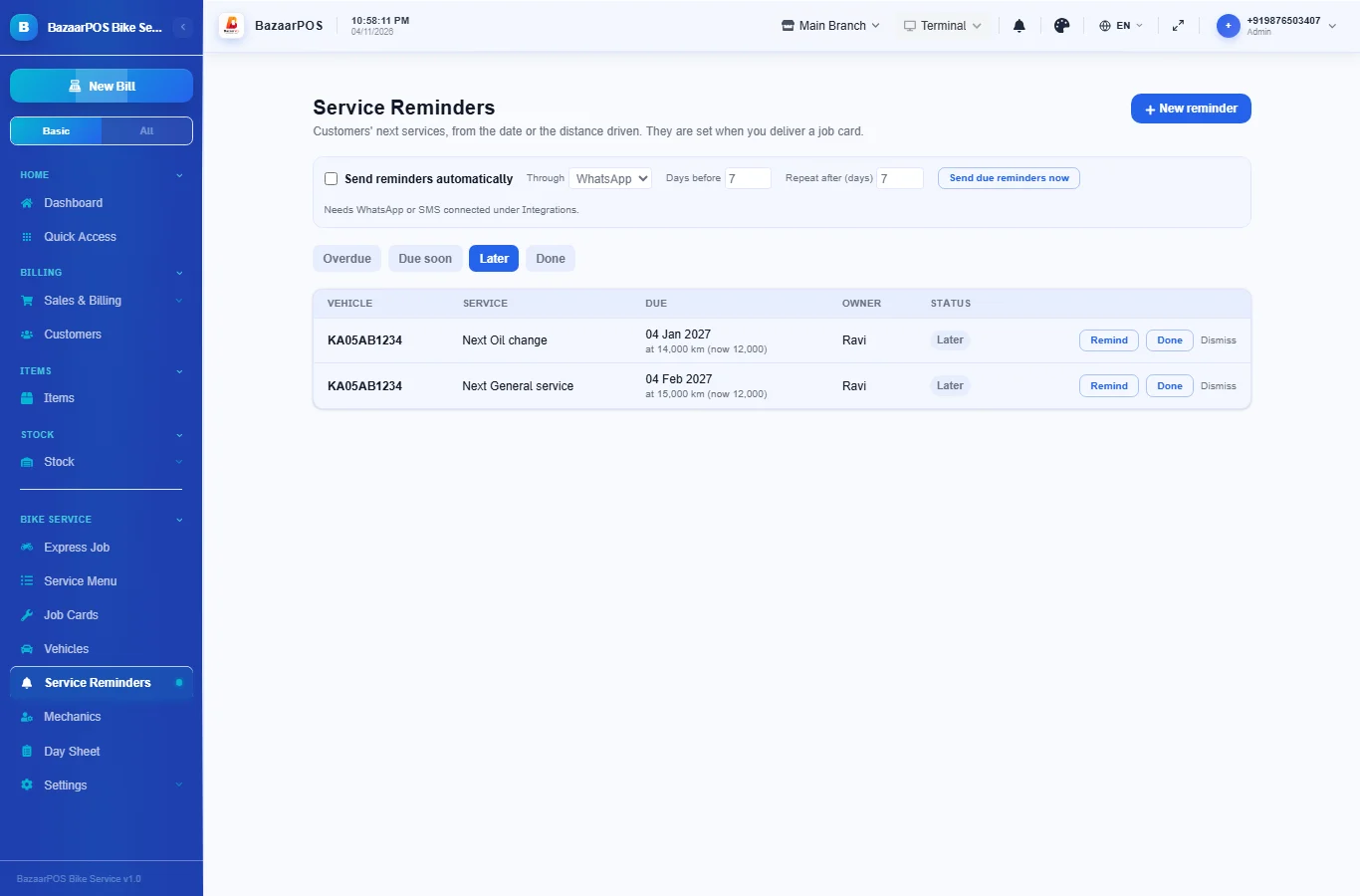
When you hand the bike over, a reminder is made for each service done: due after the kilometres from the meter reading and after the days, as the menu entry says. They show in Service Reminders under Later, and move to Due soon and Overdue as the date or the distance comes near.
Step 6: Read the day sheet
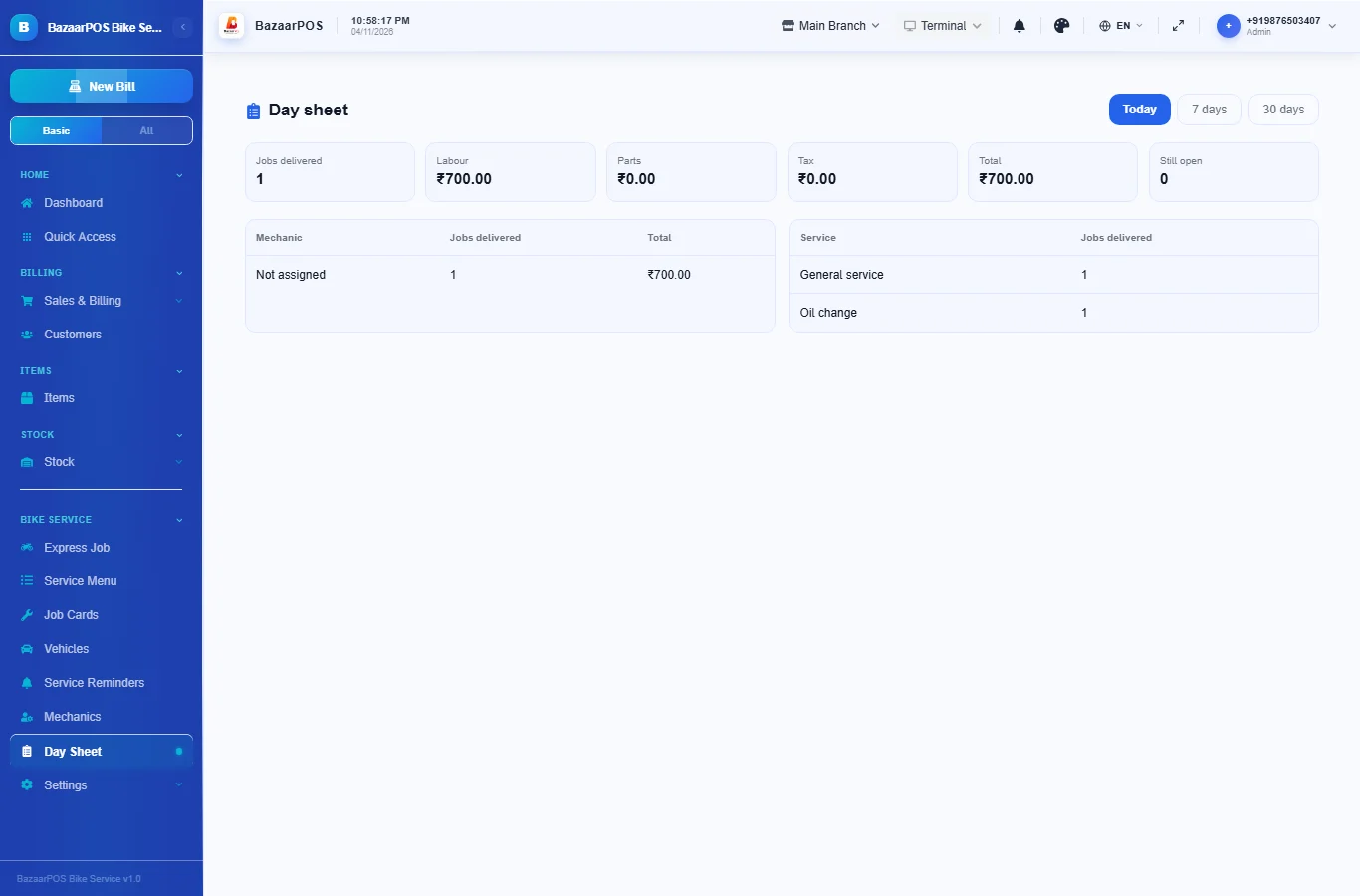
In Day Sheet see the jobs delivered today, the last 7 or the last 30 days, with labour, parts and tax, by mechanic and by service, and how many bikes are still open.
On the phone
The phone app has Express Job, Service Menu and Day Sheet, with the garage's Job Cards, Vehicles, Service Reminders and Mechanics.
Also useful here
- Barcode labels: see Barcodes.
- Counting stock: see Stock count.
- Importing items: see Import and export.
- Expiry dates and batches: see Expiry monitor.
Questions
Is this separate from the car garage?
No. It uses the garage's vehicles, job cards, mechanics and reminders as they are. The menu, the express job, the bike details, pickup and drop, the ready message and the day sheet are added.
How is the next service worked out?
Each menu entry has the kilometres and days to the next service. At hand-over a reminder is made for each service done, from the meter reading and from today. Days are kept as whole months.
Are parts and billing the same as the garage?
Yes. Parts come from your items and the job is billed in the normal billing screen.
Is the customer message sent for me?
No. It opens in WhatsApp for you to send, or is copied when the customer has no phone number.
Is there a phone version?
Yes. Express Job, Service Menu and Day Sheet are on the phone, with the garage's own Job Cards, Vehicles and Service Reminders.
Which plan includes what
Bike Service comes in Basic, Advanced and Enterprise plans. A screen your plan does not include shows a message with how to upgrade.
- Basic: billing, items, customers, reports, the service menu, express jobs, job cards, vehicles and reminders.
- Advanced: everything in Basic, plus the day sheet and mechanics.
- Enterprise: everything in Advanced, plus more than one branch and AI sales forecasting.