Photography Studio Setup
Run a photography studio in BazaarPOS: packages, bookings that never double-book a photographer, advance and balance, stages from the shoot to the album, lab orders, messages and billing with your country's tax.
How it fits together
You keep your normal Items, Customers, billing, purchase orders and special orders. Nothing is entered twice. A package is a normal service item, so the tax of your country comes from it. The client is a normal customer, frames and prints are normal items added at delivery, and delivery is billed as a normal sale. Added on top are the booking with its photographers, the payments, the stages, the lab orders, the calendar and the report.
- Packages: what is included, the price and the advance, with tax and message settings.
- Bookings: payments, stages, lab orders, messages and delivery billing.
- Calendar and Due: shoots by day and what needs a call.
- Report: income by package and photographer workload.
Step 1: Make the packages
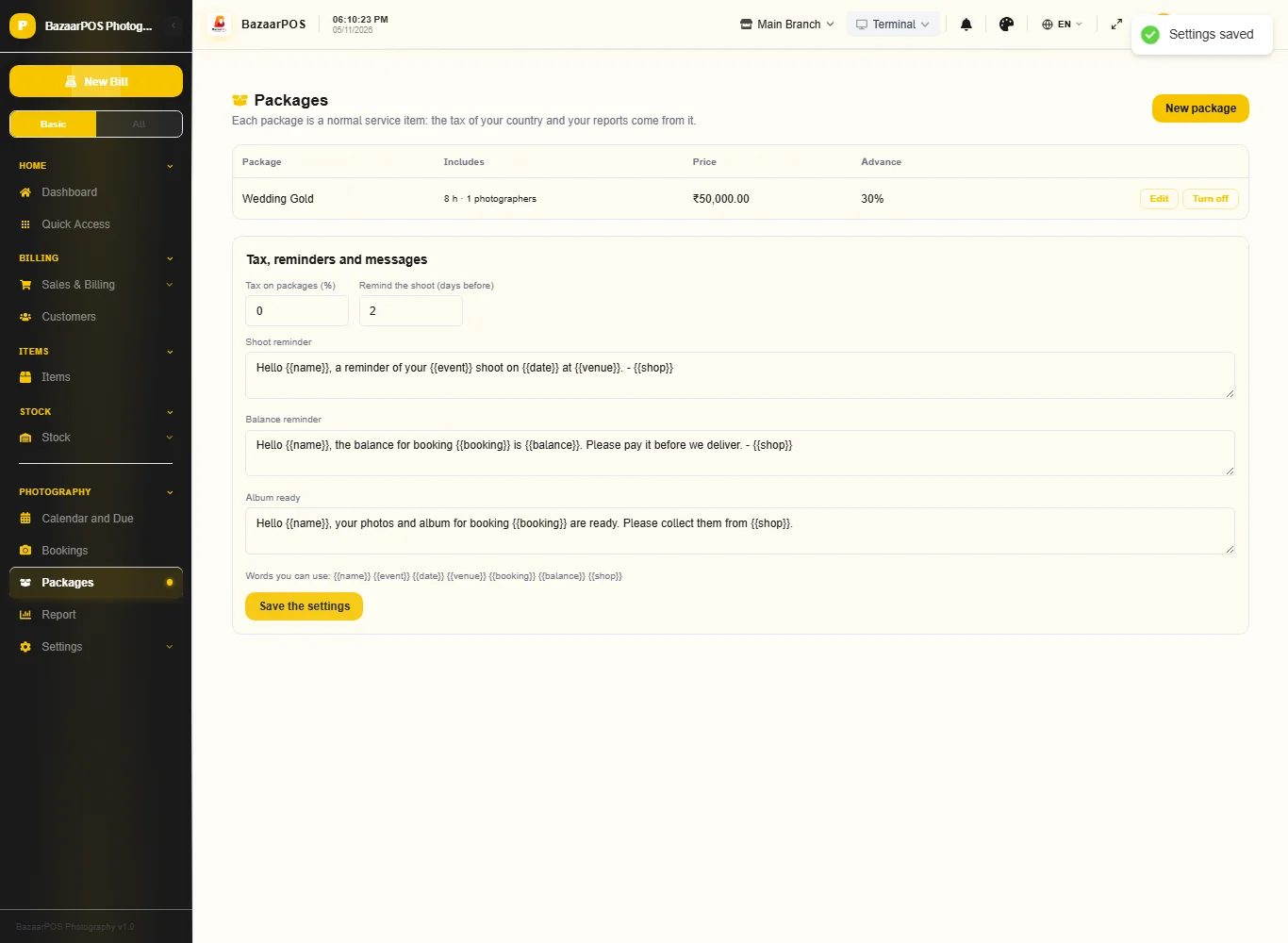
Open Packages and press New package. Type the name, the price, the hours of coverage, the photographers, the edited photos, the albums, whether it includes a video and the advance you ask for. Under the table set the tax, how many days before a shoot to remind, and your three messages.
Step 2: Take a booking
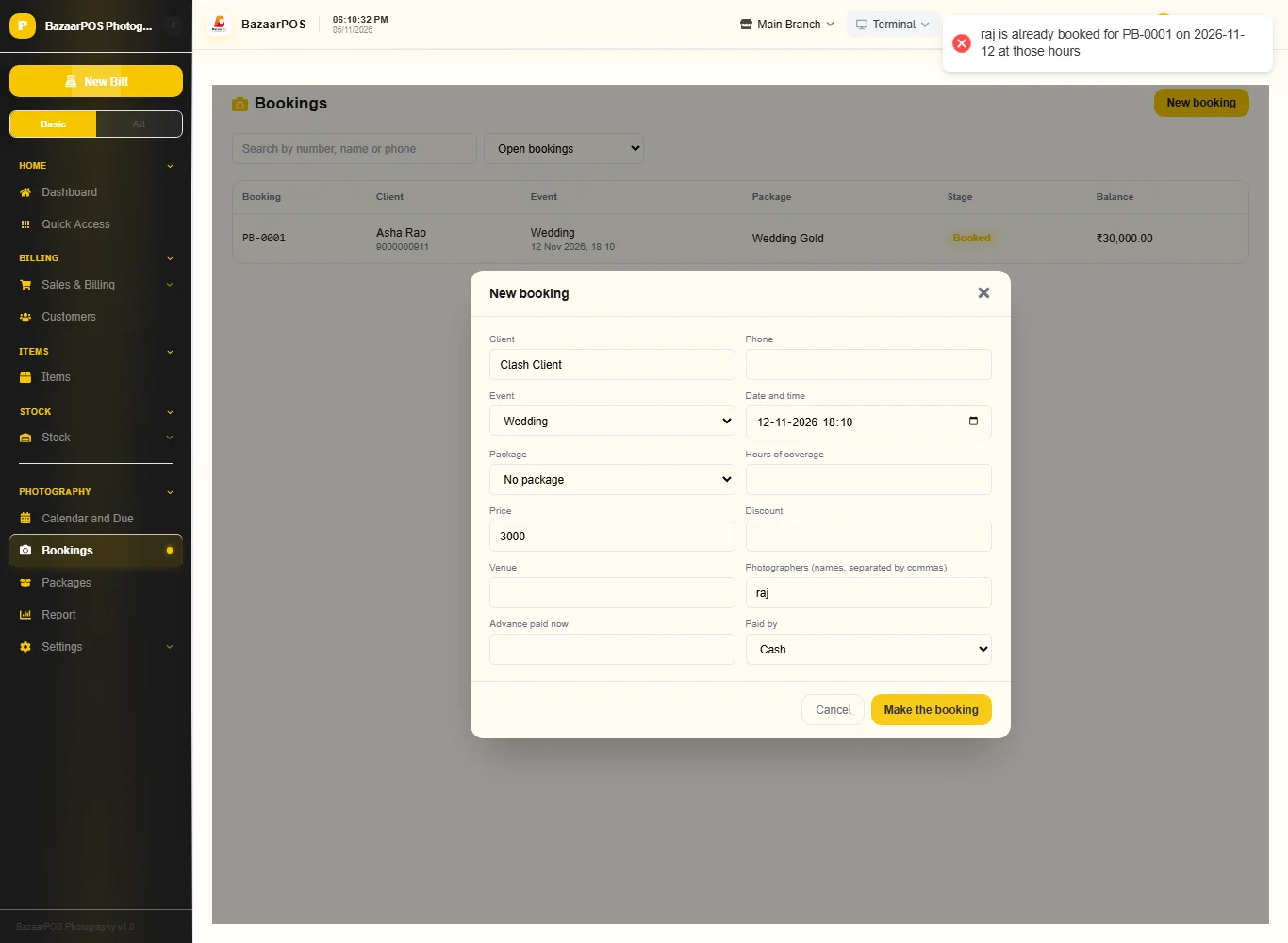
Open Bookings and press New booking. Type the client, choose the event, the date and time and the package (its price and hours fill in), then the venue, the photographers separated by commas and the advance. A photographer who is already on another booking over the same hours is refused and the message says who clashes.
Step 3: Take payments and move it on
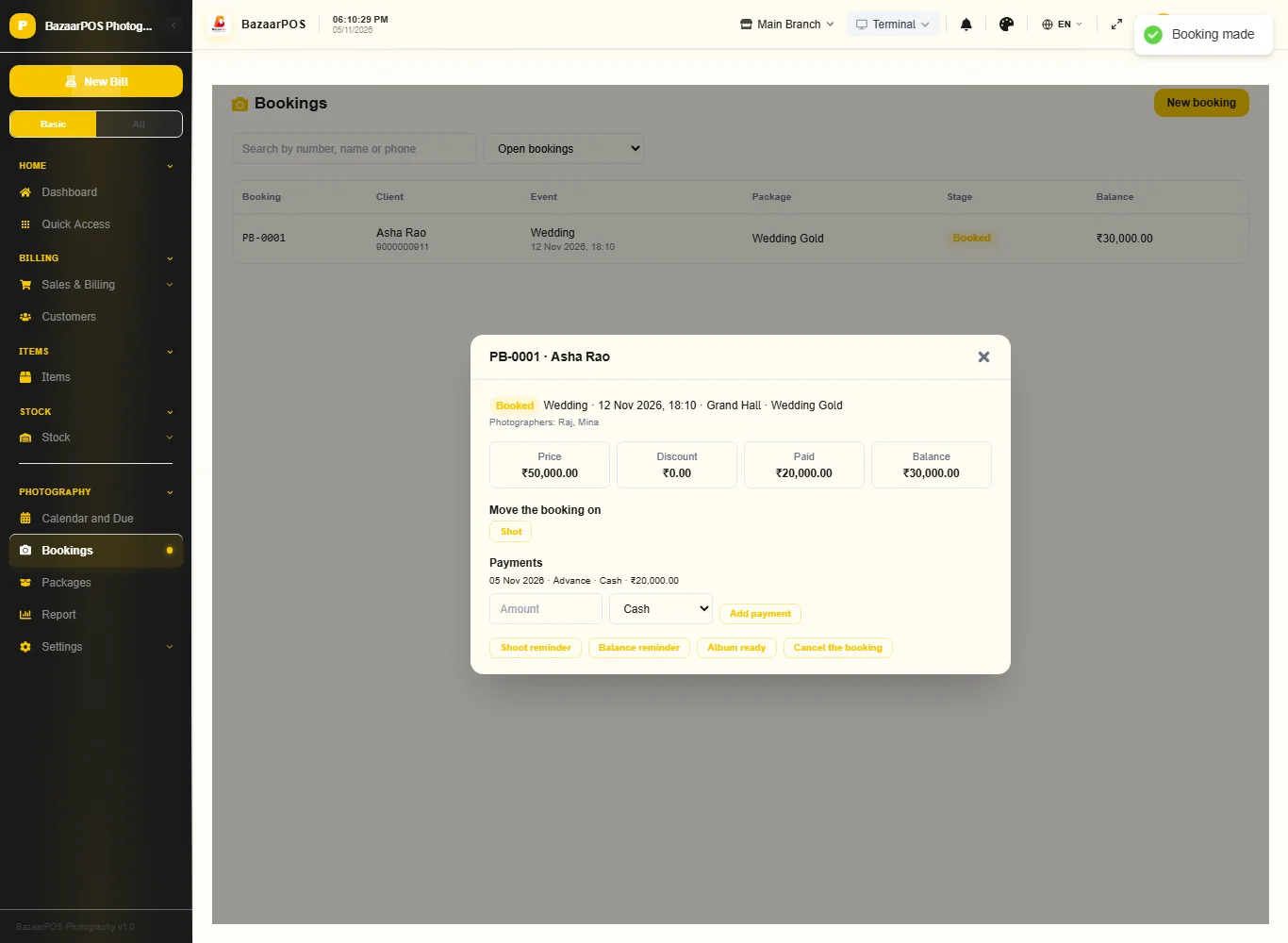
Open a booking. Add a payment, which cannot be more than the balance, and press the next stage: shot, editing, selection, album design, at the lab and ready. A booking without an album can go from editing or selection straight to ready.
Step 4: Order the album from the lab
After the shoot, in the lab box type the lab, what is ordered, the date it is expected and the cost, and press Order from the lab. A booking cannot go to the lab without an order and cannot be ready while an order is still there. Press Arrived when it comes back.
Step 5: Deliver and bill
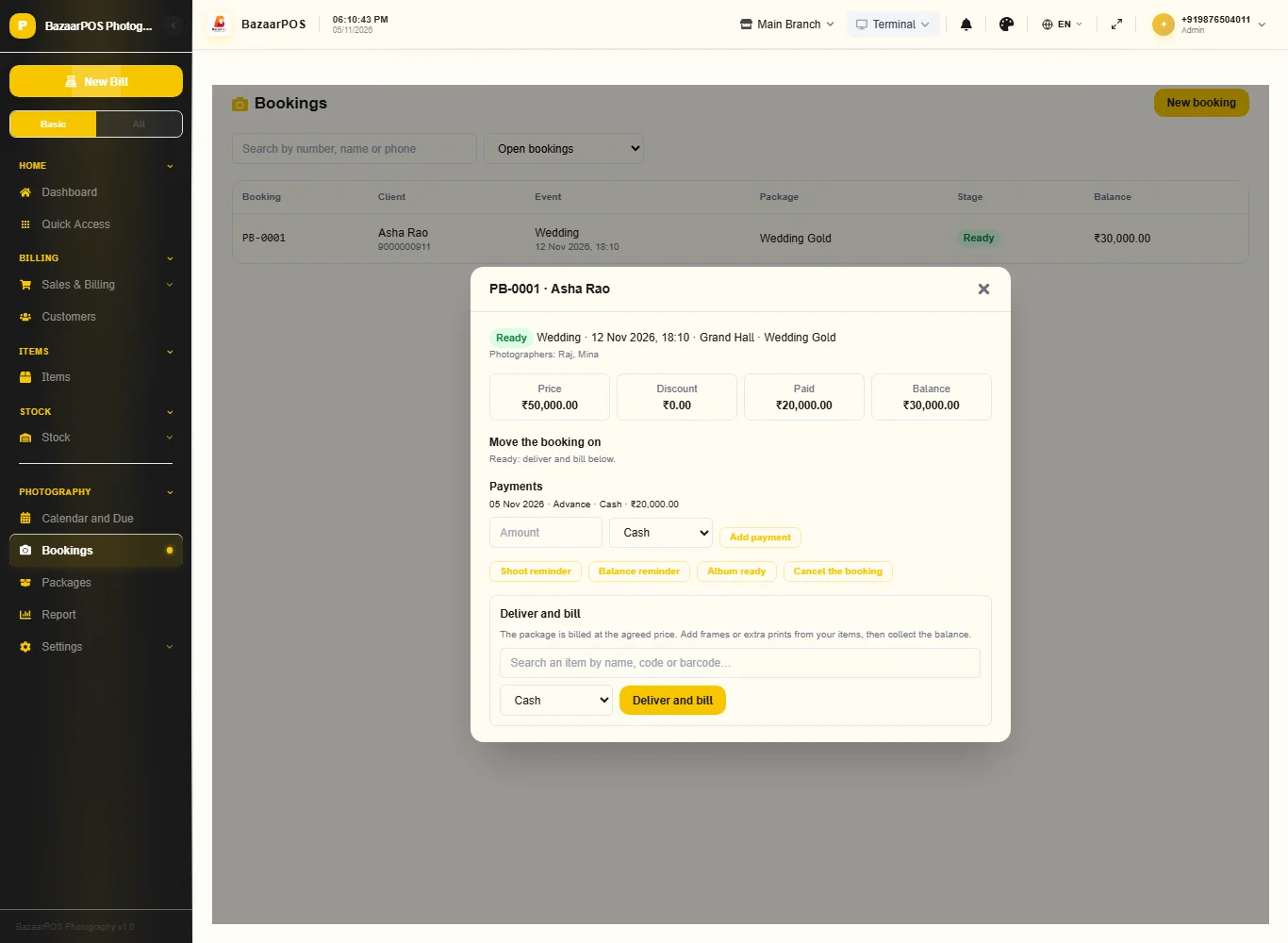
On a ready booking search for frames or prints in Deliver and bill and add them as extras, choose how the balance is paid and press Deliver and bill. The package is billed at the agreed price and the extras at their prices, as a normal sale with your country's tax; the extras come off stock.
Step 6: Calendar and due list
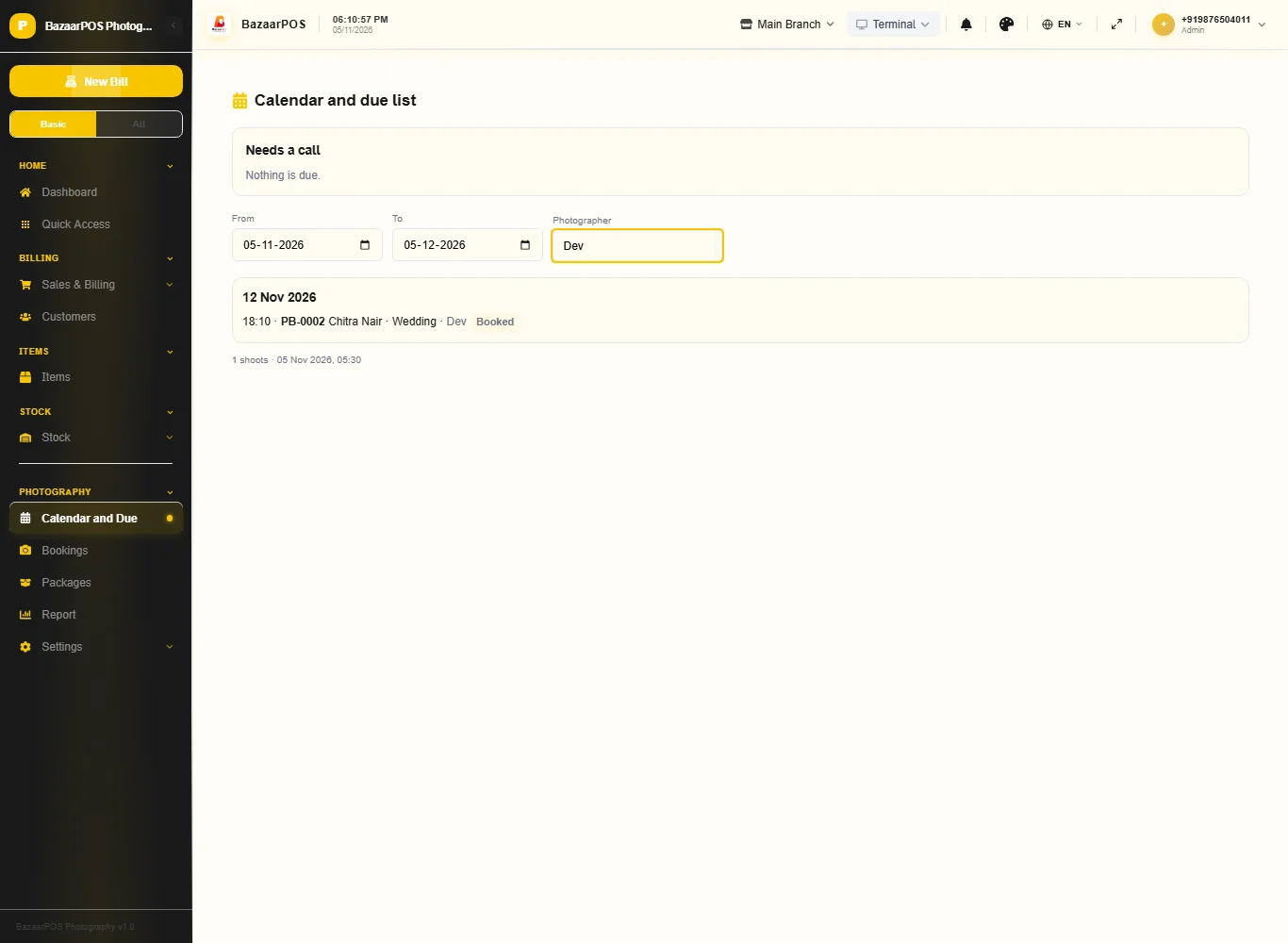
Open Calendar and Due for shoots by day (filter by photographer) and a list of what needs a call: shoots coming up, balances to collect, late stages and late lab orders. Press Message to open WhatsApp with your message.
Step 7: The report
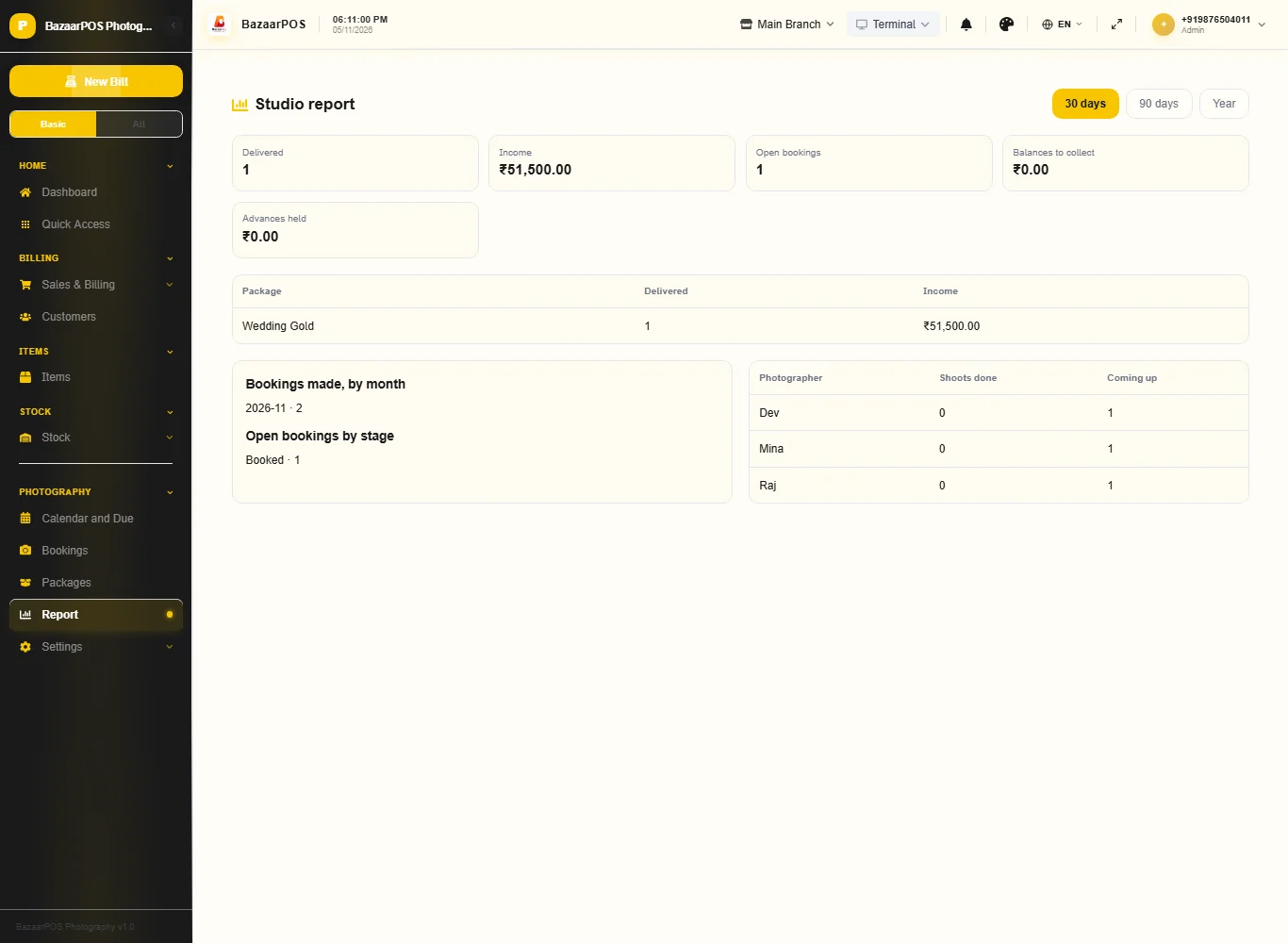
Open Report for bookings delivered and income, balances to collect, advances held, income by package, bookings by month and each photographer's shoots.
On the phone
The phone app has Bookings (payments, stages, messages, deliver), Calendar, Due List and Report.
Also useful here
- Barcode labels: see Barcodes.
- Counting stock: see Stock count.
- Importing items: see Import and export.
- Expiry dates and batches: see Expiry monitor.
Questions
Is this separate from items and billing?
No. A package is a service item, the client is a customer and delivery is a normal sale.
Does it store the photos?
No. It tracks bookings, stages and albums. Type the link to the client gallery on the booking and it goes in the album-ready message.
What if the client cancels?
Cancel the booking. What was paid stays on its payments so you can refund it by hand.
Does it use my country's tax?
Yes. The package item carries the tax and the bill is made by the shared sale code.
Is there a phone version?
Yes. Bookings, the calendar, the due list and the report are on the phone.
Which plan includes what
Photography Studio comes in Basic, Advanced and Enterprise plans. A screen your plan does not include shows a message with how to upgrade.
- Basic: billing, items, customers, reports, packages, bookings and the calendar.
- Advanced: everything in Basic, plus the studio report.
- Enterprise: everything in Advanced, plus more than one branch and AI sales forecasting.