Physiotherapy Clinic Setup
Run a physiotherapy clinic in BazaarPOS: treatments, patients, session packs, appointments that never double-book a therapist, SOAP notes that are locked when signed, and billing with your country's tax.
How it fits together
You keep your normal Items, Customers, billing, purchase orders and special orders. Nothing is entered twice. A treatment is a normal service item, so the tax of your country comes from it. The patient is a normal customer, and a pack or a single session is billed as a normal sale: a part payment stays on the customer as dues. Added on top are the appointments, the session notes and the report.
- Treatments: name, minutes and price, with tax and reminder settings.
- Patients and Packs: the patient with an alert, session packs and the pain score by visit.
- Appointments: the diary, the SOAP note, reminders and marking a visit done.
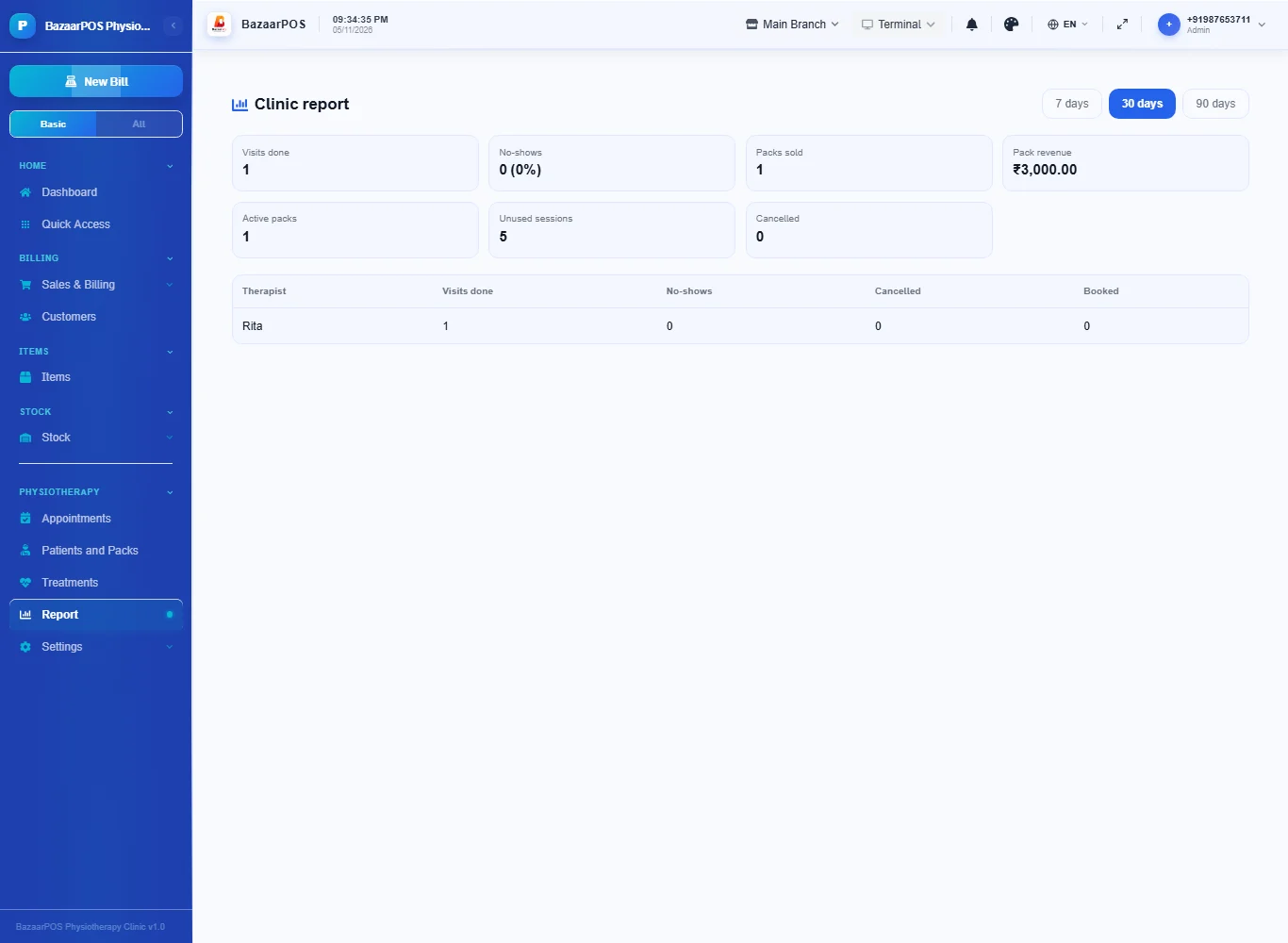
- Report: visits, no-shows, packs and unused sessions.
Step 1: Make the treatments
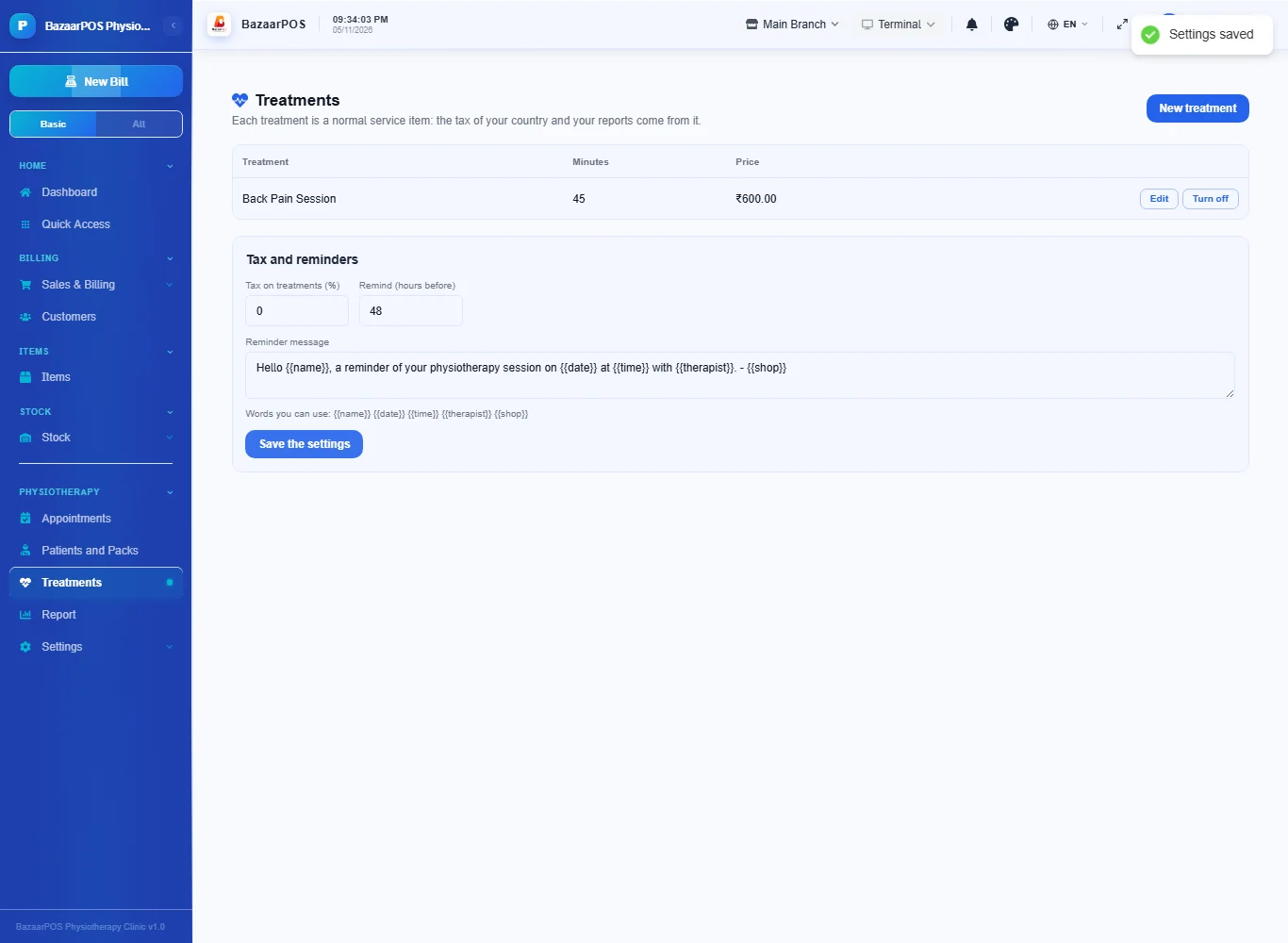
Open Treatments and press New treatment: the name, the minutes it takes and the price. Under the table set the tax and how many hours before an appointment to remind.
Step 2: Register the patient and sell a pack
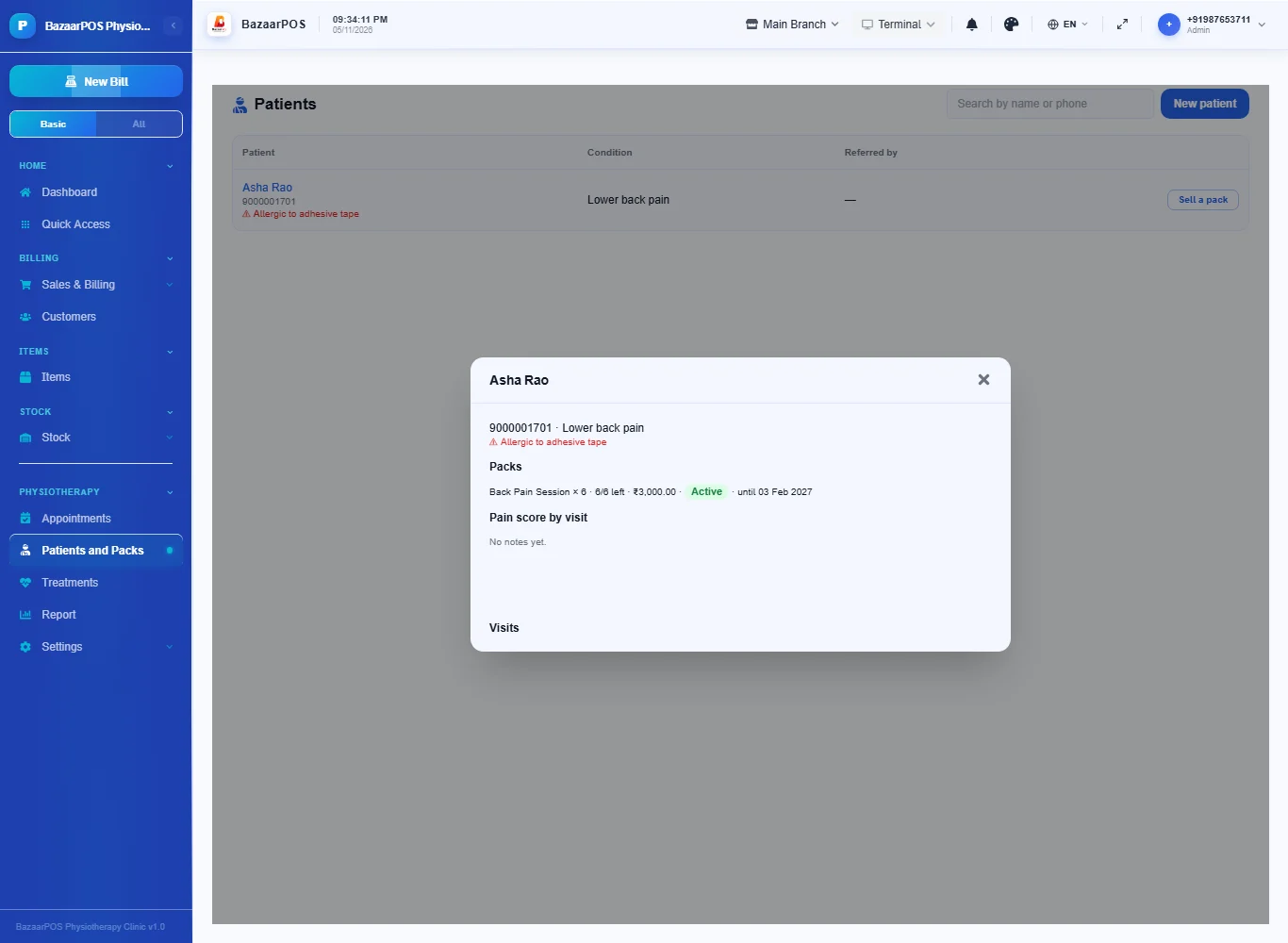
Open Patients and Packs and press New patient: name, phone, the condition, who referred them and an alert (an allergy, for example) that is shown on every appointment. Press Sell a pack, choose the treatment and the number of sessions, and bill it: the sale is made at once and a part payment stays as dues.
Step 3: Book an appointment
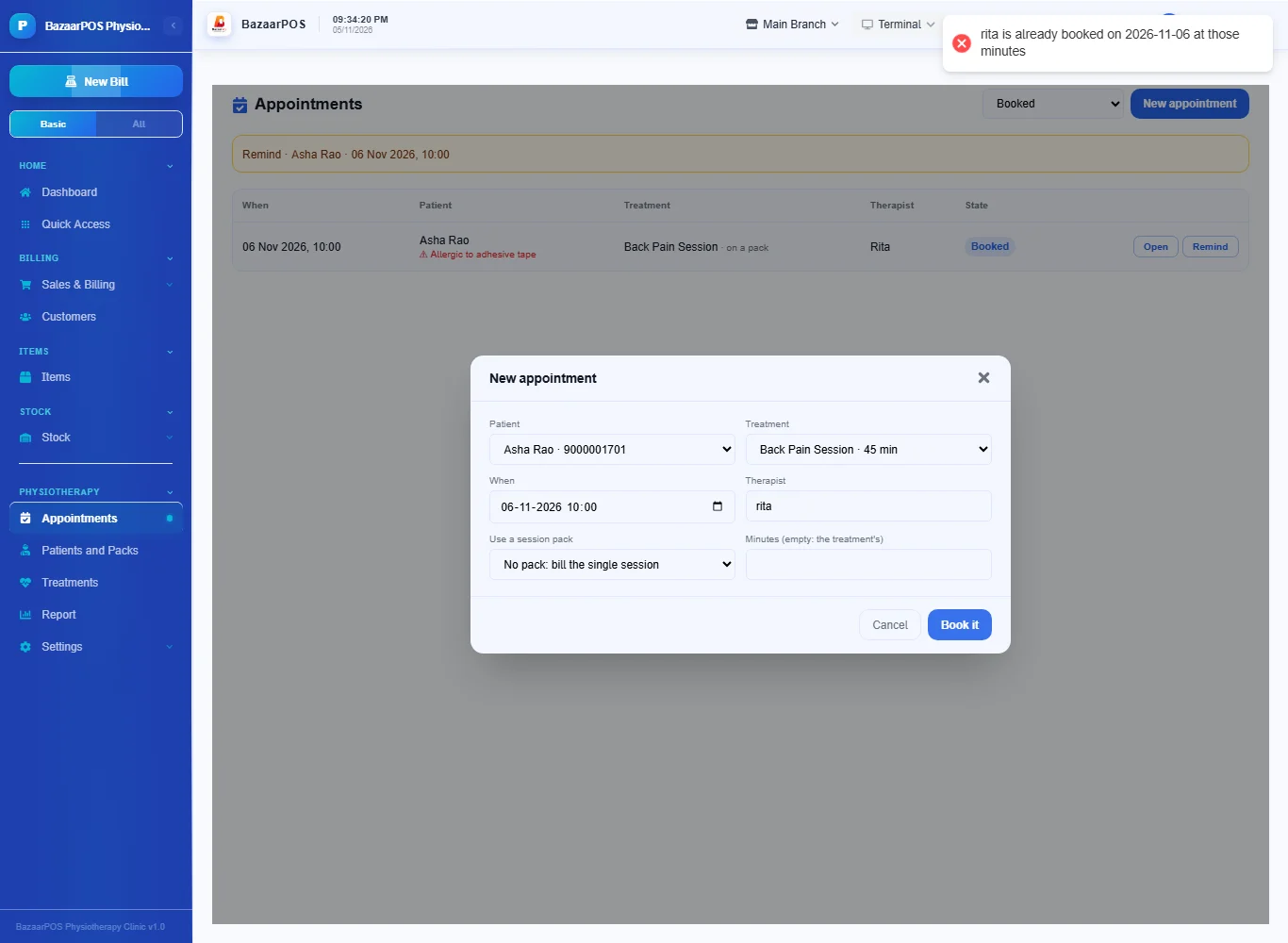
Open Appointments and press New appointment: the patient, the treatment, the date and time and the therapist. If the patient has an active pack you can choose it. A therapist who is already booked over the same minutes is refused.
Step 4: Write the note
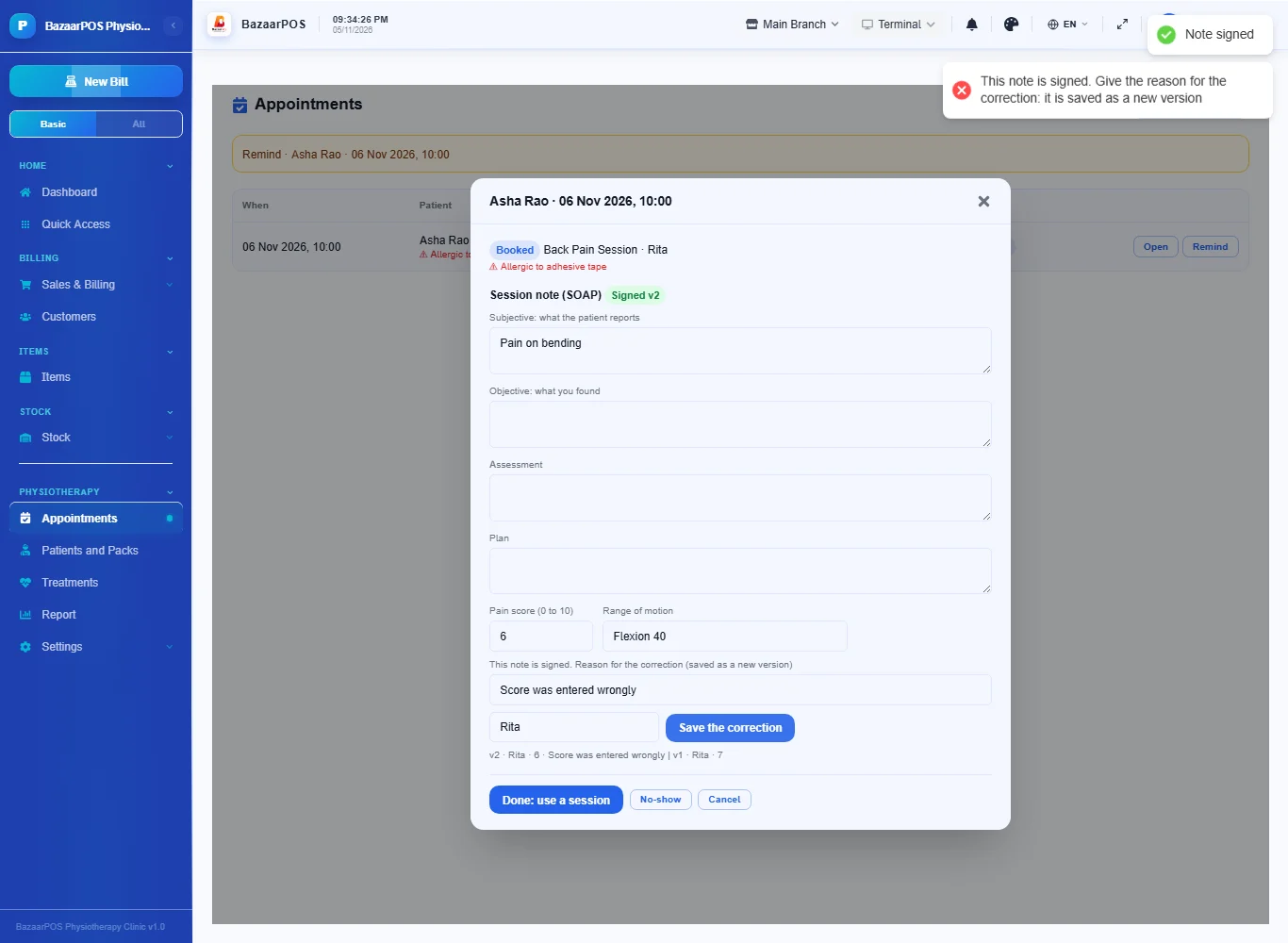
Open the appointment. Fill the subjective, objective, assessment and plan, the pain score from 0 to 10 and the range of motion, type who is signing and press Sign the note. A signed note is locked. To change it you must type the reason and your name: the correction is saved as a new version and the old one is kept.
Step 5: Mark the visit done
Press Done. With a pack, one session comes off it; without one, the single session is billed as a sale. No-show and Cancel change nothing else. The patient's page shows the pain score by visit.
Step 6: The report
Open Report for visits done, no-shows and their percentage, packs sold and their revenue, the sessions still unused and each therapist's visits.
On the phone
The phone app has Appointments (done, note, reminder), Due List and Report.
Also useful here
- Barcode labels: see Barcodes.
- Counting stock: see Stock count.
- Importing items: see Import and export.
- Expiry dates and batches: see Expiry monitor.
Questions
Is this separate from items and billing?
No. A treatment is a service item, the patient is a customer and a pack or session is a normal sale.
Can a signed note be changed?
Only by a correction that gives a reason and a name. It is saved as a new version; the old version stays.
Is this HIPAA or DPDP compliant?
BazaarPOS does not claim any certification. Records are reachable only by signed-in users through the shop's role checks and a signed note cannot be edited. Check your own legal duties.
Does it use my country's tax?
Yes. The treatment items carry the tax and the bill is made by the shared sale code.
Is there a phone version?
Yes. Appointments with notes, the due list and the report are on the phone.
Which plan includes what
Physiotherapy Clinic comes in Basic, Advanced and Enterprise plans. A screen your plan does not include shows a message with how to upgrade.
- Basic: billing, items, customers, reports, treatments, patients, packs and appointments.
- Advanced: everything in Basic, plus progress and the report.
- Enterprise: everything in Advanced, plus more than one branch and AI sales forecasting.