Dental Clinic Setup
Run a dental clinic in BazaarPOS: a tooth chart with history, treatment plans with fixed prices, deposits and instalments, chair scheduling, recalls and lab cases.
How it fits together
You keep your normal Items, Customers, billing, purchase orders and special orders. Nothing is entered twice. A procedure is a normal service item, so the tax of your country comes from it. The patient is a normal customer, and a done procedure is billed as a normal sale. Added on top are the tooth chart, the plans, the instalments, the schedule and the report.
- Patients and Chart: the medical alert and the tooth chart.
- Treatment Plans: propose, accept, deposits, instalments, done and billed.
- Appointments and Lab: chairs, dentists, recalls and lab cases.
- Procedures and Settings: the price list, numbering, tax and messages.
Step 1: Make the procedure list
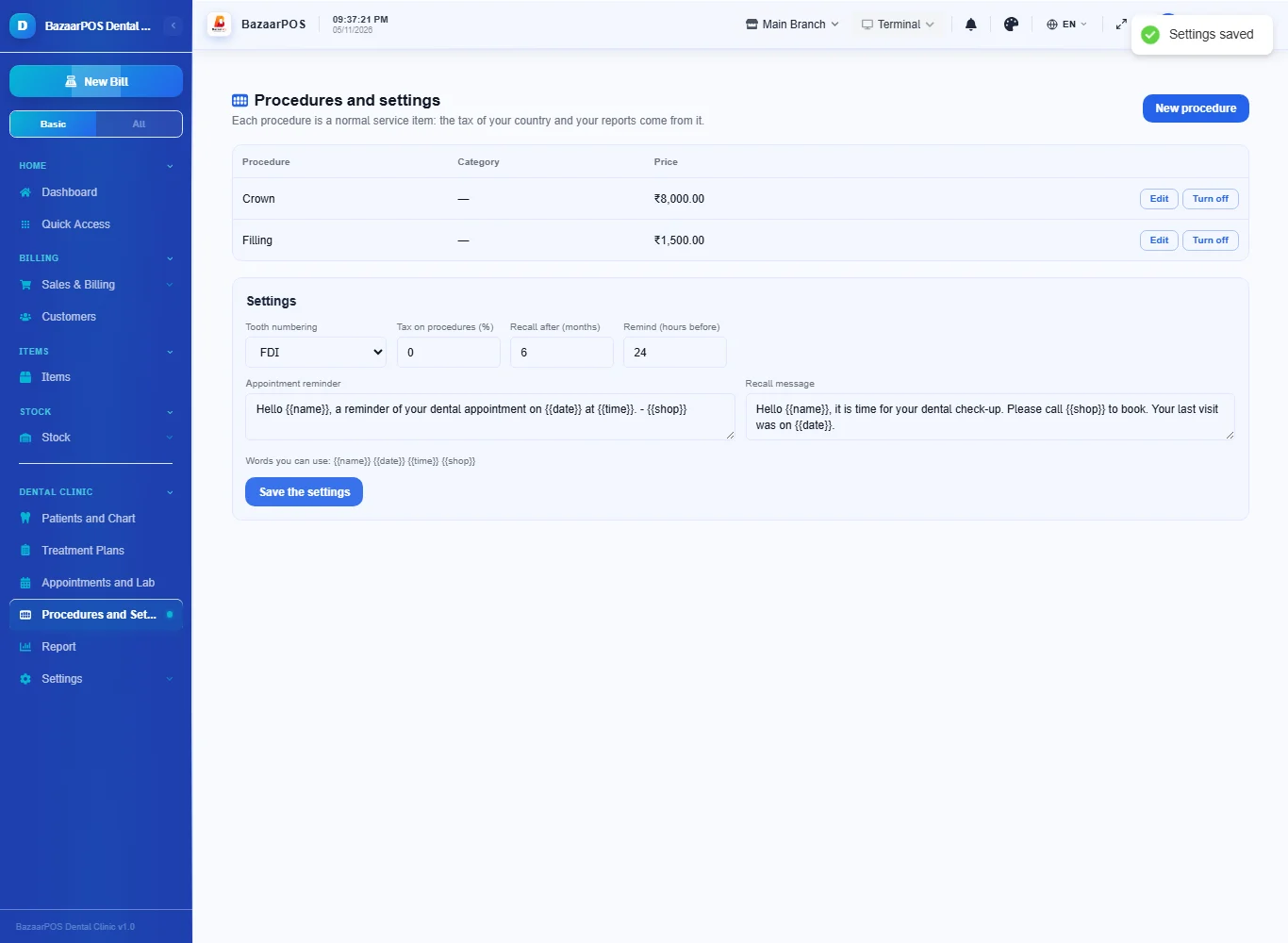
Open Procedures and Settings and press New procedure for each: name, category and price. Under the table choose the tooth numbering (FDI, Universal or Palmer), the tax, the recall months and the messages.
Step 2: Register the patient and chart the teeth
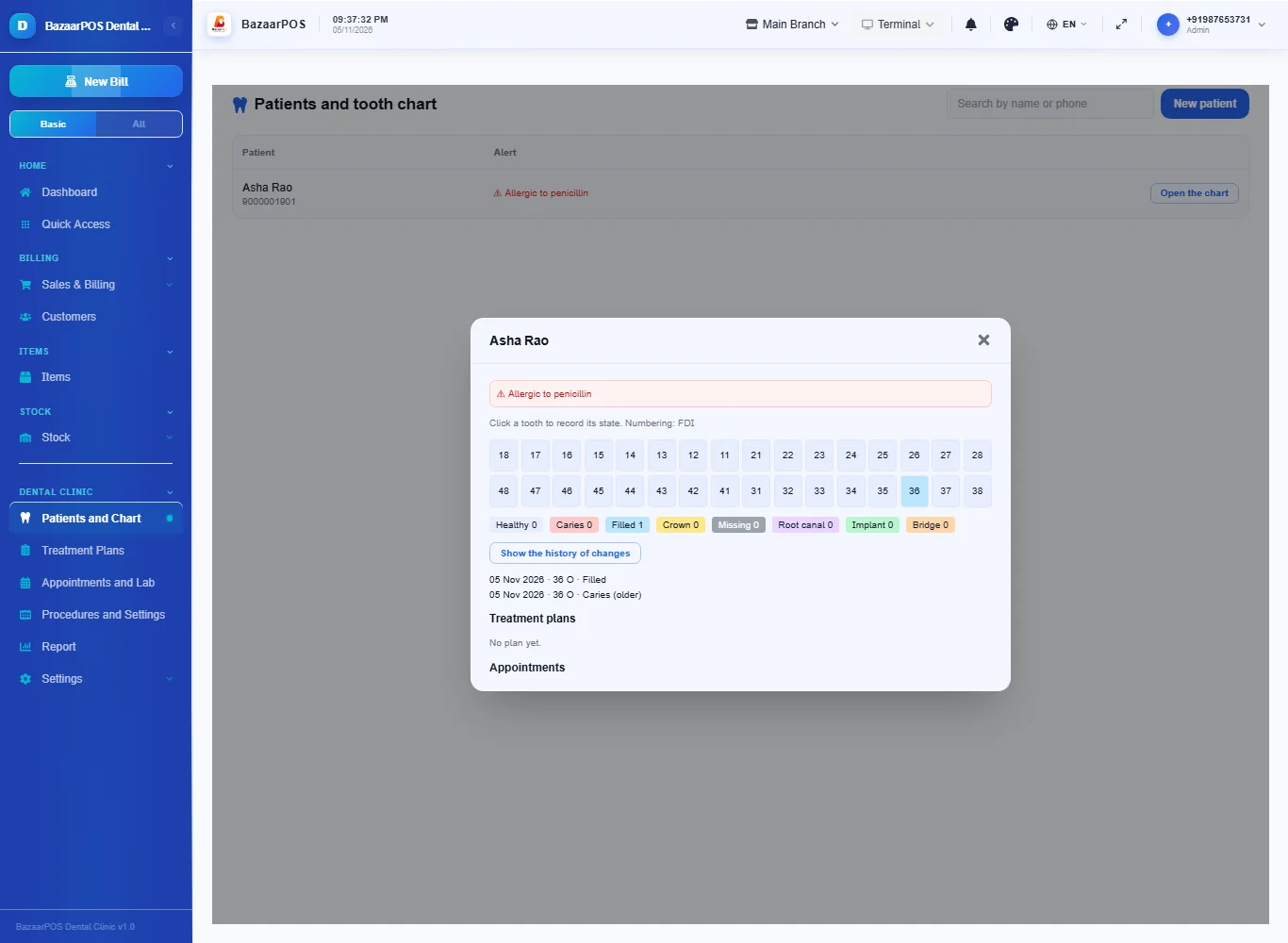
Open Patients and Chart, press New patient and type the medical alert; it is shown at the top of the chart and on every appointment. Open the chart and click a tooth to record its state (caries, filled, crown, missing and so on) and the surface. Each change is kept: press Show the history of changes to see them by date.
Step 3: Propose a treatment plan
Open Treatment Plans and press New plan: the patient, the dentist, a discount if any, and a line for each procedure with the tooth and the visit it belongs to. While the plan is only proposed you can add or remove procedures and change the discount.
Step 4: Accept it, take a deposit and treat
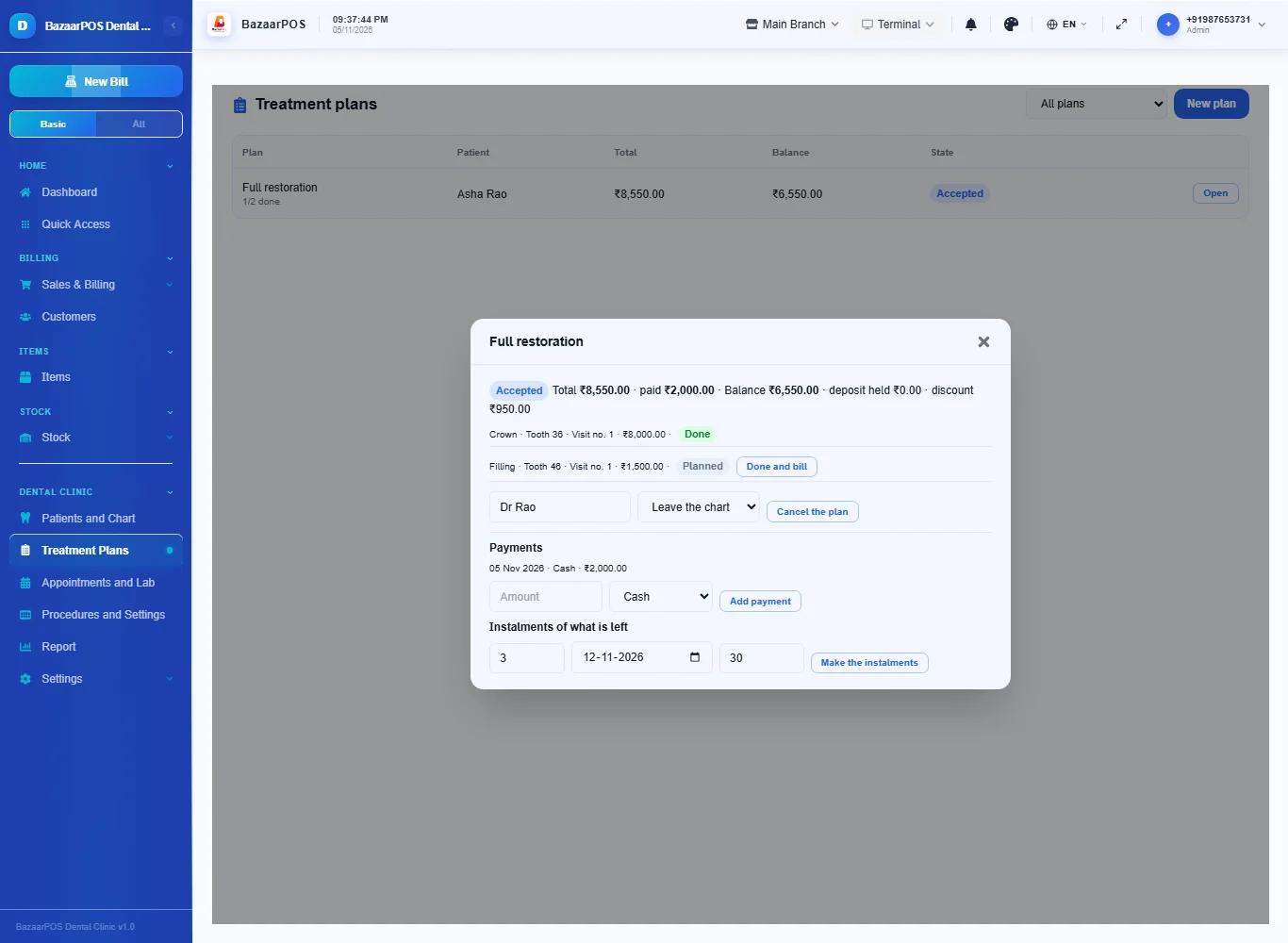
Press The patient accepts: from now the prices are fixed. Take a deposit with Add payment. Press Done and bill on a procedure when it has been done: it is billed as a normal sale for its price less its share of the discount, with the deposit applied as the amount paid. What the deposit does not cover stays as the customer's dues, and a later payment settles the oldest unpaid bill. Tax is added on top of the plan price.
Step 5: Instalments
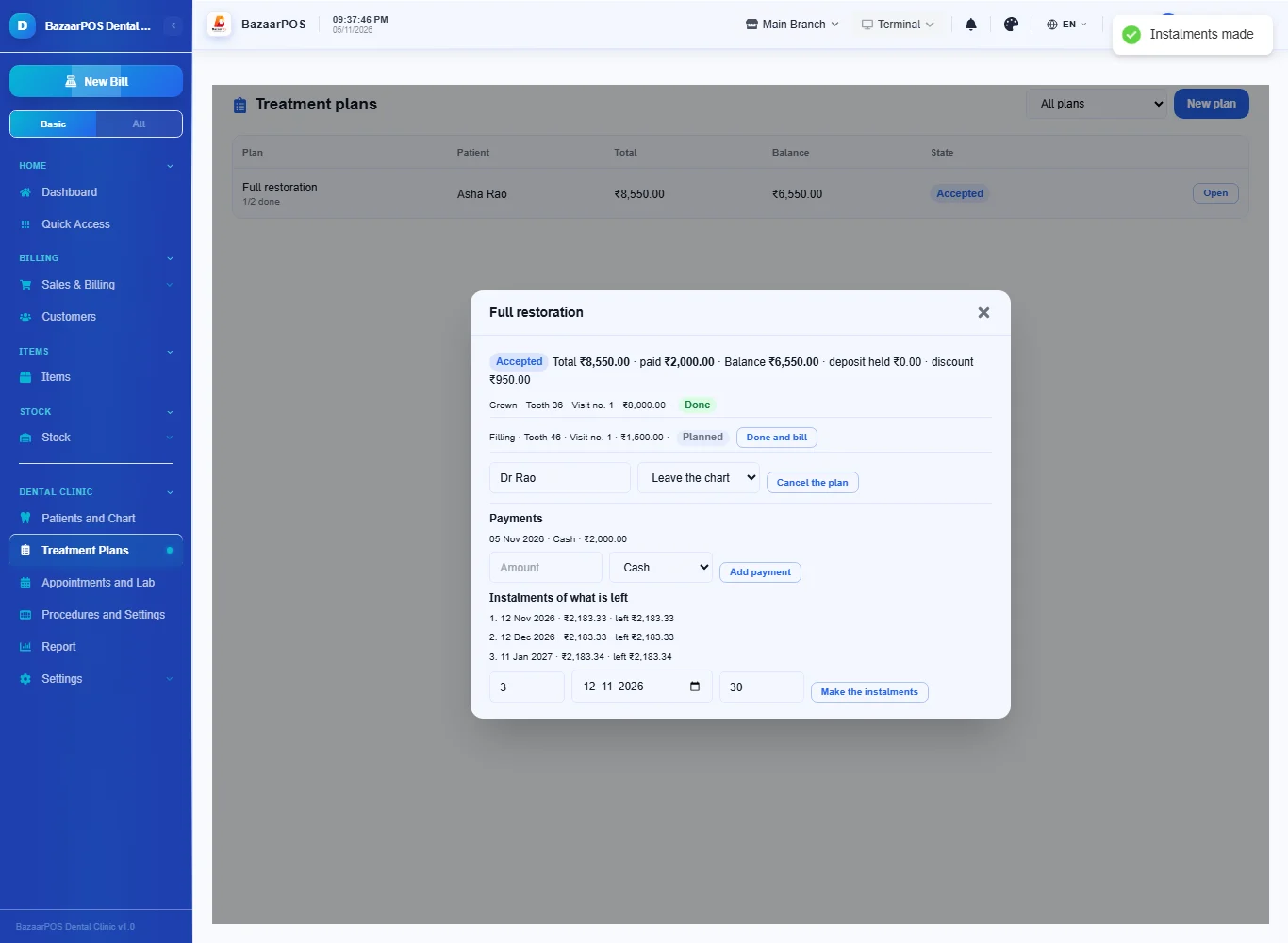
For what is left, type the number of instalments and the date of the first and press Make the instalments: they are equal, the last takes the odd part. Payments fill them from the first and an instalment that is past its date is marked overdue.
Step 6: Appointments, recalls and the lab
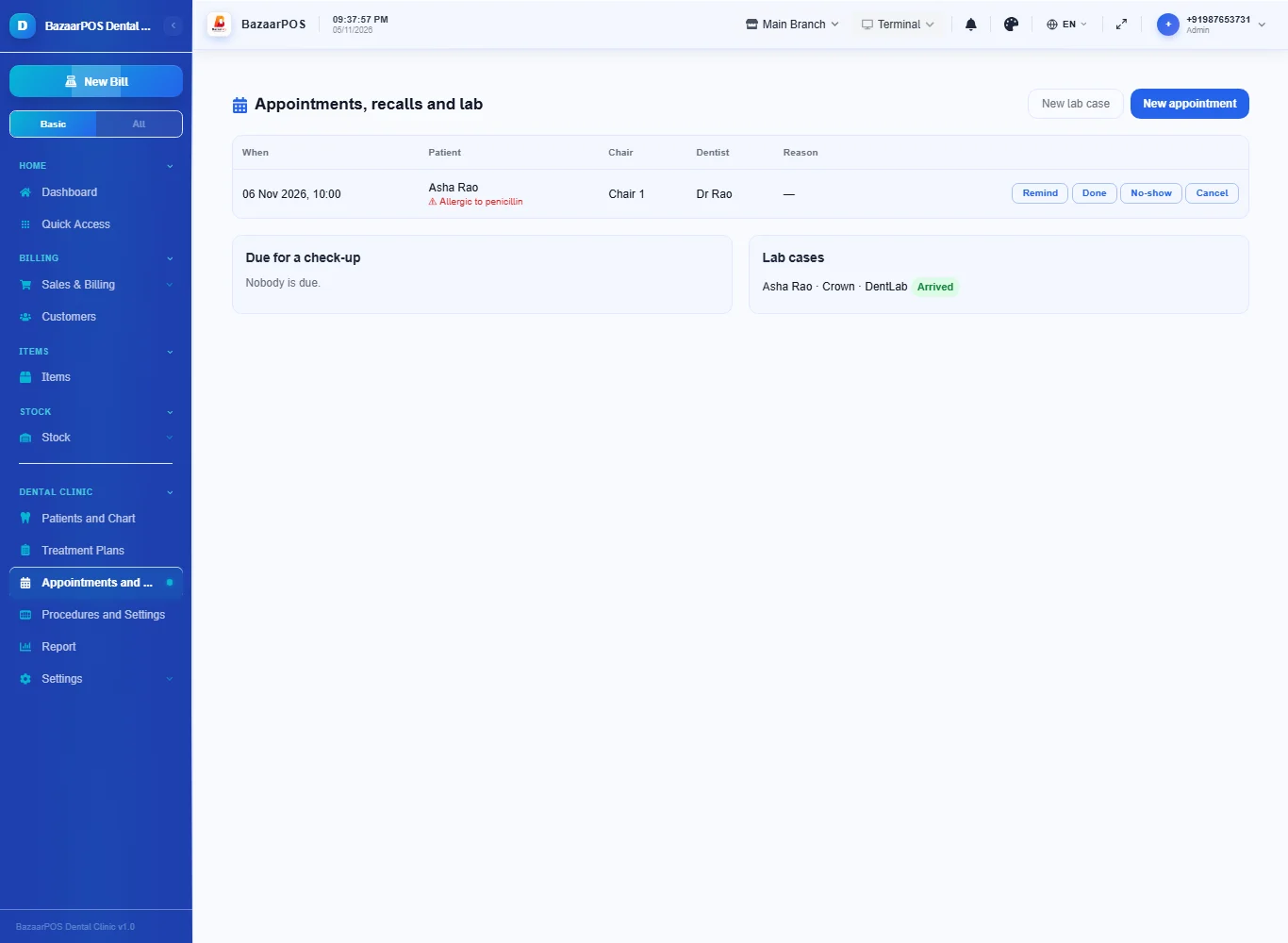
Open Appointments and Lab. A chair and a dentist can each be booked only once at a time. Due for a check-up lists patients whose last visit was as long ago as your recall months. New lab case records a crown, bridge or denture sent to a lab with the date it is expected; press Arrived when it comes.
Step 7: The report
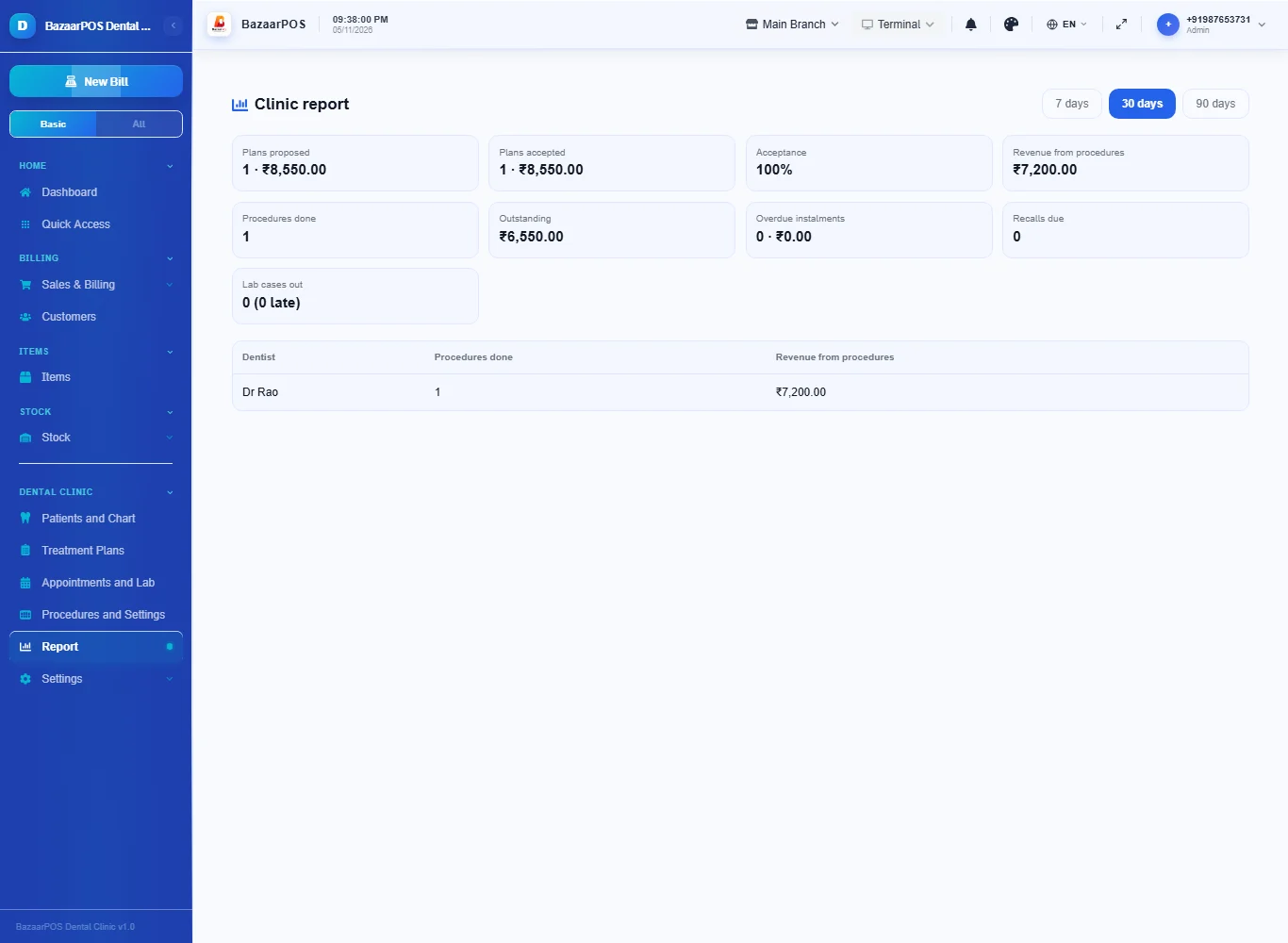
Open Report for plans proposed and accepted, the acceptance percentage, revenue from procedures done, what is outstanding, overdue instalments, recalls due and lab cases out, and each dentist's procedures.
On the phone
The phone app has Appointments, Treatment Plans (done and payments), Recalls, Tooth Chart and Report.
Also useful here
- Barcode labels: see Barcodes.
- Counting stock: see Stock count.
- Importing items: see Import and export.
- Expiry dates and batches: see Expiry monitor.
Questions
Is this separate from items and billing?
No. A procedure is a service item, the patient is a customer and a done procedure is a normal sale.
Which tooth numbering can I use?
FDI, Universal or Palmer. Choose one in the settings; a Palmer code such as UR1 is always understood.
Does it handle insurance claims or X-rays?
Partly. Keep the policy on the patient page, draft a claim from an accepted plan, and mark it submitted, approved, rejected or paid; the money received becomes a payment on the plan. You type the claim in by hand: there is no link to any insurer. Keep an X-ray picture or PDF with the patient under Files. There is no scanner or DICOM link.
Is this HIPAA or DPDP compliant?
BazaarPOS does not claim any certification. Records are reachable only by signed-in users through the shop's role checks. Check your own legal duties.
Is there a phone version?
Yes. Appointments, plans with payments, recalls, the tooth chart, insurance claims and policies, patient files (a picture or a link) and the report are on the phone.
Which plan includes what
Dental Clinic comes in Basic, Advanced and Enterprise plans. A screen your plan does not include shows a message with how to upgrade.
- Basic: billing, items, customers, reports, the chart, plans, appointments and lab cases.
- Advanced: everything in Basic, plus the report.
- Enterprise: everything in Advanced, plus more than one branch and AI sales forecasting.